
Alternatives to Best Face Swap
Explore the best alternatives and competitors to Best Face Swap.
Explore 20 alternatives to Best Face Swap. Compare features, pricing, and find the best fit for your needs.
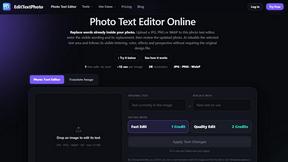
EditTextPhoto
AI-powered image text editor to edit, replace, fix, or translate text in images while preserving the original font, color, size, and style.
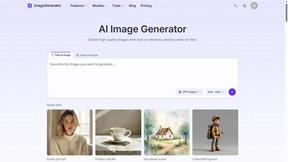
ImageGenerator
Create and edit AI images online with multiple models, text-to-image, image-to-image, background removal, and upscaling.
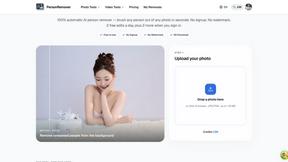
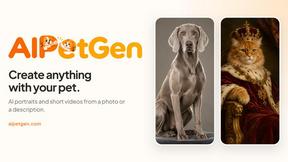
AIPetGen
AIPetGen turns a photo of your dog, cat, or other pet, or a written description, into a new picture or a short animation.

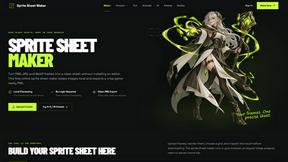
Sprite Sheet Maker
A free browser-based toolkit for creating, cutting, converting, and previewing sprite sheet animations.

Magic Eraser
AI photo editor for removing objects and backgrounds, enhancing images, and creating visuals across web and mobile.
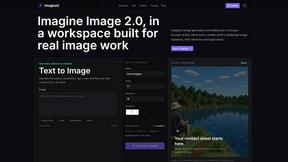
Imagine2
Private browser-based AI image generation and editing with text-to-image, targeted edits, and multi-image references.

Kogashitsuka AI
An online AI image tool that enhances photos and illustrations at their original size or upscales them by 2x or 4x.

IsThisAIImage
Free AI image checker: upload a photo for AI-generated and deepfake scores, a clear verdict, and optional generator hints.
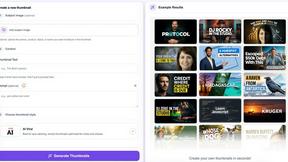
StopScroll
StopScroll is an AI thumbnail maker that generates YouTube thumbnail concepts from a URL, title, or prompt.

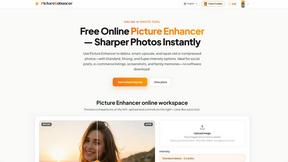
Picture Enhancer
Picture Enhancer: free AI photo deblur, upscale, and restore in your browser. Guest tries, then credits—no software install.
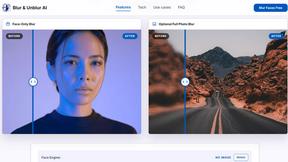
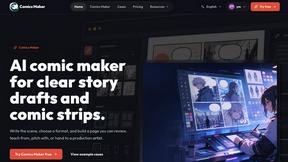
ComicsMaker
ComicsMaker turns your plain text scene into a structured comic draft, letting you plan beats, generate panels, and add dialogue right in your.

Art & See Custom Oil Painting Portraits
Turn cherished photos into heirloom-quality custom oil portraits, blending timeless artistry with your most personal memories.
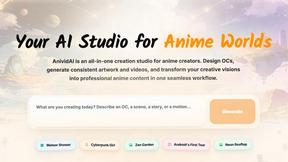
AnividAI
AnividAI is your ultimate studio for creating stunning anime art, videos, and characters effortlessly in one seamless platform.
Nano Banana
Transform your ideas into stunning images effortlessly with Nano Banana's AI-powered editing and creation tools, now 50% off for a limited time!.
About Best Face Swap Alternatives
Best Face Swap is an AI-powered tool designed for photo and video editing, specifically allowing users to swap faces in images, videos, and GIFs. It falls under the Image & Photo category, targeting individuals who want to create fun, personalized, or humorous content without needing deep technical skills. Users often seek alternatives due to factors like pricing models that may not fit a casual budget, limited platform availability, or a desire for more advanced editing features such as batch processing or higher-resolution output. Additionally, some users look for tools that offer better privacy controls, faster processing speeds, or compatibility with specific operating systems like iOS or Linux. When choosing an alternative, it is essential to evaluate the tool’s ease of use, as the primary appeal of face-swapping software is accessibility. Look for options that support multiple media formats, including high-definition video and animated GIFs, to ensure versatility. Privacy and security are also critical, so consider platforms that clearly state their data handling policies, especially regarding uploaded images. Finally, compare the quality of the AI output—realistic blending, seamless skin tone matching, and natural facial expressions are key indicators of a reliable alternative. Avoid tools that require extensive manual adjustments unless you have a specific need for granular control.
FAQs about Best Face Swap Alternatives
What is Best Face Swap?
Best Face Swap is an AI-powered tool that specializes in swapping faces in photos, videos, and GIFs. It belongs to the Image & Photo category and is designed to make media editing simple and accessible. The tool uses artificial intelligence to automate the face-swapping process, allowing users to create fun and creative content without requiring advanced technical expertise.
Who is Best Face Swap for?
Best Face Swap is ideal for individuals looking for a straightforward way to edit media for personal or entertainment purposes. It caters to casual users, social media enthusiasts, and content creators who want to produce humorous or imaginative visuals quickly. The tool is not intended for professional-grade editing but rather for those who value simplicity and efficiency in their creative projects.
Is Best Face Swap free?
Best Face Swap likely operates on a freemium or paid subscription model, as is common for AI-powered editing tools. While basic features may be available at no cost, advanced functionalities such as high-resolution video processing or unlimited exports often require a paid plan. Users should check the official website for the most accurate and up-to-date pricing information.
What are the main features of Best Face Swap?
Best Face Swap offers AI-driven face swapping for photos, videos, and GIFs, enabling users to replace faces in media with minimal effort. The tool emphasizes ease of use, making it accessible to those without technical skills. Key features likely include real-time previews, support for various file formats, and automatic alignment of facial features to create realistic results.