

Blur & Unblur AI
Blur faces in photos with automatic detection, lasso corrections, adjustable strength, and local browser editing for privacy-minded sharing.
About Blur & Unblur AI
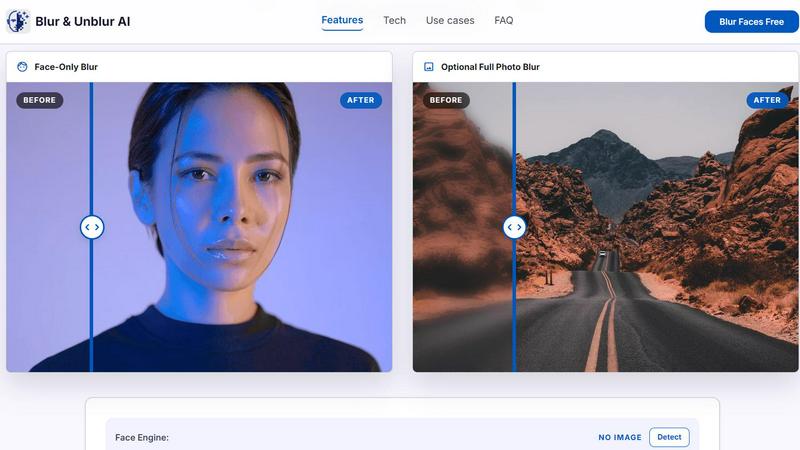
Blur & Unblur AI focuses on hiding selected faces while keeping the rest of a photo clear. Load a JPG, PNG, or WebP image; the browser detects faces and creates editable masks. You can remove incorrect detections, draw a lasso around a missed face, and adjust blur strength with a live preview. The finished image exports as a clean PNG without editor guides or handles.
The tool also offers face unblur and full-photo blur modes, though its primary workflow is targeted face redaction. Image editing and export happen locally in the browser, so the source photo is not sent to a processing server. Very large images may be limited by device memory; resizing them can help if the browser slows down.
Features of Blur & Unblur AI
- Automatic face detection with individually editable masks
- Lasso drawing for missed faces and more precise selections
- Live blur-strength adjustment and clean PNG export
- Local browser processing; source images are not uploaded
Use Cases of Blur & Unblur AI
- Hide selected people in group or event photos before sharing
- Redact faces in school photos, screenshots, or community galleries
- Correct missed detections in low-light or crowded images
- Blur a full photo when broader obscuring is needed
Frequently Asked Questions
Does the tool blur the whole photo?
No. Face Blur targets selected face regions; a separate Full Blur mode is available for the entire image.
What if a face is missed or detected by mistake?
Use Lasso to mark a missed face, or remove an incorrect detection in Select mode before exporting.
Does my image leave my device?
The page says image editing and export run locally in the browser, without sending the source image to a processing server.
Explore more in this category:
Similar to Blur & Unblur AI

FreeCreate
Create AI videos from text or images, transfer motion, and explore preset effects in a studio with guest credits and daily free credits.

Layerling
Layerling is browser CAD for printable enclosures and custom parts, with editable dimensions and STL or 3MF export.

goshortsai
Create short AI videos from images, prompts, or footage using motion transfer, presets, and a studio with daily free credits.

Text Photo AI
Add, replace, or remove wording in photos, with free browser captions and AI edits for JPG or PNG files.

MakePieces OfUs
MakePieces OfUs makes a private virtual pet room from a real photo, with free photo puzzles and optional daily stories, themed settings and travel.

SciDrawer AI
Generate scientific figures from text, sketches, or reference images, then refine them for manuscripts, presentations, and conference posters.

PosterSize
PosterSize helps users look up poster dimensions and generate draft artwork for print, social media, and presentation canvases.

Drawcil
Drawcil turns reference photos into four-stage pencil lessons, helping beginners practise drawing on paper at their own pace.