
Alternatives to ComicsMaker
Explore the best alternatives and competitors to ComicsMaker.
Explore 20 alternatives to ComicsMaker. Compare features, pricing, and find the best fit for your needs.


AIPetGen
AIPetGen turns a photo of your dog, cat, or other pet, or a written description, into a new picture or a short animation.



Genjutsu AI
Genjutsu AI turns your ideas into cinematic videos, product ads, social shorts, and high-quality images in minutes. Built for TikTok & Reels.

AI Album Cover Maker
Create release-ready album covers from a prompt or photo. Generate, refine, and export art for singles, EPs, mixtapes, and playlists.
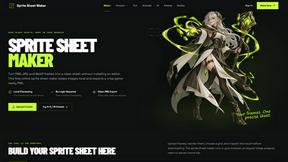
Sprite Sheet Maker
A free browser-based toolkit for creating, cutting, converting, and previewing sprite sheet animations.


Presentation Intelligence
AI-native presentation and visual content platform that turns prompts, documents, images, videos, and data into polished, shareable decks.


Vismuse
Create polished AI images and videos from prompts or references for social posts, ads, flyers, album covers, and campaigns.

Magic Eraser
AI photo editor for removing objects and backgrounds, enhancing images, and creating visuals across web and mobile.

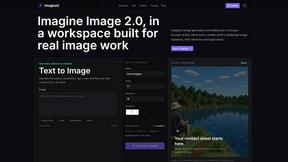
Imagine2
Private browser-based AI image generation and editing with text-to-image, targeted edits, and multi-image references.


Kogashitsuka AI
An online AI image tool that enhances photos and illustrations at their original size or upscales them by 2x or 4x.


UGCad AI
AI UGC video ad Generator which Turn a URL, prompt, or template into a ready video ads

About ComicsMaker Alternatives
ComicsMaker is an AI-powered visual storytelling tool that sits at the intersection of content creation, design, and image generation. It functions as an AI comic maker and comic strip maker, allowing users to transform written prompts into structured comic panels, manga-style drafts, storyboards, and export-ready visual drafts. While the platform offers a streamlined workspace for moving from idea to draft without a blank canvas, users often seek alternatives for a variety of reasons. These can include differences in pricing models, the need for more granular control over art style and character consistency, specific platform compatibility requirements, or a desire for unique features like advanced panel sequencing or integration with other design software. When evaluating an alternative, it is essential to consider your primary use case, whether it be rapid prototyping for marketing campaigns, detailed storyboarding for film, or educational comic creation. Look for a tool that balances generative speed with creative control, ensuring it supports the specific output formats you need, such as manga panels or social-ready pages. Additionally, assess the learning curve, the flexibility of the layout and tone settings, and whether the tool offers a free tier or trial that aligns with your budget. The best alternative will seamlessly fit into your existing workflow while providing the specific visual storytelling capabilities that ComicsMaker may not fully address for your unique projects.
FAQs about ComicsMaker Alternatives
What is ComicsMaker?
ComicsMaker is an AI comic maker and comic strip maker designed to transform text prompts into visual stories quickly. It generates comic panels, manga-style drafts, storyboards, and export-ready visual drafts, providing a structured workspace for creators. The tool offers control over layout, tone, reading flow, and style direction, allowing users to move from an idea to a polished comic draft without starting from scratch.
Who is ComicsMaker for?
ComicsMaker is built for a broad audience including creators, educators, marketers, and teams who need to produce visual stories efficiently. It is ideal for drafting explainer comics, classroom visuals, product storyboards, campaign concepts, and character moments. The platform serves anyone looking to turn written concepts into structured comic pages, manga panels, or storyboards without requiring advanced artistic skills.
Is ComicsMaker free?
ComicsMaker typically offers a free tier or trial period, allowing users to test its core features, such as generating comic strips and manga panels from prompts. The exact pricing structure, including limitations on the free version and costs for premium features like higher resolution exports or additional style controls, should be verified on the official website. Users looking for extended functionality may need to subscribe to a paid plan.
What are the main features of ComicsMaker?
The main features of ComicsMaker include prompt-to-panel generation for comic strips and manga drafts, control over layout and reading flow, and the ability to adjust tone and style direction. It functions as a storyboard creator and text to comic generator, producing export-ready visual drafts for social media, marketing, or educational use. The workspace is designed to help users structure ideas into comic pages without needing a blank canvas, making it a versatile visual storytelling tool.