
Alternatives to JavaScript Tools
Explore the best alternatives and competitors to JavaScript Tools.
Explore 20 alternatives to JavaScript Tools. Compare features, pricing, and find the best fit for your needs.
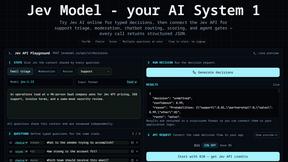


GigUp
GigUp helps freelancers discover relevant Upwork jobs through AI matching, automated monitoring, and instant alerts.

Safe Outreach
AI-powered platform that evaluates the safety of LinkedIn automation tools and helps reduce the risk of account restrictions.

How Long How Many Tool
Timers and hourly checks to figure how out long until a certain time or how many days away.


ButterShare
Realtime peer-to-peer file transfer in the browser. Send files directly between devices, no account and no upload to a server.

LaunchIntel
Your AI agent picks relevant directories, submits your product in your browser and tracks every step. One-time purchase.

RemoveObjectFromPhoto
Remove unwanted objects, people, and text from photos with AI for clean, natural-looking results in seconds.

Emailyy
Free email tools for signatures, subject lines, HTML previews, word counts, and email headers. Browser-based, simple to use, and no signup required.
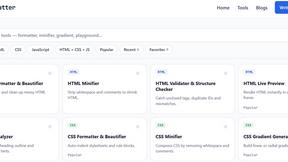
JoMatter
Jomatter provides free online tools for HTML, CSS, and JavaScript developers, helping simplify common web development and coding tasks.


Uniclip
Clip pages, take full-page screenshots and batch-capture list data to Notion, Feishu, Obsidian, Markdown, CSV or JSON.

TroveKey
Search tabs, Chrome bookmarks and history, run browser commands, and save webpages and social posts locally—no account.

LightScreen
Free fullscreen light screen tool online. Turn any display into a flashlight, ambient light, or solid-color screen. No download or sign-up.
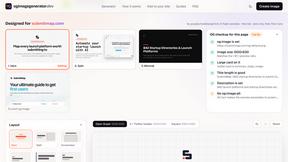
ogimagegenerator.dev
Paste a URL and AI designs on-brand Open Graph images from your page's colours, fonts and logo. Free, no sign-up.

Screen Issues
Free Online Screen Test Tool - Instantly diagnose dead pixels, lines, color issues, and flickering. Multiple test modes, no download needed.

Context Board
Context Board brings your numbers, docs, clients, content and day into one workspace that Claude and Codex can read and update.
About JavaScript Tools Alternatives
JavaScript Tools is a free, privacy-first online platform that provides a suite of focused utilities for common development tasks, primarily formatters and validators for JSON, HTML, CSS, XML, and Markdown. It falls into the categories of Productivity & Management and Dev Tools, designed to streamline the daily workflow of developers without requiring any accounts or project setup. Users commonly look for alternatives to this type of tool due to specific needs such as a different user interface preference, a desire for offline desktop functionality, a requirement for advanced collaborative features, or the need for integration with a specific development environment like an IDE. When choosing an alternative, the most critical factors to consider are the processing method (client-side vs. server-side) for security and privacy, the breadth of supported file formats and utilities, the availability of API access for automation, and whether the tool offers a native application or browser extension for seamless workflow integration.
FAQs about JavaScript Tools Alternatives
What is JavaScript Tools?
JavaScript Tools, hosted at JSTools.Space, is a free, privacy-first platform containing focused utilities for common development tasks. It allows developers to format and validate JSON, HTML, CSS, XML, and Markdown directly in the browser without uploading data to a server. The platform also includes tools for encoding, password generation, JWT inspection, and text comparison, making it a comprehensive utility suite.
Who is JavaScript Tools for?
JavaScript Tools is designed for web developers, software engineers, and IT professionals who need quick, reliable formatting and validation of code and data. It is particularly useful for anyone who handles authentication values, structured data queries, or needs to prototype HTML, CSS, and JavaScript. The platform requires no account or project setup, making it accessible to both beginners and experienced developers.
Is JavaScript Tools free?
Yes, JavaScript Tools is completely free to use with no hidden costs or subscription fees. There is no requirement to create an account or set up any projects to access any of the utilities. The platform is supported by its community and provides all core features, including the Dummy Data Library and developer security blog, at no charge.
Is JavaScript Tools secure?
Yes, JavaScript Tools prioritizes privacy and security by processing most operations directly inside the user's browser. This means users do not need to upload code, credentials, tokens, or test data to any application server, keeping sensitive information local. The platform is a privacy-first tool that does not require account creation, further reducing data exposure risks.