

Veo 4 video generator
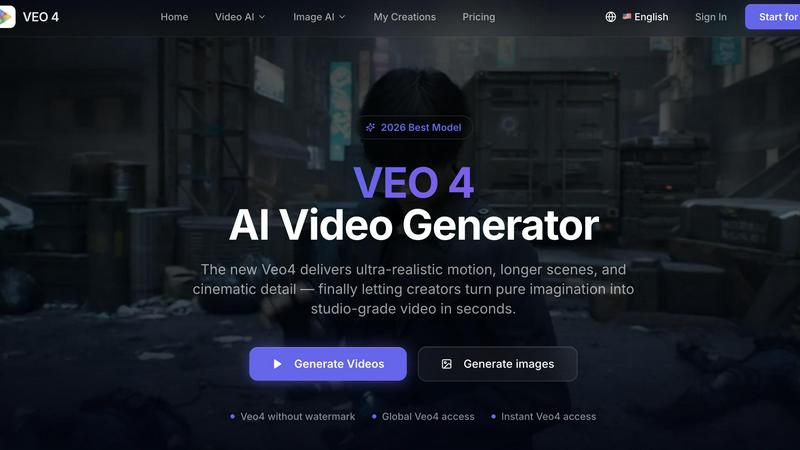
Veo 4 transforms text, images, or video into studio-grade clips with ultra-realistic motion, giving marketers and creators faster, clearer output for.
About Veo 4 video generator
Veo 4 is a next-generation AI video generator that redefines how creators, brands, and marketing teams produce video content. At its core, Veo 4 transforms text prompts, still images, or existing video footage into ultra-realistic, studio-grade clips in a matter of seconds. Unlike earlier AI video tools that often produced jerky motion or artifact-ridden scenes, Veo 4 delivers stronger motion clarity, finer detail, and more intentional framing that feels cinematic and believable. The platform is designed for practical, commercial workflows rather than just research demonstrations. It supports three primary creation paths: text to video for exploring new concepts from scratch, image to video for animating existing visuals with direction, and video to video for restyling, extending, or improving footage without rebuilding from nothing. Veo 4 is built for speed and iteration, making it ideal for marketing teams, agencies, product teams, and solo creators who need first drafts faster, want to compare multiple variations, and need clean exports that move directly into editing software, landing pages, or ad campaigns. The tool also offers longer clip generation, global access, and no watermark on outputs, giving teams full ownership and flexibility over their final assets. With a focus on smoother motion, cleaner scenes, and outputs that fit real marketing workflows, Veo 4 bridges the gap between creative imagination and publishable media.
Features of Veo 4 video generator
Text, Image, and Video to Video Creation
Veo 4 offers three versatile creation paths that give teams maximum flexibility in how they generate content. Start with a text prompt when you want to explore a new concept or visual idea from scratch. Upload an image when you have a specific visual direction and want Veo 4 to animate it with realistic motion. Or use existing video footage as input when you need to restyle, extend pacing, or improve motion quality without rebuilding the entire clip. This multi-modal approach means Veo 4 fits into any stage of creative production, from initial brainstorming to final polish.
Superior Motion and Scene Control
What sets Veo 4 apart is its ability to produce smoother motion, cleaner framing, and scenes that feel more intentional and directed. The model has been trained to understand natural movement, camera dynamics, and spatial relationships, resulting in video output that avoids common AI artifacts like flickering, warping, or unnatural transitions. Users can adjust motion direction, visual style, and aspect ratio to match specific ad, product, or brand goals. This level of control makes Veo 4 particularly valuable for commercial storytelling where believability and polish are essential.
Longer Clip Generation with Clean Exports
Veo 4 supports the creation of longer video clips suitable for narrative sequences, campaign concepts, product explainers, and other extended content needs. The platform generates clean exports that are ready for immediate use in editing software, landing pages, or ad workflows. This eliminates the tedious post-processing often required with other AI video tools. Teams can move from generation to publication faster, reducing production bottlenecks and enabling more agile content strategies.
Optimized for Marketing and Creative Teams
Veo 4 is purpose-built for the specific needs of marketing departments, creative agencies, and product teams. It excels at producing first drafts quickly, enabling teams to compare multiple variations of a concept in minutes rather than days. The tool supports common commercial jobs such as product launches, paid social videos, branded storytelling, and short-form content testing. With no watermark on outputs and global access, Veo 4 gives teams full creative freedom and the ability to produce usable clips that meet the quality standards of professional advertising and social media campaigns.
Use Cases of Veo 4 video generator
Ad Concept Development and Testing
Marketing teams can use Veo 4 to rapidly prototype ad concepts for product launches, seasonal campaigns, or brand storytelling. Instead of spending weeks on storyboards and test shoots, teams can generate multiple video variations from text prompts or brand images in seconds. This allows for quick A/B testing of different visual directions, motion styles, and narrative approaches before committing to full production. The ability to iterate rapidly reduces creative risk and ensures that final ads are more effective and aligned with campaign goals.
Social Media Content Production
For social media managers and content creators, Veo 4 provides a fast path to producing engaging short-form videos for platforms like TikTok, Instagram Reels, and YouTube Shorts. Users can generate eye-catching clips from product images, brand assets, or simple text ideas. The tool supports popular aspect ratios like 9:16 for vertical video and 16:9 for horizontal formats. With clean exports and no watermark, these videos can be published directly or easily edited into larger content calendars, helping teams maintain a consistent posting schedule without overwhelming production resources.
Product Explainer and Demo Videos
Product teams and e-commerce brands can leverage Veo 4 to create compelling explainer videos and product demonstrations from still images or concept descriptions. Instead of arranging complex photo shoots or animation projects, teams can animate product shots, show features in motion, or create lifestyle scenarios that demonstrate product benefits. This is particularly valuable for testing new product launches, updating website content, or creating localized versions of product videos for different markets. The speed of generation means product videos can be updated as quickly as product features evolve.
Video to Video Restyling and Enhancement
One of Veo 4's most practical applications is video to video workflows where teams already have existing footage that needs a new look or improved quality. Whether it's restyling rough cuts with a different aesthetic, extending short clips to fit longer narrative sequences, or cleaning up motion artifacts from older footage, Veo 4 allows teams to iterate on existing material without starting from scratch. This is especially useful for agencies working with client-provided footage, production houses needing to repurpose content for different formats, or teams updating brand assets to match new visual guidelines.
Frequently Asked Questions
What is the difference between text to video, image to video, and video to video in Veo 4?
Text to video allows you to create a brand new video clip from a written description or prompt, making it ideal for exploring concepts and ideas from scratch. Image to video takes a still image as input and animates it with realistic motion, preserving the visual direction while adding movement. Video to video uses existing footage as input, allowing you to restyle the clip, improve motion quality, extend its duration, or change its visual aesthetic without rebuilding the entire video. Each mode serves a different stage of the creative workflow, from ideation to final polish.
Can I use Veo 4 for commercial projects like ads and social media?
Yes, Veo 4 is specifically designed for commercial and marketing workflows. The platform produces clean, watermark-free exports that are ready for use in advertising campaigns, social media content, landing pages, and product storytelling. It supports common aspect ratios like 9:16 for vertical video and 16:9 for horizontal formats. Many teams use Veo 4 for product launches, paid social videos, branded content, and short-form content testing. The tool is built to help teams move from concept to publishable media faster, making it suitable for both agency and in-house creative teams.
How long are the videos I can create with Veo 4?
Veo 4 supports longer clip generation compared to many other AI video tools. While exact maximum durations may vary based on the specific plan and model used, the platform is designed to produce clips that are suitable for narrative sequences, campaign concepts, product explainers, and other extended content needs. The focus is on providing clean exports that can be used directly in editing workflows or published as standalone assets. For the most current information on clip length limits, users should check the platform's pricing and model details.
Is there a watermark on videos created with Veo 4?
No, Veo 4 offers watermark-free video generation. This is a key feature that sets it apart from many free or entry-level AI video tools. Users can generate professional-quality videos without any branding overlay, giving them full ownership and creative freedom over their final assets. This is particularly important for commercial users who need clean footage for advertising, branding, or client work. The absence of a watermark means videos can be published directly or integrated into larger projects without additional editing steps.
Similar to Veo 4 video generator

Bulin 47 AI
Turn one photo into a Bulin 47 freestyle AI video: your face, the moves and dembow sound, in 9:16 MP4.

Rumpelstiltskin AI Video Generator
Make the viral Rumpelstiltskin tiptoe dance meme video from two photos

Genjutsu AI
Edit a video clip with reference images while keeping the original motion.

Raindance AI Video Generator
Turn two photos into the Raindance AI pier video with the soundtrack included

DanseAI - Alors on Danse AI Video Genera
Make the Alors on Danse AI meme video from two photos, soundtrack included

Opus 5.5 Video Generator
Turn a prompt into a 1080p motion-graphics MP4 planned and coded by Claude Opus 5.5

AIPetGen
AIPetGen turns a photo of your dog, cat, or other pet, or a written description, into a new picture or a short animation.

TryH3 - MiniMax H3 Video Generator
Try MiniMax Hailuo H3 video generation in the browser