

Genjutsu AI
Genjutsu AI edits footage with character, outfit, product or background changes while aiming to keep its original movement and camera path.
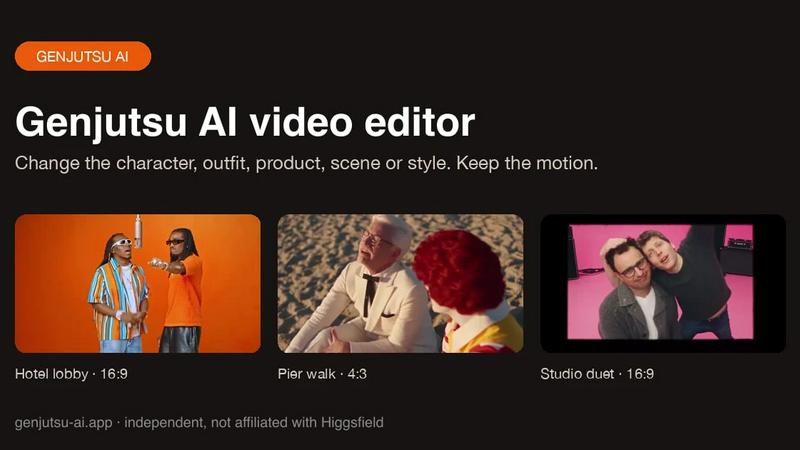
About Genjutsu AI
Genjutsu AI is for changing what appears in a video while retaining the underlying shot as much as the model allows. Start from an uploaded or built-in clip, choose a 4 to 30 second window, and describe the intended edit. Reference images help specify a character, outfit or product; style changes can be described without images. The service also supports background changes.
The decision is whether to prioritize motion continuity or a narrower swap. Genjutsu 1.0 is described for motion transfer, while Genjutsu Lite 1.0 is positioned for lower-cost swaps. You can select resolution, but options vary across models. Expect possible variation in hands, hair and small labels, especially during movement. The tool is better suited to concepts and adaptations than to shots that require every fine detail to remain identical.
Features of Genjutsu AI
- Start with a built-in clip or an MP4/MOV upload
- Motion transfer and object swap models
- Reference images for specified replacements
- Output resolution choices from 480p to 1080p, depending on model
Use Cases of Genjutsu AI
- Change a performer while retaining the source movement
- Swap the featured item in a product clip
- Try a different outfit on recorded footage
- Restyle a shot or place it in a different background
Frequently Asked Questions
What does the tool need from me?
A source clip, a selected segment and a short instruction. Add reference images when they help identify the replacement.
Are all models available at every resolution?
No. The listed resolutions depend on the model; some are limited to 480p or 720p.
What details may not hold steady?
The site notes that hands, hair and fine labels can vary, and small logos or package text are not guaranteed to remain exact.
Pricing of Genjutsu AI
Credit based: purchase a one-time pack or choose a monthly or yearly plan. Credit packs do not expire; the listed 220-credit pack costs $12.
Similar to Genjutsu AI


Flux3Max.io
Make short videos with sound from text, photos, or up to 10 keyframes, with 720p or 1080p output.

Clean Audio
Clean Audio removes background noise from voice recordings and video in your browser, with before-and-after comparison and local processing.

Remix the Trend
Turn photos into short AI videos with ready-made templates inspired by trends on TikTok, Reels, and Shorts.

TokClip
Generate short AI videos from photos using ready-made templates for TikTok and Reels trends, with no prompt writing or editing required.


Rhinobird
Rhinobird creates product listing images, ad creatives and videos from product photos, with additional tools for packaging concepts and renders.

Bicep Heart
Create a seven-second bicep-heart video from one adult photo, selecting a scene and optional lettering for the gesture.