

Subclip
Subclip is an AI-powered video editor that streamlines editing, captioning, and dubbing, saving you time and enhancing your creative reach.
About Subclip
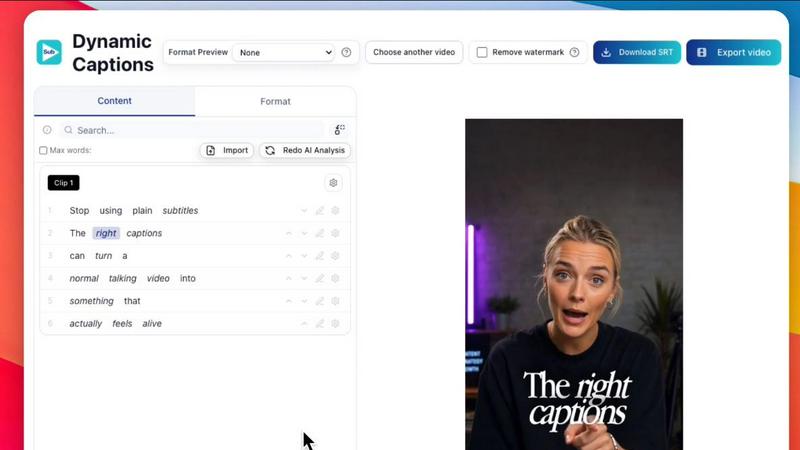
Subclip is an innovative AI-powered video editing platform designed specifically for creators, marketers, and educators. It revolutionizes the video editing process by enabling users to edit videos as easily as they would edit a text document. By simply dragging and dropping a transcript, users can begin editing instantly. Subclip offers a suite of powerful features including voice cloning, one-click removal of silences and filler words, and automated subtitle generation, making it an all-in-one solution for video production. It is particularly beneficial for YouTubers, podcasters, course creators, and content teams looking to streamline their workflow and enhance productivity. Subclip's intuitive design and AI-driven features help save valuable time, allowing users to focus on creativity rather than getting bogged down in the complexities of traditional video editing tools. With a freemium pricing model and affordable paid plans, Subclip is accessible for creators at all levels.
Features of Subclip
AI Clipping
Subclip's AI Clipping feature automatically identifies high-energy segments, punchlines, and emotional shifts in your videos, allowing you to quickly pinpoint the most engaging clips. This innovative technology ensures that you spend less time searching for highlights and more time creating compelling content.
One-Click Unlimited Captions
With the One-Click Unlimited Captions feature, users can generate an unlimited number of subtitles for their videos in over 48 languages. This feature not only saves time but also ensures that your content is accessible to a global audience, enhancing viewer engagement and reach.
AI Dubbing with Voice Clone
Subclip's AI Dubbing with Voice Clone allows you to translate your voice into 21+ languages while retaining your original tone and emotion. This feature is particularly useful for creators who want to reach international audiences without the need for re-recording their voiceovers.
Enhanced Audio Features
The Enhanced Audio Features offered by Subclip enable users to clean up their audio recordings by removing background noise and silences with a single click. This makes it easier to achieve professional-sounding audio quality, crucial for podcasts and video content alike.
Use Cases of Subclip
For Creators and Podcasters
Creators and podcasters can utilize Subclip to effortlessly clip lengthy videos into engaging short segments that attract more viewers. The platform's AI capabilities streamline the editing process, allowing for more content to be produced with minimal effort.
For Coaches and Educators
Coaches and educators can leverage Subclip to dub recorded lessons or courses into multiple languages. This feature allows them to reach a wider audience and ensure that their teachings are accessible to non-native speakers, enhancing the learning experience.
For Vloggers
Vloggers benefit from Subclip's ability to add captions, B-Roll, and audio enhancements while also removing noise. With the platform's easy export options, vloggers can publish their content across various platforms efficiently and without limitations.
For Agencies and Freelancers
Agencies and freelancers can increase their output significantly using Subclip's unlimited transcription and collaboration tools. By streamlining the editing process, teams can focus on creative strategy and client relations rather than getting bogged down in technical edits.
Frequently Asked Questions
How does Subclip improve my video editing workflow?
Subclip improves your video editing workflow by utilizing AI technology to simplify the editing process. You can edit transcripts like documents, automate captioning, and use voice cloning, which significantly reduces the time spent on manual tasks.
Can I export my edited videos to other platforms?
Yes, Subclip allows you to export your edited videos to various platforms, including YouTube and X (formerly Twitter). The platform supports multiple video formats, ensuring your content is ready for any social media channel.
Is my voice truly cloned accurately?
Subclip's AI voice cloning technology is designed to faithfully replicate your voice, allowing for seamless dubbing in over 21 languages. This feature maintains the original tone and emotion, ensuring consistency across your content.
What languages does Subclip support for transcription and dubbing?
Subclip supports transcription and dubbing in over 48 languages for transcription and 21+ languages for voice dubbing. This extensive language support allows creators to reach a global audience effortlessly.
Similar to Subclip


Oravaa
Oravaa automates inbound support, outbound lead qualification, and operational calls 24/7 with a human-like enterprise Voice AI platform.

Hush Touch | Voice-to-Text for MacOS
Hush Touch transforms your voice into text offline on Mac, learning your vocabulary for accurate, seamless dictation.

Glossa
Glossa instantly translates sermons into over 100 languages, uniting your global congregation with AI.

Bantr: Offline & Unlimited TTS for Mac
Bantr is a private, unlimited text-to-speech app for Mac that works fully offline.

KaiCalls
KaiCalls is your 24/7 AI voice agent that captures leads and provides instant responses to calls and texts for your.

Vowen
Vowen is your private voice interface that turns speech into text, actions, and automation across your apps.
VoiceCloner
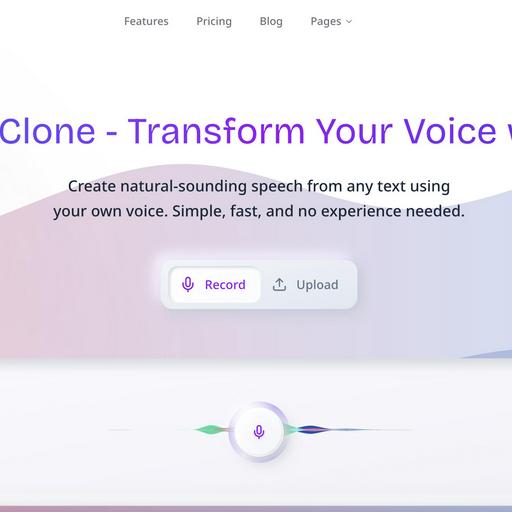
VoiceCloner empowers you to seamlessly clone voices and create endless, lifelike speech content effortlessly.