

DreamFace
DreamFace turns text or audio into avatar videos and also generates videos and images from creative inputs.
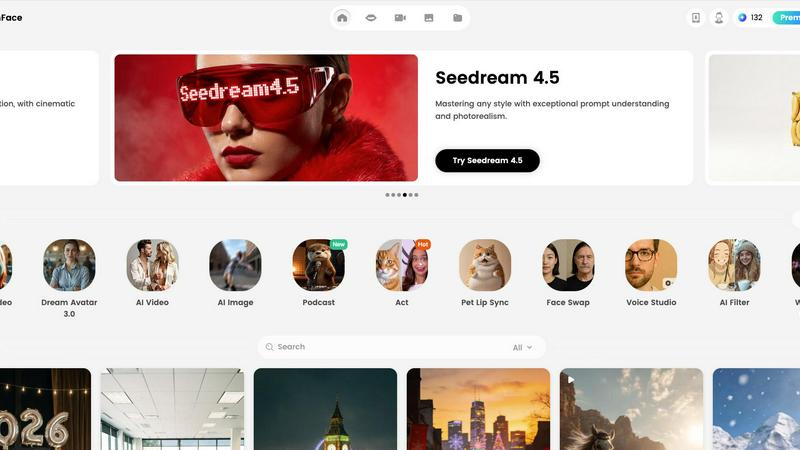
About DreamFace
DreamFace serves creators who need AI-generated visual content in more than one format. For avatar video, the site describes a simple starting point: enter text or audio and generate a video with an avatar and voice. Its other video tool can turn an idea or one uploaded image into a clip. Separate image features generate and edit stills, with enhancement and background removal among the listed options.
A useful distinction is whether the project needs an avatar, a generated scene, or a finished photo. DreamFace also describes real-time video that continuously responds to prompts and instructions, a different approach for interactive creation. The page does not specify how much direction users can give over the final output or which export controls are included, so production teams may want to verify those details first.
Features of DreamFace
- Create avatar videos from text or audio.
- Generate videos from an idea or an uploaded image.
- Create AI images with editing tools.
- Enhance photos and remove backgrounds.
Use Cases of DreamFace
- Produce avatar-led video from a script or recording.
- Turn an image or concept into a video.
- Generate still images for creative work.
- Improve images and remove backgrounds before publishing.
Frequently Asked Questions
What is the fastest way to start an avatar video?
The site says to input text or audio, then let DreamFace generate a video with an avatar and voice.
What can the AI video tool use as a starting point?
An idea or a single uploaded image, according to the site.
Does it offer photo cleanup?
Yes. The listed tools include photo enhancement and background removal.
Similar to DreamFace


Flux3Max.io
Make short videos with sound from text, photos, or up to 10 keyframes, with 720p or 1080p output.

Clean Audio
Clean Audio removes background noise from voice recordings and video in your browser, with before-and-after comparison and local processing.

Remix the Trend
Turn photos into short AI videos with ready-made templates inspired by trends on TikTok, Reels, and Shorts.

TokClip
Generate short AI videos from photos using ready-made templates for TikTok and Reels trends, with no prompt writing or editing required.


Rhinobird
Rhinobird creates product listing images, ad creatives and videos from product photos, with additional tools for packaging concepts and renders.

Bicep Heart
Create a seven-second bicep-heart video from one adult photo, selecting a scene and optional lettering for the gesture.