
Coldreach vs SVG to 3D
Side-by-side comparison to help you choose the right AI tool.

Coldreach
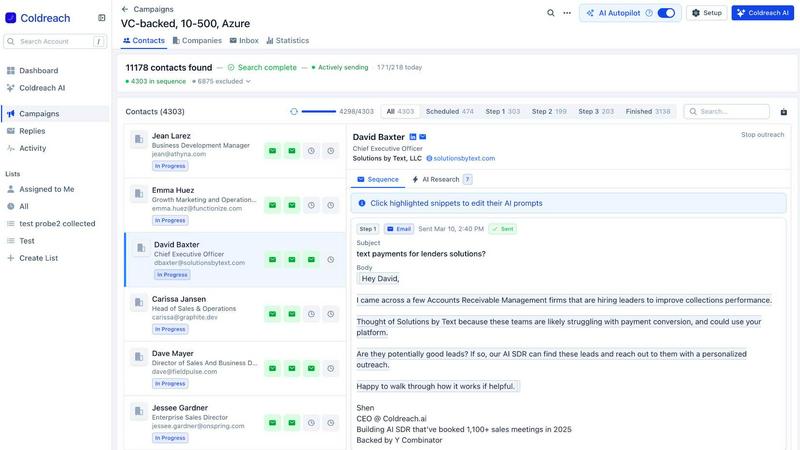
Coldreach automates lead discovery and outreach using AI to ensure timely, relevant engagement with your ideal customers.
Last updated: March 19, 2026
SVG to 3D
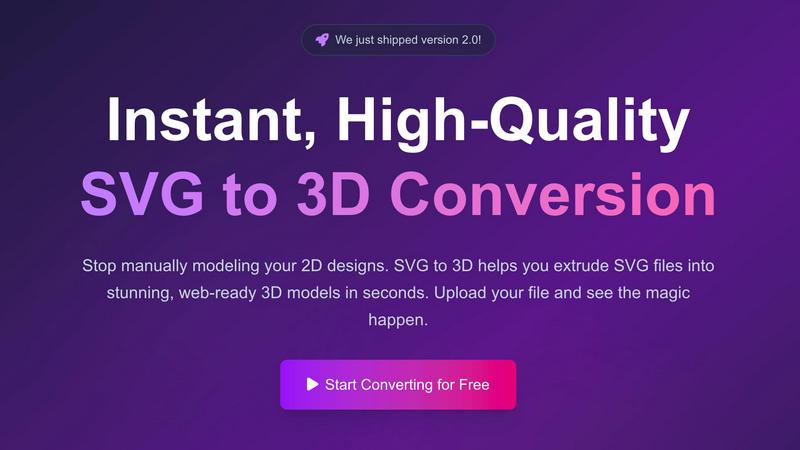
Effortlessly transform your 2D SVG designs into stunning, web-ready 3D models with advanced customization options.
Last updated: February 28, 2026
Visual Comparison
Coldreach
SVG to 3D
Feature Comparison
Coldreach
In-Depth Research
Coldreach conducts thorough research on every lead by examining their online presence across multiple platforms, ensuring that outreach is relevant and informed by real-time data.
Customizable Intent Signals
With Coldreach, you can define what buying signals are most relevant to your product. It analyzes over 97 million accounts and tailors outreach based on specific intent signals, enhancing lead engagement.
Automated Outreach Sequences
The AI SDR automates the outreach process, sending personalized emails and LinkedIn messages based on the insights gathered. This ensures a consistent and efficient follow-up strategy that maximizes engagement.
Seamless Integrations
Coldreach integrates easily with existing CRM systems and sales tools, allowing teams to enhance their workflows without disrupting established processes, thereby improving overall productivity.
SVG to 3D
One-Click to GLB for the Web
With a single click, users can export their 3D models as GLB files, optimized for web use. This feature is particularly beneficial for developers who work with Three.js or React Three Fiber, allowing them to integrate 3D models seamlessly into their web projects and enhance user experiences with interactive elements.
3D-Print Ready
SVG to 3D supports clean STL exports, ensuring the models can be directly used with 3D printing slicers. This feature is invaluable for makers and designers who wish to bring their 2D creations to life in the physical world, simplifying the transition from digital design to tangible object.
Advanced Material System
This tool provides an advanced material system that allows users to apply realistic PBR materials, custom textures, and professional lighting effects. This feature enables creators to enhance their 3D models visually, making them stand out with depth and realism, suitable for both web and physical representations.
Lightning-Fast Processing
The optimized algorithms of SVG to 3D ensure that SVG files are converted into 3D models in mere seconds. This speed is crucial for professionals who require quick turnaround times, allowing them to focus on creativity rather than technical delays.
Use Cases
Coldreach
Identifying Hot Leads
Sales teams can utilize Coldreach to identify hot leads by monitoring job postings and company updates, ensuring they reach out to prospects who are actively seeking solutions.
Targeted Campaigns
Marketers can quickly build highly-targeted lead lists that match specific criteria, enabling them to launch campaigns that resonate with potential customers and drive engagement.
Enhanced Follow-Up Strategy
Coldreach automates follow-up messages based on lead interactions, ensuring that no potential opportunity slips through the cracks while maintaining a personalized touch in communication.
Real-Time Market Monitoring
Businesses can continuously monitor their ideal customer profiles (ICPs) for buying signals, allowing them to stay ahead of market trends and respond promptly to emerging opportunities.
SVG to 3D
Create Interactive 3D Logos and Icons for Web
Web designers can effortlessly transform 2D logos and icons into interactive 3D models, adding a modern touch to their websites. By utilizing the GLB export feature, these 3D assets can enhance user engagement and provide a more immersive browsing experience.
From Digital Design to Physical Object: SVG to STL for 3D Printing
Artists and makers can convert their 2D artwork into 3D printed objects with ease. This use case is perfect for those looking to fabricate custom parts or artistic designs without needing to delve into complex CAD software, making the design process more accessible.
Add Depth to Your UI/UX Designs
Designers can leverage SVG to 3D to create depth in their UI/UX mockups. By converting SVG components into 3D models, they can present their designs with a more realistic perspective, impressing clients and stakeholders with visually compelling prototypes.
Enhance Product Visualizations
Businesses can utilize SVG to 3D for product visualizations, making it easier to showcase items in a more engaging way. Whether for e-commerce or marketing presentations, the ability to produce high-quality 3D models from 2D designs can significantly improve product appeal and customer interest.
Overview
About Coldreach
Coldreach is an innovative AI-powered sales development representative (SDR) designed to revolutionize the cold outreach process. By leveraging advanced research capabilities, Coldreach dives deep into the online presence of potential leads, ensuring that every outreach effort is not only timely but also contextually relevant. This tool is particularly valuable for sales teams seeking to enhance their outreach effectiveness and engage with leads who are genuinely interested in their solutions. Coldreach meticulously analyzes various data sources to determine if prospects have pain points that align with your offerings, their current status quo, and any immediate buying signals. The result is a highly personalized outreach approach that can significantly increase response rates, making Coldreach an essential ally for sales professionals aiming to maximize their impact and efficiency.
About SVG to 3D
SVG to 3D is a cutting-edge tool designed to transform 2D SVG vector graphics into high-quality, web-ready 3D models with remarkable efficiency. Built with the needs of web developers, designers, and 3D printing enthusiasts in mind, this tool addresses the complexities and time-consuming processes associated with traditional 3D modeling software. It allows users to quickly upload SVG files, modify key attributes, and export stunning 3D models in various formats like GLB, STL, and OBJ, all within a user-friendly browser interface. The tool empowers creators to add depth and dimension to logos, icons, and other designs, making it essential for anyone looking to elevate their digital projects. With a focus on speed, quality, and ease of use, SVG to 3D provides an unparalleled experience for professionals seeking to streamline their workflows and produce top-notch 3D assets effortlessly.
Frequently Asked Questions
Coldreach FAQ
What is an AI SDR and how does it work?
An AI SDR is a tool that automates the top-of-funnel sales process by researching leads, crafting personalized outreach messages, and managing follow-ups. Coldreach uses data from various sources to ensure each interaction is timely and relevant.
How does Coldreach differ from other AI SDR tools?
Coldreach stands out by conducting in-depth research on leads, moving beyond basic personalization techniques. It focuses on understanding actual pain points and buying signals, resulting in more meaningful outreach.
Can Coldreach integrate with my existing tools?
Yes, Coldreach is designed to integrate seamlessly with a variety of tools and systems, including popular CRMs and engagement platforms, allowing teams to enhance their workflows without adding complexity.
What kind of data does Coldreach analyze for lead research?
Coldreach analyzes a comprehensive range of data sources, including job postings, news articles, LinkedIn profiles, and company websites. This multi-faceted approach ensures that outreach is based on real-time insights and relevant information.
SVG to 3D FAQ
How does SVG to 3D work?
SVG to 3D works by allowing users to upload SVG files, which the tool then processes using advanced algorithms to generate 3D models. Users can adjust various settings and export their creations in multiple formats.
Is there a limit on the file size I can upload?
Yes, the maximum file size for uploading SVG files is 5 MB. This limit ensures that the processing remains efficient and quick for all users.
What formats can I export my 3D models in?
You can export your 3D models in several formats, including GLB, GLTF, OBJ, and STL. This versatility caters to various use cases, from web development to 3D printing.
Is my data secure when using SVG to 3D?
Absolutely. SVG to 3D prioritizes user privacy and security by processing files locally in your browser whenever possible, ensuring that your designs remain private and secure without being uploaded to external servers.
Alternatives
Coldreach Alternatives
Coldreach is an AI-powered sales development representative (SDR) that specializes in identifying leads and automating personalized outreach efforts. By leveraging advanced algorithms, Coldreach conducts thorough research on potential clients, ensuring that each outreach is tailored to address specific pain points and business contexts. This level of customization not only enhances engagement but also leads to significantly higher response rates compared to traditional methods. Users often seek alternatives to Coldreach for various reasons, such as budget constraints, varying feature sets, or specific platform integrations that better suit their organizational needs. When exploring alternatives, it is essential to consider the effectiveness of lead research, the automation capabilities for outreach, and overall user experience. The ideal solution should seamlessly integrate into existing workflows while offering robust support and scalability for future growth.
SVG to 3D Alternatives
SVG to 3D is an innovative tool designed to transform 2D SVG vector graphics into high-quality 3D models, streamlining the creative process for designers and developers. It falls under the category of AI Assistants, catering to those who seek efficient solutions for 3D modeling without the complexity of heavyweight software. Users often look for alternatives due to various reasons such as pricing, specific feature sets, or compatibility with different platforms and workflows. When considering alternatives, it's essential to evaluate aspects like ease of use, export options, and whether the tool supports the specific needs of your projects. --- [{"question": "What is SVG to 3D?", "answer": "SVG to 3D is a tool that converts 2D SVG vector graphics into high-quality 3D models."}, {"question": "Who is SVG to 3D for?", "answer": "SVG to 3D is ideal for designers, developers, and 3D printing enthusiasts who want to quickly create 3D models from 2D designs."}, {"question": "Is SVG to 3D free?", "answer": "The pricing model for SVG to 3D may vary; please check the official website for the latest information on costs."}, {"question": "What are the main features of SVG to 3D?", "answer": "Key features include one-click GLB export for web use, STL support for 3D printing, and a browser-based modeling interface with real-time previews."}]