
SimpleDraw vs SparkIconAI
Side-by-side comparison to help you choose the right AI tool.

SimpleDraw
Create precise floor plans and scale drawings effortlessly online with SimpleDraw, no downloads or experience needed.
Last updated: March 1, 2026

SparkIconAI
SparkIconAI is a professional AI icon generator that creates, organizes, and manages unique icons in one streamlined platform.
Last updated: April 13, 2026
Visual Comparison
SimpleDraw
SparkIconAI
Feature Comparison
SimpleDraw
Accurate Measurements & Scale Drawing
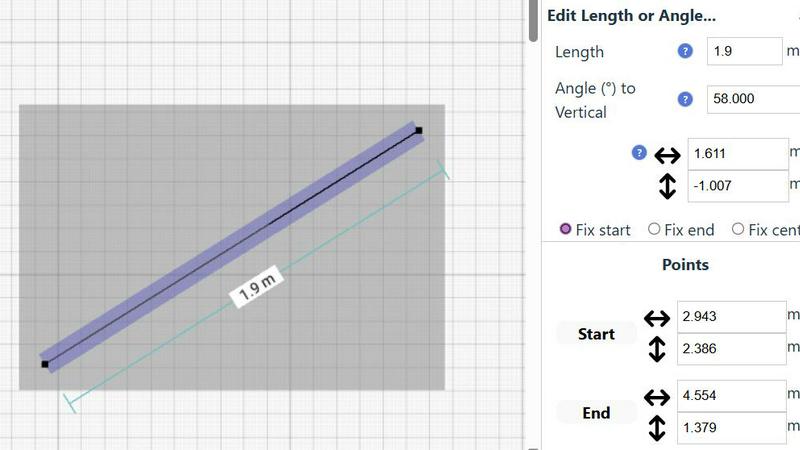
SimpleDraw ensures that every drawing is precise with its advanced measurement tools. Users can rely on smart alignment and real-time measurement feedback, allowing them to create drawings that are not only visually appealing but also accurate and to scale.
Specialized Floor Plan Creator
Designed specifically for crafting detailed floor plans, this feature includes elements like walls, doors, and windows that can be easily added with a single click. Users can visualize their spaces effectively, making it ideal for renovation or design projects.
Smart Alignment System
The smart alignment system is an intuitive feature that assists users in placing points and lines with incredible accuracy. By simply hovering the mouse in the desired area, users receive visual cues to help position elements precisely, enhancing the drawing experience.
Comprehensive Measurement System
Users benefit from a comprehensive measurement system that allows for dynamic display of contextual measurements as they work. With options for both metric and standard US units, this feature caters to a global audience, ensuring everyone can create drawings that meet their specific requirements.
SparkIconAI
Advanced AI-Powered Generation
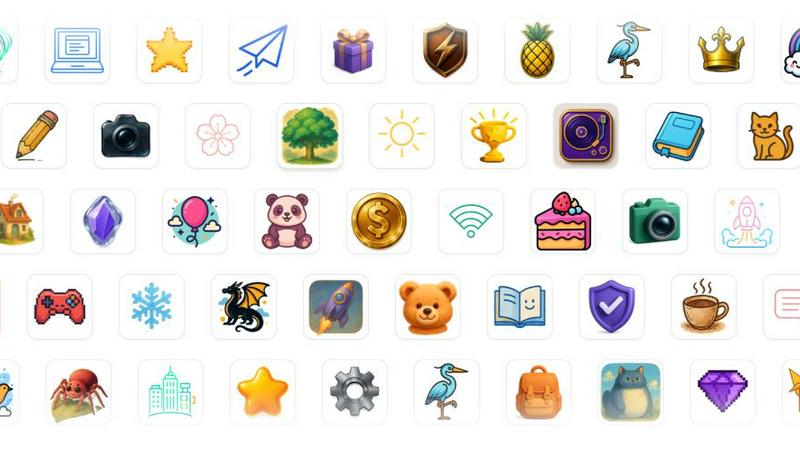
SparkIconAI leverages multiple powerful AI models to transform text descriptions or reference images into stunning, high-fidelity icons. Users can select from over ten distinct professional styles, such as Hand-Drawn, 3D, or Neon, to match any project's aesthetic. The platform supports generating crisp 1024x1024 resolution icons, with the capability for 2K and 4K outputs, ensuring scalability for any application. The reference image guidance feature is particularly powerful, allowing the AI to analyze existing brand assets, color palettes, and compositional moods to produce icons that maintain visual coherence with an established identity.
Project-Centric Icon Management
This feature addresses the critical need for organization in creative work. SparkIconAI allows users to group generated and curated icons into dedicated projects. This goes beyond simple folders; it enables better classification, streamlines collaboration among team members, and simplifies the reuse of assets across different products or application screens. By centralizing icons within project contexts, users can track different batches, maintain version history, and manage their digital assets with rich metadata and instant previews, transforming a collection of images into a manageable design system component.
Integrated Asset Enhancement Tools
The platform includes practical, built-in utilities that refine icons without ever leaving the ecosystem. The one-click background remover instantly creates transparent PNGs, essential for UI/UX integration. The intelligent image compressor reduces file sizes significantly without perceptible loss in quality, optimizing icons for web and app performance. These tools remove the friction of switching between applications for basic editing tasks, consolidating the post-generation workflow and accelerating the path from concept to final asset.
Curated Gallery and Smart Export Presets
SparkIconAI features a community-driven icon gallery where users can explore styles, discover trends, and download curated icon packs for inspiration or immediate use. Complementing this is a robust export system. The platform provides smart, one-click presets for various platforms, including Favicon, PWA, iOS, Android, and social media, automatically configuring the correct dimensions and formats (PNG, ICO, WEBP, SVG). This eliminates manual resizing and guesswork, ensuring icons are technically ready for deployment across all required channels.
Use Cases
SimpleDraw
Kitchen & Bathroom Renovations
Homeowners can utilize SimpleDraw to plan their kitchen and bathroom renovations with accurate measurements. This ensures they visualize layouts effectively before commencing work, leading to better outcomes and fewer costly mistakes.
Room Layouts & Furniture Planning
Whether it’s a bedroom, living room, or office, users can design room layouts that fit their needs. By seeing how furniture will fit within a space before purchasing, they can make informed decisions that enhance their living or working environments.
House & Apartment Plans
Real estate agents and landlords can create complete floor plans for homes and apartments. These plans can be utilized in rental listings or for space planning, making it easier to attract potential tenants or buyers.
Community-Driven Development
SimpleDraw invites users to participate in its community-driven development model. By joining the Discord community, users can share feedback, suggest features, and be a part of the product's evolution, ensuring that it continues to meet the needs of its users.
SparkIconAI
UI/UX Designers Building Design Systems
For UI/UX designers constructing or maintaining a cohesive design system, SparkIconAI is invaluable. They can generate entire families of interface icons—for settings, navigation, actions, and statuses—ensuring visual consistency in style, weight, and detail. Using reference images of their product's existing UI, they can guide the AI to produce icons that seamlessly integrate. Organizing these into a "Design System" project allows for easy access, iteration, and handoff to developers, dramatically speeding up the icon creation phase of projects.
Startup Founders and Solopreneurs
Startup founders and solopreneurs operating with limited budgets and design resources can use SparkIconAI to craft a professional visual identity from scratch. They can generate a unique app logo, favicon, and a set of marketing icons for their website and pitch decks. The ability to experiment with different styles based on simple text prompts allows them to explore branding directions quickly. The built-in tools let them prepare these assets for use without needing to hire a designer or learn complex software, making professional iconography accessible and affordable.
App and Game Developers
Developers in need of specific, thematic icon sets for their applications or games find a powerful ally in SparkIconAI. Whether they need a suite of tool icons for a productivity app or a collection of spell and item icons for a fantasy game, they can describe them in detail or use concept art as a reference. Generating icons in batches and organizing them by in-game category (e.g., "Weapons," "Potions," "Skills") within projects keeps assets manageable. The high-resolution output and format presets ensure icons look great on all device screens and are ready for implementation.
Marketing Teams Creating Campaign Assets
Marketing teams tasked with creating visual content for campaigns, social media, or advertisements can leverage SparkIconAI to produce custom illustrative icons that enhance messaging. They can generate icons representing concepts like "growth," "security," or "innovation" to use in infographics, blog posts, or ad creatives. Browsing the community gallery can provide quick inspiration for trending visual styles. The image compressor is especially useful for preparing these graphics for web use, ensuring fast load times without sacrificing visual impact.
Overview
About SimpleDraw
SimpleDraw is a groundbreaking online platform that revolutionizes the way individuals engage with technical drawing. By offering a user-friendly interface combined with professional-grade precision, it caters to a diverse audience, including casual users, DIY enthusiasts, homeowners, and small business operators. The core value proposition of SimpleDraw lies in its ability to deliver accurate and detailed scale drawings without the complexity and cost associated with traditional CAD software. This tool enables users to create floor plans, room layouts, and technical sketches effortlessly, all within a web browser—eliminating the need for software installation or account creation. With its focus on accessibility and simplicity, SimpleDraw empowers users to visualize their ideas confidently, ensuring that every measurement is precise and to scale. Whether you're planning a renovation or arranging furniture, SimpleDraw makes drafting accessible to everyone, allowing creativity to flourish without technical barriers.
About SparkIconAI
SparkIconAI represents a paradigm shift in digital asset creation, moving beyond a simple icon generator to establish itself as a comprehensive AI icon generator and management ecosystem. At its core, it is a professional platform engineered to streamline the entire lifecycle of icon creation, from the initial spark of inspiration to the final, polished export. It empowers users, particularly developers, designers, and product teams, to generate high-resolution 2K and 4K icons through intuitive text prompts or by uploading reference images for style guidance. However, its true distinction lies in its holistic approach. SparkIconAI provides a structured environment where generated icons are not lost in a digital void but can be intelligently organized into projects, facilitating version control, thematic grouping, and collaborative workflows. The platform is further augmented with built-in, practical tools like a one-click background remover and an image compressor, eliminating the need for disparate software. This convergence of powerful AI generation, systematic asset management, and essential post-processing tools within a single interface defines its primary value proposition: offering a complete, professional-grade workflow that saves time, ensures consistency, and elevates the quality of iconography for digital products.
Frequently Asked Questions
SimpleDraw FAQ
Is SimpleDraw completely free to use?
Yes, SimpleDraw is entirely free and requires no software installation or account registration. Users can start drawing immediately in their web browser.
What types of projects can I create with SimpleDraw?
SimpleDraw is versatile and can be used for various projects, including floor plans, room layouts, furniture arrangements, and technical sketches for DIY projects or renovations.
Do I need any prior experience to use SimpleDraw?
No prior experience is necessary. SimpleDraw is designed to be intuitive and user-friendly, making it accessible for casual users and beginners alike.
Can I collaborate with others while using SimpleDraw?
Currently, SimpleDraw does not support real-time collaboration features; however, users can share their drawings easily by exporting them or sharing links, facilitating collaboration in a more traditional manner.
SparkIconAI FAQ
What makes SparkIconAI different from other AI image generators?
While general AI image generators can create pictures, SparkIconAI is specialized and optimized specifically for iconography. It understands the constraints and requirements of effective icons, such as clarity at small sizes, simple compositions, and consistent styling. Beyond generation, it is an all-in-one management platform with features like project organization, a dedicated icon gallery, and built-in tools (background removal, compression) tailored for icon workflow, which generalist tools lack.
Can I use SparkIconAI to create icons that match my existing brand?
Absolutely. The "Reference Image Guidance" feature is designed for this exact purpose. You can upload your logo, brand mascot, or any existing marketing material. The AI will analyze the colors, shapes, and overall style to generate new icons that are visually coherent with your established brand identity, ensuring a consistent and professional look across all your digital assets.
What file formats and resolutions does SparkIconAI support for export?
SparkIconAI supports exporting icons in all standard web and application formats, including PNG (with transparency), ICO (for favicons), WEBP (for modern web optimization), and SVG (for scalability). Icons are generated at a high base resolution of 1024x1024 pixels, with capabilities for 2K and 4K outputs. The platform also offers smart one-click export presets for specific use cases like iOS app icons, Android launcher icons, and social media profiles.
How does the project organization feature help with teamwork?
The project organization feature acts as a centralized hub for team-based icon creation. Team members can collaborate within a shared project, view all generated icons, track different versions or batches, and add metadata. This prevents asset duplication, ensures everyone uses the latest version, and provides clear context for how icons are intended to be used, streamlining the handoff between designers and developers and maintaining organization as projects scale.
Alternatives
SimpleDraw Alternatives
SimpleDraw is a free online tool designed for creating accurate scale drawings and floor plans effortlessly. It falls into the category of design tools, specifically tailored for users who need precise drafting capabilities without the complexity of traditional CAD software. Many users seek alternatives to SimpleDraw for various reasons, including the desire for additional features, more advanced functionalities, or compatibility with different platforms. Furthermore, some may be looking for tools that cater to specific project needs or personal preferences in user experience. When searching for an alternative, consider important factors such as ease of use, available features, platform compatibility, and the overall cost. It is essential to evaluate whether the alternative maintains the balance between precision and accessibility that users appreciate in SimpleDraw, ensuring that it can effectively support their project goals without introducing unnecessary complexity.
SparkIconAI Alternatives
SparkIconAI is a comprehensive AI-powered design tool focused specifically on the icon creation workflow. It falls into the category of specialized design software, helping creators generate, organize, and refine high-resolution icons from simple prompts or images. This targeted approach makes it a powerful solution for developers and designers needing a streamlined process. Users often explore alternatives for various practical reasons. Budget constraints, the need for different feature sets like vector output or specific style libraries, and platform compatibility are common drivers. Some may seek a tool that integrates more deeply into their existing software suite, while others might prioritize a different pricing model or a simpler, more general-purpose AI image generator. When evaluating other options, consider your core requirements. Key factors include the quality and resolution of the AI-generated icons, the availability of essential editing tools like background removal, and how the platform handles project organization. The ideal alternative should match your technical needs, fit within your budget, and support a smooth workflow from initial idea to final asset export.