
RemoveTexts vs Seedream 4.0
Side-by-side comparison to help you choose the right AI tool.

RemoveTexts
RemoveTexts is an AI tool that effortlessly removes text and watermarks from images in seconds, making editing simple for everyone.
Last updated: March 11, 2026

Seedream 4.0
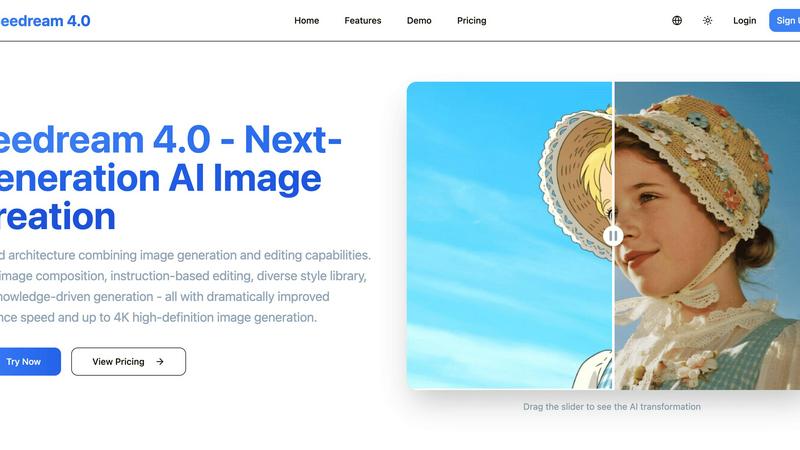
Seedream 4.0 is a unified AI image generator and editor that creates and edits stunning visuals from simple text.
Last updated: March 1, 2026
Visual Comparison
RemoveTexts

Seedream 4.0
Feature Comparison
RemoveTexts
Paint to Remove
This feature allows users to brush over specific areas of text that they want to eliminate. With precise control, you can target only the unwanted elements, ensuring that the rest of your image remains intact and visually appealing.
Auto Remove All
Utilizing advanced AI technology, this one-click feature automatically detects and removes every text element in an image. It saves users time and effort, making it ideal for those who want a quick and hassle-free solution.
Edit & Replace Text
With this functionality, users can replace existing text in images while matching the original font style. This feature is particularly useful for marketers and designers who wish to modify promotional materials without starting from scratch.
Remove Objects
Beyond just text, RemoveTexts can also erase unwanted objects, logos, and visual elements from images. This versatility makes it a comprehensive tool for anyone looking to enhance their visuals by cleaning up distracting elements.
Seedream 4.0
Unified Generation & Editing Architecture
This is the foundational breakthrough of Seedream 4.0. Unlike traditional tools that treat image creation and modification as separate applications, this platform uses a single, cohesive AI model. This allows users to start with a text prompt, generate an image, and then iteratively refine it with follow-up instructions—all within the same continuous session. The architecture ensures consistency in style and quality, making the entire creative process feel like a natural conversation with the AI, rather than a series of disjointed technical steps.
Multi-Image Composition
This feature empowers complex visual storytelling and brand asset creation. Users can upload multiple reference images and guide the AI to synthesize them into a new, coherent scene using a single descriptive sentence. It enables the blending of characters, objects, and styles from different sources, perfect for creating composite artwork, conceptual mockups, or marketing materials that require the integration of several existing visual elements into a unified whole, with batch processing for efficient workflow.
Instruction-Based Editing
Seedream 4.0 makes "what you say is what you get" a tangible reality. Users can achieve precise edits not through complex software menus, but through natural language commands. For example, one can instruct the AI to "change the background to a sunset," "make the subject wear a leather jacket," or "convert the scene into a watercolor painting." This intuitive control lowers the barrier to sophisticated image manipulation, making professional editing techniques accessible to everyone without a steep learning curve.
Knowledge-Driven Generation
Beyond aesthetics, this feature equips Seedream 4.0 with enhanced reasoning capabilities. It can generate accurate educational illustrations, detailed charts, and professional diagrams based on its understanding of concepts. This is invaluable for creating content that requires factual precision, such as scientific explainers, technical manuals, or historical recreations, ensuring the generated visuals are not only beautiful but also contextually and informationally correct.
Use Cases
RemoveTexts
E-Commerce Product Photos
Online sellers frequently use RemoveTexts to clean up product images by removing watermarks or text overlays. This enhances the visual appeal of their listings, helping to attract more potential buyers.
Legal Document Redaction
Legal professionals rely on RemoveTexts to redact sensitive information from documents and images. The tool's ability to erase text while preserving the background ensures that redacted documents look professional and trustworthy.
Social Media Content Creation
Content creators and marketers use RemoveTexts to produce high-quality visuals by removing unwanted text from their images. This allows them to maintain a clean and cohesive aesthetic across their social media platforms.
Academic and Research Publications
Researchers can use RemoveTexts to remove unnecessary text from figures and images in their papers. This ensures that their visuals are clear and directly convey the intended information without distractions.
Seedream 4.0
Marketing & Advertising Asset Creation
Marketing teams can rapidly prototype and produce high-quality visual content for campaigns, social media, and websites. They can generate unique product mockups in various environments, create cohesive branded imagery from multiple product shots, or produce stylized advertisements tailored to different demographics—all with 4K-ready quality and significantly faster turnaround times compared to traditional methods or piecemeal AI tools.
Digital Art & Concept Development
Artists and concept designers can use Seedream 4.0 as a powerful brainstorming and iteration partner. They can quickly generate base images from imaginative prompts, then refine characters, landscapes, and moods through iterative instruction-based edits. The multi-image composition feature allows for the fusion of different concepts, while the diverse style library helps explore various artistic directions, from cyberpunk to classical oil painting, accelerating the creative development cycle.
Educational Content & Illustration
Educators, textbook authors, and e-learning developers can leverage the knowledge-driven generation to produce accurate, engaging visual aids. They can create custom illustrations of historical events, scientific processes, or anatomical diagrams that are tailored to their specific curriculum. The ability to describe a complex scene and receive a precise, detailed image simplifies the process of creating unique educational materials that enhance student understanding and engagement.
Personal Content Enhancement & Social Media
Individual users and content creators can transform personal photos and ideas into striking visual content. This includes turning a simple portrait into a fantasy character, applying different artistic styles to vacation photos, or creating unique, eye-catching graphics for blogs, YouTube channels, or Instagram posts. The intuitive instruction-based editing allows for personalized creativity without requiring expertise in software like Photoshop.
Overview
About RemoveTexts
RemoveTexts is an innovative AI-driven image editing tool specifically designed to eliminate unwanted text from images swiftly and effortlessly. With its user-friendly interface, anyone can remove watermarks, captions, subtitles, and other text elements without needing extensive design skills or experience with complex software like Photoshop. The main value proposition of RemoveTexts lies in its cutting-edge deep learning inpainting technology that not only erases text but also reconstructs the background seamlessly. This ensures that the final image appears professional and polished, making it perfect for creators, marketers, and everyday users who need clean visuals in mere seconds. Trusted by over 100,000 users globally, RemoveTexts is the go-to solution for quick and effective text removal in various applications, from personal projects to professional marketing materials.
About Seedream 4.0
Seedream 4.0 is not merely an AI image generator; it is a paradigm shift towards a holistic creative studio. It fundamentally reimagines the creative workflow by integrating generation and editing into a single, unified architecture. This core innovation dissolves the traditional barrier between creating a new image and refining an existing one, enabling a fluid, intuitive process where ideas can evolve seamlessly. From a practical standpoint, it serves a vast spectrum of users: the solo digital artist experimenting with new concepts, the marketing professional needing rapid, high-fidelity assets for a campaign, the educator crafting precise illustrative diagrams, and the hobbyist looking to enhance personal photos with artistic flair. Its primary value proposition is the democratization of professional-grade visual creation. By combining instruction-based control—where simple descriptive sentences become powerful editing commands—with dramatically improved inference speeds and the ability to output stunning imagery up to 4K resolution, Seedream 4.0 places advanced capabilities like multi-image composition and knowledge-driven illustration into the hands of users regardless of their technical expertise. It transforms the user from a passive requester into an active director of the AI's creative engine.
Frequently Asked Questions
RemoveTexts FAQ
How does RemoveTexts work?
RemoveTexts utilizes advanced AI technology to analyze the surrounding pixels of the text you want to remove. It then intelligently reconstructs the background, ensuring that the area appears seamless and undetectable.
What file formats does RemoveTexts support?
RemoveTexts supports several image formats, including JPG, PNG, and WebP, allowing for a wide range of files to be processed easily within the tool.
Is there a limit to the size of images I can upload?
Yes, RemoveTexts allows uploads of images up to 10 MB. This size limit is in place to ensure optimal processing speed and quality results.
Can I remove text from images with complex backgrounds?
Absolutely! RemoveTexts is designed to work effectively even on images with intricate backgrounds. The AI technology ensures that the removed text blends perfectly with the surrounding elements, maintaining the overall quality of the image.
Seedream 4.0 FAQ
Can I try Seedream 4.0 for free?
While the provided context does not specify a free trial tier, the platform offers a "Basic" subscription plan starting at $7.99 per month, which is an accessible entry point for individuals to test the core functionalities. It is recommended to visit the official Seedream 4.0 website or check their pricing page for the most current information on any introductory offers, free credit promotions, or demo capabilities that may be available.
How does Seedream 4.0 work?
Seedream 4.0 operates on a next-generation AI model built on a unified architecture. Users provide input either in the form of a text description (prompt) or by uploading one or more images. The AI interprets these inputs using advanced diffusion and language understanding models. For generation, it creates a new image from scratch. For editing, it modifies the uploaded image based on textual instructions. The entire process is powered by a single model, allowing for seamless transitions between creating and refining within the same workflow.
What makes Seedream 4.0 different from other AI image tools?
The key differentiator is its unified architecture for generation and editing. Most competitors offer separate tools for creating images and altering them, often requiring different models or interfaces. Seedream 4.0 combines these into one fluid process. Additionally, its emphasis on multi-image composition, true instruction-based editing (beyond simple inpainting), and knowledge-driven generation for accurate illustrations sets it apart as a comprehensive creative studio rather than just a generator.
Can I use the generated images commercially?
Based on the standard practices for such platforms and the presence of professional-tier plans, it is highly likely that users retain the rights to commercially use the images they generate, especially under the Pro and Max subscription plans. However, users should always review the official Terms of Service and License Agreement provided by Seedream 4.0 for explicit details regarding copyright, usage rights, attribution requirements, and any specific restrictions that may apply.
Alternatives
RemoveTexts Alternatives
RemoveTexts is an AI-powered image editing tool designed to remove unwanted text from images quickly and efficiently. As part of the image and photo category, it simplifies the process of cleaning up visuals, allowing users to effortlessly erase watermarks, memes, and other text elements without requiring advanced design skills or complex software like Photoshop. Users often seek alternatives to RemoveTexts for various reasons, including differing pricing models, specific feature sets, or compatibility with different platforms. When choosing an alternative, it's essential to consider factors such as ease of use, the range of supported languages, customization options, and the quality of output, as these will significantly impact the overall user experience.
Seedream 4.0 Alternatives
Seedream 4.0 is a powerful, next-generation AI image generator and editor that has carved out a distinct space in the visual creation category. It distinguishes itself through a unified architecture that seamlessly blends generating new images from text with editing existing ones through simple instructions, all within a single, fluid workflow. This approach positions it as more than just a tool, but as a comprehensive creative studio for producing high-quality visuals. Users often explore alternatives for a variety of practical reasons. Cost is a primary consideration, as subscription models and credit systems vary widely. Some may seek platforms with different core strengths, such as ultra-photorealistic output, a specific artistic style, or a more simplified interface. Others might have specific platform needs, like a preference for open-source software, a desktop application over a web service, or integration with other creative suites they already use. When evaluating alternatives, it's crucial to align the tool's capabilities with your specific creative goals. Consider the core workflow: do you need a seamless blend of generation and editing, or are you focused purely on one aspect? Assess the quality and resolution of outputs, the level of control offered, and the learning curve. Finally, practical factors like pricing structure, usage limits, and data privacy policies are essential for making an informed, long-term choice.