
qtrl.ai vs Quickfix AI
Side-by-side comparison to help you choose the right AI tool.

qtrl.ai
qtrl.ai scales QA with AI agents while ensuring full team control and governance.
Last updated: March 4, 2026

Quickfix AI
Quickfix AI instantly diagnoses your computer's performance and explains it in plain English.
Last updated: March 1, 2026
Visual Comparison
qtrl.ai

Quickfix AI
Feature Comparison
qtrl.ai
Enterprise-Grade Test Management
qtrl provides a robust, centralized hub for all QA artifacts. It enables teams to create, organize, and manage test cases, plans, and runs with full traceability back to requirements. This ensures clear audit trails, supports compliance needs, and offers a single source of truth for both manual and automated testing workflows, giving managers complete oversight and control over the quality process.
Autonomous QA Agents
This core feature introduces intelligent automation through AI agents that execute high-level instructions in real browsers. Teams can describe a test in plain English, and the agent performs the actions across defined environments. These agents operate at scale, run continuously or on-demand, and function within strict governance rules, providing automation power without the fragility of traditional script maintenance.
Progressive Automation & Adaptive Memory
qtrl champions a step-by-step journey to automation. Teams begin with human-written instructions, then progress to AI-generated tests, with full review capabilities at each stage. The platform's Adaptive Memory builds a living knowledge base of your application, learning from every interaction and execution to power smarter, more context-aware test suggestions and maintenance over time.
Multi-Environment Execution & Governance
The platform supports secure testing across development, staging, and production environments. It manages per-environment variables and encrypted secrets, ensuring sensitive data is never exposed to AI agents. Built-in governance features like permissioned autonomy levels, full agent visibility, and transparent decision-making ensure enterprise-ready security and foster trust in the automated processes.
Quickfix AI
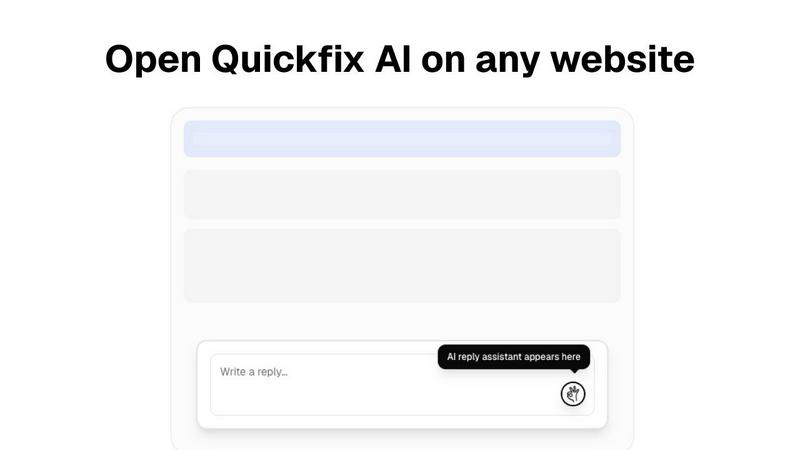
One-Click AI Communication Assistant
This intelligent browser extension integrates seamlessly into your existing workflow on any website. By analyzing the context of emails, social media comments, or support tickets, it generates relevant, tone-appropriate draft replies instantly. This feature eliminates manual drafting and copy-pasting, allowing you to maintain engagement and productivity without ever leaving the tab you're working in, saving significant time across professional and personal communications.
Comprehensive System Health Scan
Quickfix AI performs a rapid, full-system diagnostic scan in under 60 seconds. It meticulously analyzes all critical components of your computer's health, including real-time CPU and memory usage, GPU load, storage drive health and capacity, battery wear cycles, security settings (firewall, encryption), and network connection speed and stability. This provides a complete, at-a-glance overview of your machine's performance and potential issues.
AI-Powered Technical Translator
The cornerstone of the diagnostics tool is its built-in AI assistant. This feature takes the raw, complex data from the system scan and interprets it into clear, plain English summaries. You can ask specific questions like "Why is my computer slow?" and receive answers that pinpoint exact processes or hardware limitations, accompanied by straightforward, actionable steps to resolve the identified problems, making advanced diagnostics accessible to all.
Secure Remote Diagnostics via Sharing Code
Designed for collaborative troubleshooting, this feature allows IT support teams or helpful individuals to diagnose a remote computer effortlessly. The person needing help simply runs the scan and receives a unique, secure sharing code. This code can be sent to a technician, who can then view the full diagnostic report remotely, enabling instant insight and guidance without requiring physical access or complicated screen-sharing sessions.
Use Cases
qtrl.ai
Scaling Beyond Manual Testing
For QA teams overwhelmed by repetitive manual test cycles, qtrl offers a graceful off-ramp. Teams can start by structuring their existing manual cases in the platform and then progressively introduce automation for the most tedious flows using autonomous agents, dramatically increasing test coverage and execution speed without a steep learning curve or loss of control.
Modernizing Legacy QA Workflows
Companies stuck with outdated, siloed, or script-heavy automation frameworks can use qtrl to consolidate and modernize. The platform integrates test management and execution, reduces maintenance burden via AI, and provides the dashboards and traceability missing from legacy setups, enabling a cohesive, data-driven quality strategy.
Ensuring Governance in Enterprise AI Adoption
Enterprises that require strict compliance, audit trails, and security for any AI tool find a safe partner in qtrl. Its "governance by design" philosophy, with features like permissioned autonomy, full visibility into agent actions, and encrypted secret management, allows large organizations to harness AI's power for QA without compromising on oversight or regulatory requirements.
Accelerating Product-Led Engineering Teams
Fast-moving product and engineering teams need to ensure quality without slowing down deployment. qtrl fits seamlessly into CI/CD pipelines, provides continuous quality feedback, and allows developers to create and run tests via simple instructions, enabling rapid iteration with confidence and shifting quality left in the development process.
Quickfix AI
The Everyday Troubleshooter
For individuals who sense their computer is underperforming but lack the technical vocabulary to diagnose the issue. Quickfix AI acts as a personal tech consultant, scanning the system and using its AI to explain problems like high memory usage or a failing drive in simple terms, providing clear steps to resolve slowdowns or warnings without needing to consult dense forums or pay for expert help.
The IT Support Professional
IT teams and managed service providers can use Quickfix AI to streamline remote support. Instead of guiding users through lengthy manual checks, they can send a download link, have the user run a scan and share the code, and instantly access a comprehensive diagnostic report. This drastically reduces resolution time, improves first-call fix rates, and provides a clear audit trail for system health.
The Performance-Optimizing Enthusiast
Gamers, video editors, developers, and power users who want to squeeze maximum performance from their hardware use Quickfix AI for deep insights. They can monitor GPU and CPU temperatures under load, analyze memory pressure during intensive tasks, check disk speeds, and use the AI to get recommendations for optimal settings or potential upgrade paths based on their specific usage data.
The Proactive Security Auditor
Individuals and small business owners concerned about their digital security posture can use Quickfix AI for a quick audit. The tool checks the status of essential security features like firewall settings, disk encryption (FileVault for Mac), and system integrity protections. The AI can then explain the importance of each setting and recommend enabling any that are turned off, providing peace of mind.
Overview
About qtrl.ai
qtrl.ai is a modern, progressive QA platform engineered to solve the fundamental tension in software quality assurance: the need for both speed and control. It is not merely another test automation tool, but a unified platform that seamlessly integrates enterprise-grade test management with powerful, trustworthy AI automation. At its heart, qtrl provides a centralized command center for all quality activities. Teams can meticulously organize test cases, plan and execute test runs, trace requirements to ensure comprehensive coverage, and monitor quality health through real-time dashboards. This structured foundation offers engineering leads and QA managers unparalleled visibility into testing status, risk areas, and release readiness.
Where qtrl truly distinguishes itself is through its philosophy of "progressive automation." Rejecting the risky, all-or-nothing approach of "black-box" AI, qtrl allows teams to start with familiar, manual test management. When ready, they can incrementally leverage intelligent autonomous agents. These agents can generate robust UI tests from simple English instructions, autonomously maintain them against application changes, and execute them at scale across multiple browsers and environments. This makes qtrl an ideal solution for product-led engineering teams seeking velocity, QA groups transitioning from manual processes, organizations modernizing legacy workflows, and enterprises that demand strict compliance, audit trails, and governance. Ultimately, qtrl bridges the gap between the slow pace of manual testing and the brittle, expensive complexity of traditional scripted automation, offering a trusted, scalable path to intelligent quality assurance.
About Quickfix AI
Quickfix AI is a revolutionary dual-platform tool designed to tackle two of the most pervasive productivity drains in the modern digital experience: inefficient communication and opaque system performance. It operates as a cohesive ecosystem of efficiency. On one front, it serves as an intelligent browser extension that integrates directly into your workflow. This AI assistant generates context-aware, high-quality replies with a single click across any website, from Gmail and LinkedIn to social media and customer support portals. It eliminates the tedious cycle of drafting, editing, and switching windows, reclaiming hours per week for professionals, support agents, and anyone who communicates online.
Simultaneously, Quickfix AI is a powerful, desktop-based system diagnostics powerhouse. This tool demystifies computer health for users of all technical levels. It performs a comprehensive, sub-one-minute scan of your CPU, memory, storage, battery, security, and network. The true innovation lies in its integrated AI assistant, which translates complex technical data into plain English explanations and actionable recommendations. This dual nature makes Quickfix AI uniquely valuable: it empowers the everyday user to fix communication bottlenecks and diagnose machine bottlenecks, while providing IT professionals with a powerful, shareable tool for remote support and system audits. It is a commitment to clarity and efficiency, packaged for everyone.
Frequently Asked Questions
qtrl.ai FAQ
How does qtrl.ai's AI differ from other "autonomous" testing tools?
qtrl.ai rejects the "black-box" AI-first approach that can be unpredictable and risky. Instead, it employs a progressive, trust-earning model. The AI operates as assistive agents that execute clear instructions or generate tests that are always reviewable and editable by humans. Governance controls, full transparency into agent actions, and a focus on augmenting (not replacing) human oversight make its AI practical and trustworthy for real enterprise workflows.
Can we use qtrl.ai if we currently only do manual testing?
Absolutely. qtrl is explicitly designed for this scenario. You can begin by using it as a powerful test management system to organize your existing manual cases and plans. When you're ready, you can start automating specific tests using plain English instructions with the AI agents, allowing you to scale your efforts incrementally without a disruptive, all-at-once transition.
How does qtrl handle testing across different environments and with sensitive data?
qtrl provides secure, multi-environment execution capabilities. You can define various environments (dev, staging, prod) with their own variables. Crucially, sensitive data like passwords and API keys can be stored as encrypted secrets that are injected at runtime. These secrets are never exposed to the AI agents, ensuring security and compliance are maintained throughout the testing process.
What kind of integration and traceability does qtrl support?
qtrl is built for real-world workflows. It supports requirements management integration, allowing you to trace tests back to specific features or user stories for coverage analysis. It also offers CI/CD pipeline support for automated test execution as part of your build process. Furthermore, its centralized nature provides inherent traceability from test cases to execution results and defects, all visible in comprehensive dashboards.
Quickfix AI FAQ
Is Quickfix AI free?
Yes, the core system diagnostics functionality of Quickfix AI is available as a free download. This allows users to run comprehensive system scans, view their full diagnostic report, and chat with the AI assistant for explanations and recommendations at no cost. Premium features or the communication assistant extension may be part of separate tiered plans.
Is my data secure?
Absolutely. Quickfix AI is designed with privacy and security as a priority. The diagnostic scan runs locally on your machine, and the report data is processed securely. When using the sharing code feature, the data is transmitted over encrypted connections. The company states they do not sell your personal data, and you can review their detailed Privacy Policy and Data Processing Agreement (DPA) for comprehensive information.
Do I need technical knowledge?
Not at all. This is a core value proposition of Quickfix AI. The tool is specifically designed for users with no technical background. The AI assistant exists to translate all complex system information into plain, easy-to-understand English. You simply need to ask questions about your report in natural language, and the AI will provide clear explanations and actionable advice.
What platforms are supported?
Quickfix AI is a cross-platform tool. The system diagnostics application is available for both Windows and macOS operating systems, covering the vast majority of personal computers. The AI communication assistant is a browser extension, which typically supports browsers like Chrome, Edge, Firefox, and Safari, allowing it to work across websites regardless of your underlying operating system.
Alternatives
qtrl.ai Alternatives
qtrl.ai is a modern QA platform in the automation and dev tools space. It uniquely blends enterprise-grade test management with a progressive, trustworthy AI layer, allowing teams to scale their testing efforts while maintaining full control and governance over the process. Users often explore alternatives for various reasons. These can include budget constraints, the need for a different feature mix, or specific platform requirements like deeper integrations with an existing toolchain. Some teams may also seek a solution that is either purely manual, fully open-source, or takes a more aggressive, AI-first approach to automation. When evaluating alternatives, consider your team's primary goals. Key factors include the balance between structured test management and automation capabilities, the level of AI integration and transparency desired, and the importance of enterprise features like audit trails and compliance. The ideal choice should align with your team's maturity, from manual testing to advanced autonomous agents.
Quickfix AI Alternatives
Quickfix AI is a versatile productivity tool that combines an AI-powered writing assistant with a comprehensive system diagnostics platform. It belongs to the productivity and management software category, aiming to streamline both digital communication and computer health monitoring from a single ecosystem. Users often explore alternatives for various reasons. These can include budget constraints, a need for more specialized or different features, compatibility requirements with specific operating systems or browsers, or a preference for a tool that focuses solely on one of its two core functions—either AI writing or system analysis. The search for the right fit is a natural part of the software selection process. When evaluating alternatives, consider your primary pain points. Determine if you need a holistic solution or a best-in-class tool for a single task. Key factors to weigh include the depth of AI writing capabilities, the accuracy and detail of system diagnostics, pricing models (subscription vs. one-time purchase), platform availability, and overall ease of use. The goal is to find software that aligns perfectly with your workflow and technical needs.