
PhotoFuse vs SparkPix
Side-by-side comparison to help you choose the right AI tool.

PhotoFuse
PhotoFuse instantly transforms your selfies into professional AI headshots and avatars.
Last updated: March 1, 2026

SparkPix
SparkPix is an AI photo editor that transforms any image by simply typing your creative vision.
Last updated: March 11, 2026
Visual Comparison
PhotoFuse
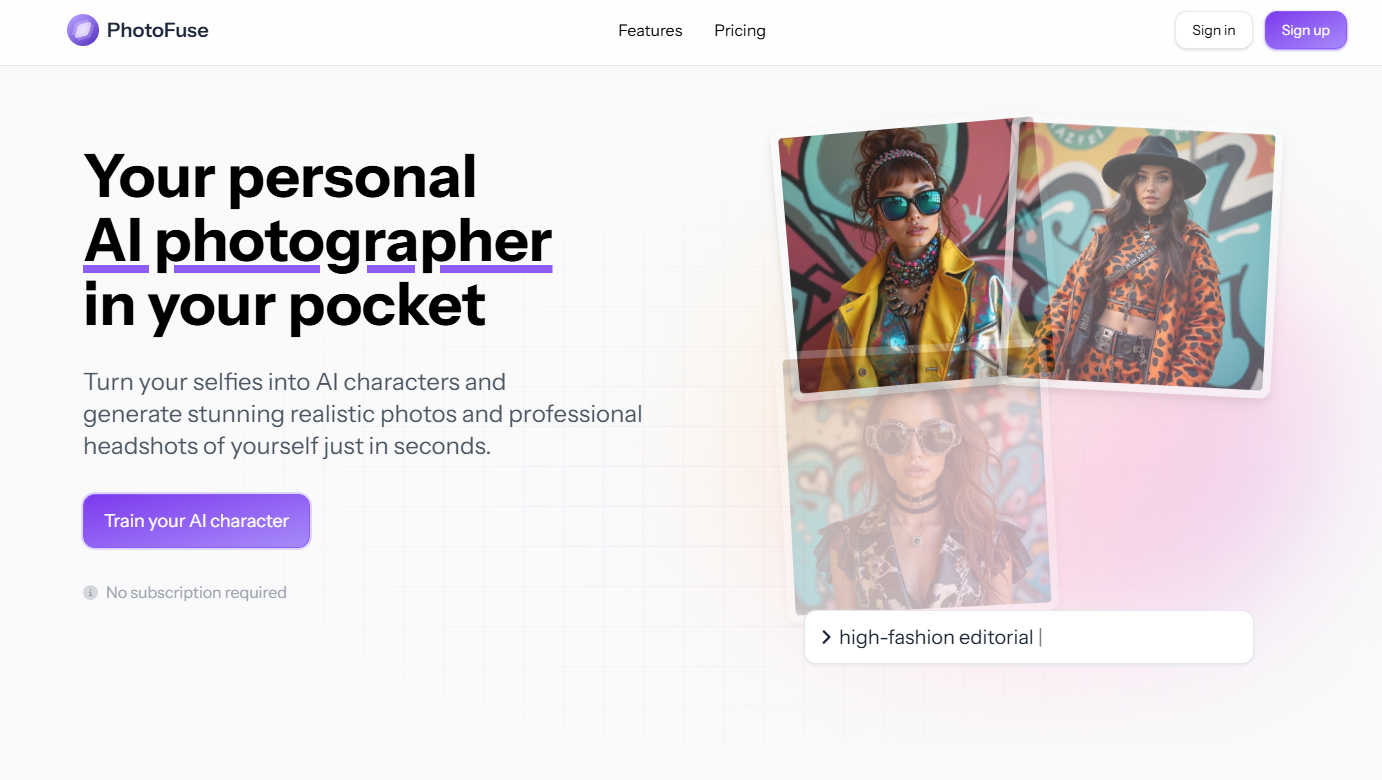
SparkPix

Feature Comparison
PhotoFuse
AI Character Training
This foundational feature allows users to create a personalized AI model by uploading 10-15 photos of themselves or another subject. The system analyzes these images to learn the subject's unique facial features, bone structure, and expressions. This trained "AI character" then serves as the consistent base for all subsequent image generations, ensuring that every produced headshot or creative portrait maintains a true-to-life resemblance without the need for repetitive manual input or complex descriptive prompts.
Template-Driven Playground
PhotoFuse eliminates the guesswork of AI image generation through its extensive library of pre-designed templates. Users can browse and select from a continuously curated gallery of scenes, styles, and concepts. Alternatively, the intuitive manual playground interface allows for granular customization, letting users mix and match elements like backgrounds, expressions, and accessories without any technical knowledge, making creative exploration both simple and efficient.
Professional Headshot Customization Suite
Tailored specifically for professional needs, this feature provides precise control over every element of a corporate headshot. Users can select from a range of professional backgrounds (solid colors, office settings), fine-tune facial expressions (from confident neutrals to approachable smiles), experiment with different hairstyles, and choose attire and accessories like blazers, glasses, or jewelry. This enables the creation of a portfolio of on-brand, industry-appropriate headshots in minutes.
Flexible Credit System & Commercial Rights
PhotoFuse operates on a transparent credit-based system across its freemium and pay-as-you-go plans, with no mandatory subscription lock-in. This provides financial flexibility for users with varying needs. Crucially, all generated images come with commercial usage rights, allowing professionals and businesses to legally use the photos for marketing materials, websites, and social media, adding significant practical value for commercial applications.
SparkPix
AI Photo Editor (Text-to-Edit)
This is the flagship feature that defines SparkPix's innovative approach. Instead of navigating layers and tools, users simply type a natural language instruction into a text box, such as "make the sky more dramatic" or "remove the trash can from the foreground." The AI interprets this command and applies the precise edits, delivering results typically in under 30 seconds. This feature encapsulates a wide range of adjustments, from basic corrections to complex compositional changes, all guided by the user's descriptive prompt.
Background Remover
SparkPix offers a highly efficient, one-click background removal tool powered by AI. It is engineered to handle a variety of subjects with precision, including portraits with fine hair details, product photos for e-commerce, and complex scenes with multiple elements. The tool instantly isolates the subject, creating a clean, transparent background (PNG) that can be replaced with a solid color, a new image, or left transparent for use in design projects, all without leaving any watermark on the free tier.
Photo Restoration & Enhancement
This dual-purpose feature addresses both historical preservation and modern quality improvement. The restoration AI specializes in repairing old, damaged photographs by automatically fixing scratches, tears, fading, and spots, effectively bringing cherished family archive photos back to life. Concurrently, the enhancer function improves modern digital photos by intelligently sharpening details, enhancing colors, reducing digital noise, and upscaling images to higher resolutions like HD, all in a single, automated step.
AI Image Generator & Style Transfer
SparkPix extends beyond editing into creation and artistic reinterpretation. The AI Image Generator allows users to create entirely new visuals from text prompts at high resolutions (1K, 2K, 4K). Complementing this, the Style Transfer feature can transform any uploaded photo into a wide array of artistic styles, such as anime, oil painting, watercolor, or pencil sketch. This allows users to reimagine their photos in over 15 different artistic genres with a single command.
Use Cases
PhotoFuse
Professional Branding & LinkedIn Profiles
Individuals across all industries can generate a suite of polished, consistent, and professional headshots tailored for LinkedIn profiles, corporate websites, speaker bios, and resumes. This allows for projecting a confident, approachable, and industry-relevant image without the cost and scheduling hassle of a traditional photoshoot, enabling easy updates to reflect career progression or personal rebranding.
Content Creation & Marketing Material
Digital marketers, social media managers, and small business owners can use PhotoFuse to rapidly produce high-quality, original visual content. By generating diverse images of a founder or brand representative in various settings and styles, they can create cohesive assets for social media campaigns, blog graphics, email newsletters, and advertisements, ensuring a professional and humanized brand presence.
Creative Exploration & Personal Projects
For casual users and hobbyists, the platform serves as a tool for creative experimentation and fun. Users can transform their likeness into AI characters for personal avatars, envision themselves in different artistic styles (e.g., classic portrait, modern graphic), or create unique visuals for personal blogs or gifts, exploring identity and expression in a novel, accessible way.
Streamlined Model Sourcing for Designers
Graphic designers and agencies can utilize PhotoFuse to generate custom model photography for mockups, presentations, and client concepts. This bypasses the need for stock photo subscriptions or model releases, allowing for the creation of perfectly tailored, royalty-free images that match specific project requirements for age, expression, and style on demand.
SparkPix
E-commerce & Product Photography
Online sellers and small business owners can use SparkPix to create professional product images without a studio. They can instantly remove backgrounds for clean white-backdrop shots, generate realistic product mockups (like a person holding a phone), and enhance image quality to make products look more appealing on platforms like Shopify, Amazon, or Etsy, directly competing with premium mockup services.
Family History & Photo Archiving
Genealogists and individuals looking to preserve family memories can utilize the photo restoration and colorization tools. They can upload scanned, black-and-white, or damaged old photographs and instruct the AI to restore them, remove scratches, and even add realistic color. This provides an accessible alternative to specialized services for revitalizing historical portraits and wedding photos.
Social Media Content Creation
Content creators, influencers, and marketers can rapidly produce eye-catching visuals for platforms like Instagram, TikTok, and YouTube. They can change backgrounds to match a theme, remove unwanted photobombers or objects, apply trendy artistic filters (like anime style), and generate custom thumbnail images—all processes that are completed in seconds to keep up with fast-paced content schedules.
Professional & Personal Portrait Editing
Individuals can create professional headshots for LinkedIn, resumes, or passport photos by using AI to refine a selfie—enhancing sharpness, adjusting lighting, and ensuring a compliant background. Similarly, for personal photos, users can easily perform complex edits like removing an ex-partner from a group picture, clearing clutter from a room, or creatively transforming a portrait into a piece of digital art.
Pricing Comparison
PhotoFuse
PhotoFuse offers flexible subscription plans with a credit-based system, allowing users to top up credits anytime. The plans are structured to cater to different usage levels:
- Starter: Priced at $19 per month (or less with annual billing), this plan includes 2,500 credits (approx. 250 photos), suitable for personal use.
- Basic: The popular plan at $39 per month provides 5,500 credits (approx. 550 photos) for regular users.
- Pro: At $99 per month, this plan offers 14,000 credits (approx. 1,400 photos) and represents the best value for professionals and high-frequency users. All plans include unlimited AI characters, parallel generations, top-up options, and commercial rights.
SparkPix
SparkPix operates on a credit-based pricing model designed to be accessible. Users can start completely for free by signing up to receive 5 initial credits with no credit card required, often supplemented with 1 daily credit. For users with higher volume needs, paid plans are available, starting at $9.99 which provides a bundle of 350 credits. This flexible system allows casual users to edit for free periodically, while power users can purchase affordable credit packs to support frequent, extensive editing, AI generation, and restoration projects.
Overview
About PhotoFuse
PhotoFuse positions itself as far more than a simple photo filter; it is a comprehensive personal AI photography studio accessible from any device. At its core, the tool leverages advanced artificial intelligence to transform a small batch of user-uploaded selfies into a customizable digital character model. This "trained" model then becomes the source for generating an endless variety of hyper-realistic images, from polished professional headshots to creative character portraits. The platform democratizes high-quality visual content creation by entirely removing the traditional barriers: no photography skills, expensive equipment, studio bookings, or complex AI prompt engineering are required. It is meticulously designed for a broad audience, including professionals seeking to elevate their LinkedIn and corporate profiles, content creators and marketers needing rapid, brand-consistent visuals, and casual users who simply want to explore their image in diverse artistic styles. PhotoFuse's primary value proposition lies in its powerful fusion of state-of-the-art generation technology with an exceptionally user-friendly, template-driven interface, granting everyone the power to become both the subject and the director of their visual narrative.
About SparkPix
SparkPix is a revolutionary web-based AI photo editor that democratizes professional-grade image manipulation by replacing complex software interfaces with simple text commands. At its core, SparkPix is designed for anyone who wants to edit photos but lacks the time, budget, or technical expertise for traditional tools like Photoshop. Its main value proposition is profound simplicity: you describe the change you want to see, and its advanced artificial intelligence executes it within seconds. This paradigm shift makes sophisticated editing—from intricate object removal to artistic style transformation—accessible to entrepreneurs, social media managers, genealogists, hobbyists, and everyday users. By operating entirely online, it eliminates the need for powerful hardware or software downloads, offering a seamless experience across desktops, iPhones, and Android devices. SparkPix positions itself not just as an editor, but as an intelligent creative partner that understands intent, bridging the gap between creative vision and polished result with unprecedented ease and speed.
Frequently Asked Questions
PhotoFuse FAQ
How many photos do I need to upload to get started?
To train your AI character effectively for the best results, PhotoFuse recommends uploading between 10 to 15 clear, high-quality photos of the subject. The platform provides clear guidance, suggesting a variety of angles, expressions, and lighting conditions to help the AI build a comprehensive and accurate model of your facial features.
Do I need to know how to write AI prompts?
No, absolutely not. PhotoFuse is specifically designed to be prompt-free. You create images by either selecting from a wide array of beautiful pre-made templates or by using the intuitive visual playground to manually choose elements like backgrounds, expressions, and clothing. The complex prompt engineering is handled entirely by the system.
Can I use the generated photos for commercial purposes?
Yes. A significant advantage of PhotoFuse is that it grants users commercial rights to the images they generate. This means you are free to use your AI headshots and photos on commercial platforms like your business website, in marketing materials, on social media for promotion, or in advertising campaigns.
What is the difference between the pricing plans?
Plans differ primarily in the volume of monthly credits, which translate to the number of photos you can generate. The Starter plan is great for personal use, Basic suits regular users, and the Pro plan offers the best value for professionals or teams with high-volume needs. All paid plans include unlimited AI characters, parallel generations, and commercial rights, with higher tiers offering more credits and longer photo storage history.
SparkPix FAQ
Is SparkPix really free to use?
Yes, SparkPix offers a genuinely free starting tier. New users receive 5 credits immediately upon signing up without needing to provide credit card details. Additionally, free users may receive 1 credit daily, allowing for ongoing access to basic edits. This model lets you test the core AI editing capabilities, including background removal and simple enhancements, at no cost and without watermarks on exported images.
What can I do with the AI Photo Editor's text command?
You can instruct the AI to perform a vast array of edits using plain English. Effective commands range from simple tasks like "remove the background" or "brighten the image" to complex requests such as "restore this photo and keep the vintage feel," "change the outfit color to blue," "replace the sky with a sunset," or "remove the two people on the left." The more specific and descriptive your prompt, the better and more accurate the AI-generated result will be.
How does SparkPix compare to Photoshop?
SparkPix is not a direct replacement for Photoshop's limitless, granular control for professional graphic designers. Instead, it serves as a powerful alternative for speed, simplicity, and AI-powered automation. Where Photoshop requires learned skills and manual work, SparkPix accomplishes complex edits like object removal, restoration, and style change through AI in seconds based on a text prompt, making advanced editing accessible to non-experts. It's best viewed as a complementary, web-based tool for quick, high-quality results.
What are credits and how many do I need?
Credits are the currency used to perform operations on SparkPix. Each AI generation or significant edit, such as processing a text command, generating a new image, or performing a restoration, consumes a set number of credits (e.g., 5 credits per generation as noted on the site). The free plan provides a limited number to start. If you need more, you can purchase plans that offer larger credit packs, starting from $9.99 for 350 credits, which allows for substantial editing work.
Alternatives
PhotoFuse Alternatives
PhotoFuse is an AI-powered image generation tool in the photo editing and avatar creation category. It specializes in transforming personal selfies into professional headshots and stylized AI characters quickly and with minimal user effort. Users often explore alternatives for various reasons. Some may seek different pricing models, such as unlimited subscriptions versus pay-per-credit systems. Others might need specific features like more granular control over outputs, integration with other creative platforms, or a different aesthetic style for their generated avatars that better matches their personal or brand identity. When evaluating other options, key considerations include the quality and realism of the AI output, the flexibility of the generation process, the cost structure and value for your usage level, and the privacy policy regarding your uploaded photos. It's also wise to assess the user experience and the speed of generation to ensure the tool fits your workflow.
SparkPix Alternatives
SparkPix is an AI-powered online photo editor that allows users to edit images simply by typing text commands. It falls into the rapidly growing category of web-based, AI-first creative tools designed to make advanced photo manipulation accessible to everyone, regardless of technical skill. Users often seek alternatives for a variety of reasons. Some may require a different pricing structure or a more generous free tier for frequent use. Others might be looking for specific, niche features not offered, prefer a downloadable desktop application for offline work, or simply want to explore the competitive landscape to find the tool that best aligns with their unique workflow and creative goals. When evaluating alternatives, consider your primary needs. Key factors include the core AI editing capabilities, the cost-effectiveness of subscription plans or credit systems, the availability on your preferred platforms, and the overall user experience. The ideal choice balances powerful functionality with an intuitive interface that feels natural to your creative process.