
PhotoFuse vs Shrinkpad
Side-by-side comparison to help you choose the right AI tool.

PhotoFuse
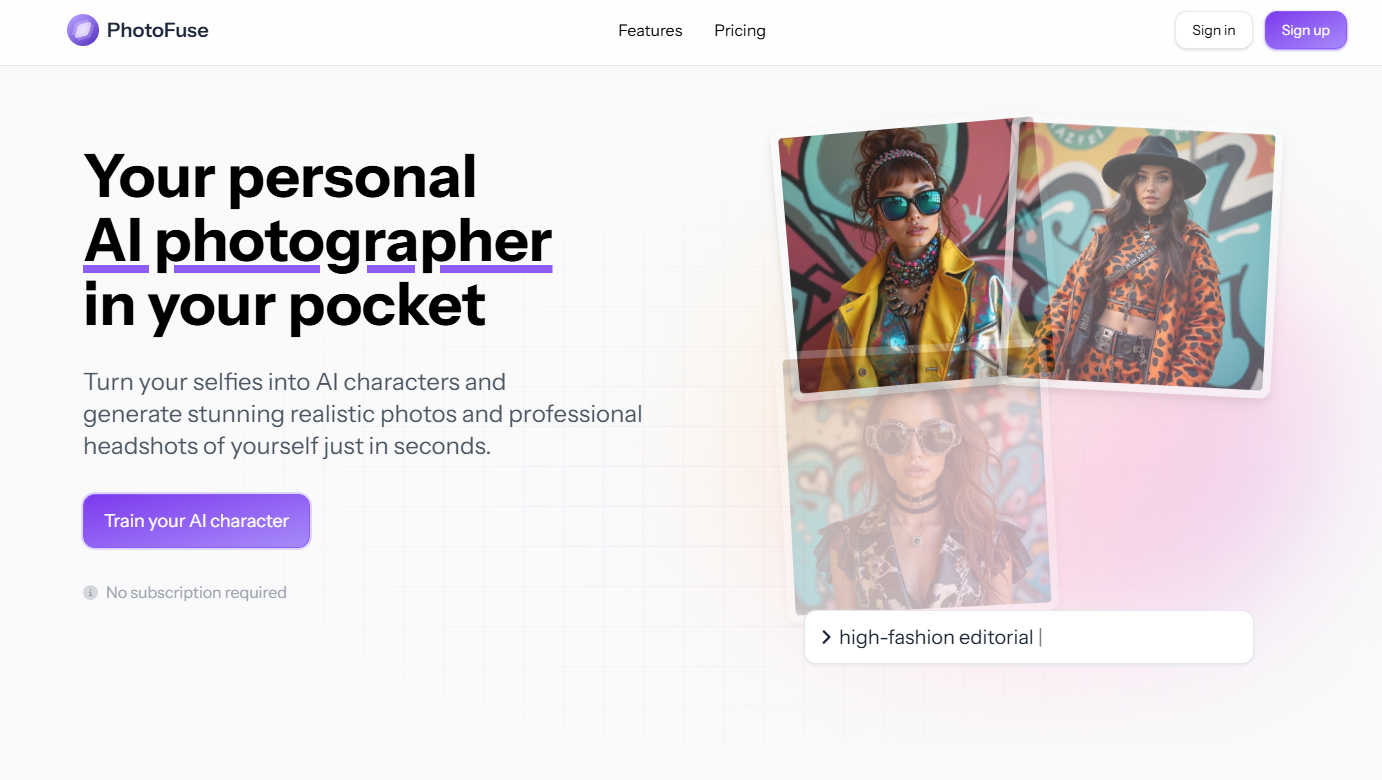
PhotoFuse instantly transforms your selfies into professional AI headshots and avatars.
Last updated: March 1, 2026

Shrinkpad
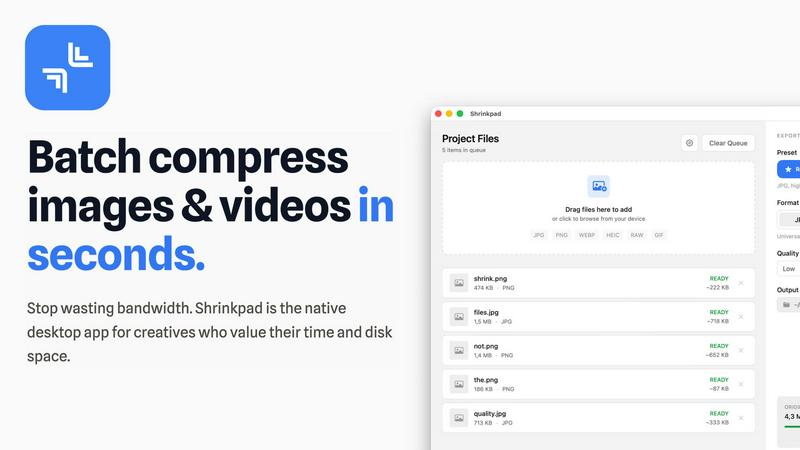
Shrinkpad compresses images and videos on your Mac in seconds, saving space and streamlining your creative workflow.
Last updated: February 28, 2026
Visual Comparison
PhotoFuse
Shrinkpad
Feature Comparison
PhotoFuse
AI Character Training
This foundational feature allows users to create a personalized AI model by uploading 10-15 photos of themselves or another subject. The system analyzes these images to learn the subject's unique facial features, bone structure, and expressions. This trained "AI character" then serves as the consistent base for all subsequent image generations, ensuring that every produced headshot or creative portrait maintains a true-to-life resemblance without the need for repetitive manual input or complex descriptive prompts.
Template-Driven Playground
PhotoFuse eliminates the guesswork of AI image generation through its extensive library of pre-designed templates. Users can browse and select from a continuously curated gallery of scenes, styles, and concepts. Alternatively, the intuitive manual playground interface allows for granular customization, letting users mix and match elements like backgrounds, expressions, and accessories without any technical knowledge, making creative exploration both simple and efficient.
Professional Headshot Customization Suite
Tailored specifically for professional needs, this feature provides precise control over every element of a corporate headshot. Users can select from a range of professional backgrounds (solid colors, office settings), fine-tune facial expressions (from confident neutrals to approachable smiles), experiment with different hairstyles, and choose attire and accessories like blazers, glasses, or jewelry. This enables the creation of a portfolio of on-brand, industry-appropriate headshots in minutes.
Flexible Credit System & Commercial Rights
PhotoFuse operates on a transparent credit-based system across its freemium and pay-as-you-go plans, with no mandatory subscription lock-in. This provides financial flexibility for users with varying needs. Crucially, all generated images come with commercial usage rights, allowing professionals and businesses to legally use the photos for marketing materials, websites, and social media, adding significant practical value for commercial applications.
Shrinkpad
One-Drop Import
With Shrinkpad's intuitive one-drop import feature, users can simply drag and drop entire folders onto the application. This functionality automatically detects and adds all supported images and videos to the batch processing list, eliminating the need to manually select individual files.
Smart Detection
Shrinkpad's smart detection technology identifies over 30 different image formats, including popular RAW formats, alongside major video formats. This ensures that all media files are processed optimally while non-media files are ignored for a streamlined experience, allowing users to focus on their creative outputs.
Unlimited Batching
Designed for efficiency, Shrinkpad allows users to process thousands of assets simultaneously without crashing. Unlike web-based tools that may falter under heavy loads, Shrinkpad handles massive queues effortlessly, ensuring that users can maximize their productivity without interruptions.
Privacy First
Shrinkpad is built with privacy at its core. All processing occurs locally on the user's machine, meaning that no files are ever uploaded to the cloud. This not only protects sensitive data but also ensures that users are not dependent on internet speeds, providing a secure and fast compression experience.
Use Cases
PhotoFuse
Professional Branding & LinkedIn Profiles
Individuals across all industries can generate a suite of polished, consistent, and professional headshots tailored for LinkedIn profiles, corporate websites, speaker bios, and resumes. This allows for projecting a confident, approachable, and industry-relevant image without the cost and scheduling hassle of a traditional photoshoot, enabling easy updates to reflect career progression or personal rebranding.
Content Creation & Marketing Material
Digital marketers, social media managers, and small business owners can use PhotoFuse to rapidly produce high-quality, original visual content. By generating diverse images of a founder or brand representative in various settings and styles, they can create cohesive assets for social media campaigns, blog graphics, email newsletters, and advertisements, ensuring a professional and humanized brand presence.
Creative Exploration & Personal Projects
For casual users and hobbyists, the platform serves as a tool for creative experimentation and fun. Users can transform their likeness into AI characters for personal avatars, envision themselves in different artistic styles (e.g., classic portrait, modern graphic), or create unique visuals for personal blogs or gifts, exploring identity and expression in a novel, accessible way.
Streamlined Model Sourcing for Designers
Graphic designers and agencies can utilize PhotoFuse to generate custom model photography for mockups, presentations, and client concepts. This bypasses the need for stock photo subscriptions or model releases, allowing for the creation of perfectly tailored, royalty-free images that match specific project requirements for age, expression, and style on demand.
Shrinkpad
Photographers Optimizing Portfolio
Professional photographers can use Shrinkpad to quickly compress high-resolution images for their portfolios, ensuring that they retain visual quality while reducing file sizes for faster loading times on websites and easier sharing with clients.
Designers Streamlining Assets
Graphic designers often work with multiple image formats in projects. Shrinkpad allows them to batch compress assets directly from design tools like Figma or Photoshop, saving hours of manual work and enabling smooth collaboration with clients and team members.
Developers Enhancing Website Performance
Web developers can leverage Shrinkpad to optimize images and videos before deployment. By significantly reducing file sizes, they improve website load times and user experience, which can lead to better performance metrics and higher search engine rankings.
Content Creators Managing Media Libraries
Content creators with extensive media libraries can benefit from Shrinkpad's ability to handle mixed media batches. Whether they are compressing photos for social media or videos for YouTube, the tool ensures that all assets are optimized in a single workflow, enhancing productivity.
Overview
About PhotoFuse
PhotoFuse positions itself as far more than a simple photo filter; it is a comprehensive personal AI photography studio accessible from any device. At its core, the tool leverages advanced artificial intelligence to transform a small batch of user-uploaded selfies into a customizable digital character model. This "trained" model then becomes the source for generating an endless variety of hyper-realistic images, from polished professional headshots to creative character portraits. The platform democratizes high-quality visual content creation by entirely removing the traditional barriers: no photography skills, expensive equipment, studio bookings, or complex AI prompt engineering are required. It is meticulously designed for a broad audience, including professionals seeking to elevate their LinkedIn and corporate profiles, content creators and marketers needing rapid, brand-consistent visuals, and casual users who simply want to explore their image in diverse artistic styles. PhotoFuse's primary value proposition lies in its powerful fusion of state-of-the-art generation technology with an exceptionally user-friendly, template-driven interface, granting everyone the power to become both the subject and the director of their visual narrative.
About Shrinkpad
Shrinkpad is a cutting-edge, privacy-first desktop application specifically designed for macOS, aiming to revolutionize batch media compression. It addresses a significant challenge faced by modern creatives: the struggle with oversized image and video files that not only occupy precious disk space but also hinder workflow efficiency. Unlike traditional cloud-based solutions, Shrinkpad operates solely on your local machine, utilizing native macOS frameworks. This guarantees the utmost privacy, ensures that your sensitive data remains secure, and eliminates reliance on internet bandwidth. The application is engineered to process hundreds or even thousands of files in mere seconds, optimizing performance especially for Apple Silicon. Shrinkpad allows photographers, designers, developers, and content creators to compress files by up to 90% while intelligently maintaining visual quality. Supporting over 50 formats, from JPGs and RAW files to 4K MP4 videos, Shrinkpad transforms a typically cumbersome task into a simple one-click batch operation. This makes it an essential productivity tool for anyone looking to optimize their digital assets and reclaim valuable storage space.
Frequently Asked Questions
PhotoFuse FAQ
How many photos do I need to upload to get started?
To train your AI character effectively for the best results, PhotoFuse recommends uploading between 10 to 15 clear, high-quality photos of the subject. The platform provides clear guidance, suggesting a variety of angles, expressions, and lighting conditions to help the AI build a comprehensive and accurate model of your facial features.
Do I need to know how to write AI prompts?
No, absolutely not. PhotoFuse is specifically designed to be prompt-free. You create images by either selecting from a wide array of beautiful pre-made templates or by using the intuitive visual playground to manually choose elements like backgrounds, expressions, and clothing. The complex prompt engineering is handled entirely by the system.
Can I use the generated photos for commercial purposes?
Yes. A significant advantage of PhotoFuse is that it grants users commercial rights to the images they generate. This means you are free to use your AI headshots and photos on commercial platforms like your business website, in marketing materials, on social media for promotion, or in advertising campaigns.
What is the difference between the pricing plans?
Plans differ primarily in the volume of monthly credits, which translate to the number of photos you can generate. The Starter plan is great for personal use, Basic suits regular users, and the Pro plan offers the best value for professionals or teams with high-volume needs. All paid plans include unlimited AI characters, parallel generations, and commercial rights, with higher tiers offering more credits and longer photo storage history.
Shrinkpad FAQ
Can I use Shrinkpad for free?
Yes, Shrinkpad offers a Free Starter plan that includes essential tools for casual users, allowing compression of up to 10 files per batch.
What file formats does Shrinkpad support?
Shrinkpad supports a wide range of formats, including popular ones like JPG, PNG, WEBP, AVIF, MP4, MOV, and many RAW formats, making it versatile for various media types.
Does Shrinkpad support video compression?
Absolutely! Shrinkpad is capable of compressing various video formats, including 4K MP4 and MOV, ensuring that both images and videos can be optimized efficiently.
How many files can I process at once?
With Shrinkpad, users can process thousands of files simultaneously, thanks to its unlimited batching feature, which is designed to handle massive queues without any crashes.
Alternatives
PhotoFuse Alternatives
PhotoFuse is an AI-powered image generation tool in the photo editing and avatar creation category. It specializes in transforming personal selfies into professional headshots and stylized AI characters quickly and with minimal user effort. Users often explore alternatives for various reasons. Some may seek different pricing models, such as unlimited subscriptions versus pay-per-credit systems. Others might need specific features like more granular control over outputs, integration with other creative platforms, or a different aesthetic style for their generated avatars that better matches their personal or brand identity. When evaluating other options, key considerations include the quality and realism of the AI output, the flexibility of the generation process, the cost structure and value for your usage level, and the privacy policy regarding your uploaded photos. It's also wise to assess the user experience and the speed of generation to ensure the tool fits your workflow.
Shrinkpad Alternatives
Shrinkpad is a powerful desktop application designed for macOS that specializes in compressing images and videos to optimize storage and improve workflow efficiency. As a privacy-first tool, it allows users to process files locally without uploading data to the cloud. This makes it particularly appealing to creative professionals who often handle large media files and prioritize data security. Users frequently seek alternatives to Shrinkpad for various reasons, including budget constraints, feature sets that may better align with specific needs, or compatibility with different operating systems. When selecting an alternative, it’s crucial to consider factors such as processing speed, the range of supported file formats, ease of use, and the degree of privacy offered by the software.