
Magic Hour vs StatPecker
Side-by-side comparison to help you choose the right AI tool.

Magic Hour
Magic Hour empowers creators to effortlessly produce stunning videos and images in seconds with over 100 free AI tools.
Last updated: March 4, 2026

StatPecker
StatPecker turns your private data into instant, shareable insights and visuals.
Last updated: March 1, 2026
Visual Comparison
Magic Hour

StatPecker
Feature Comparison
Magic Hour
AI Video Generation
Magic Hour offers an exceptional AI Video Generation feature that allows users to create compelling videos from text prompts or existing media. With tools like Text-to-Video and Image-to-Video, you can seamlessly convert scripts into dynamic visuals or enhance images by integrating them into video formats, all in just a few clicks.
Advanced Image Editing
The platform's Advanced Image Editing capabilities empower users to modify images with precision using text commands. The AI Image Editor enables quick enhancements, style changes, and personalized adjustments, making it easy to create stunning visuals that align perfectly with your brand's aesthetic.
Face Swap Technology
Magic Hour's Face Swap Technology is a game-changer for content creators. This feature allows users to easily swap faces in both photos and videos, providing endless creative possibilities for personalized content and dynamic storytelling without the need for complex editing software.
AI Headshot Generator
With the AI Headshot Generator, users can produce professional-quality headshots in an instant. This feature is especially useful for enhancing personal branding, social media profiles, or corporate identities, ensuring that you always present yourself in the best light.
StatPecker
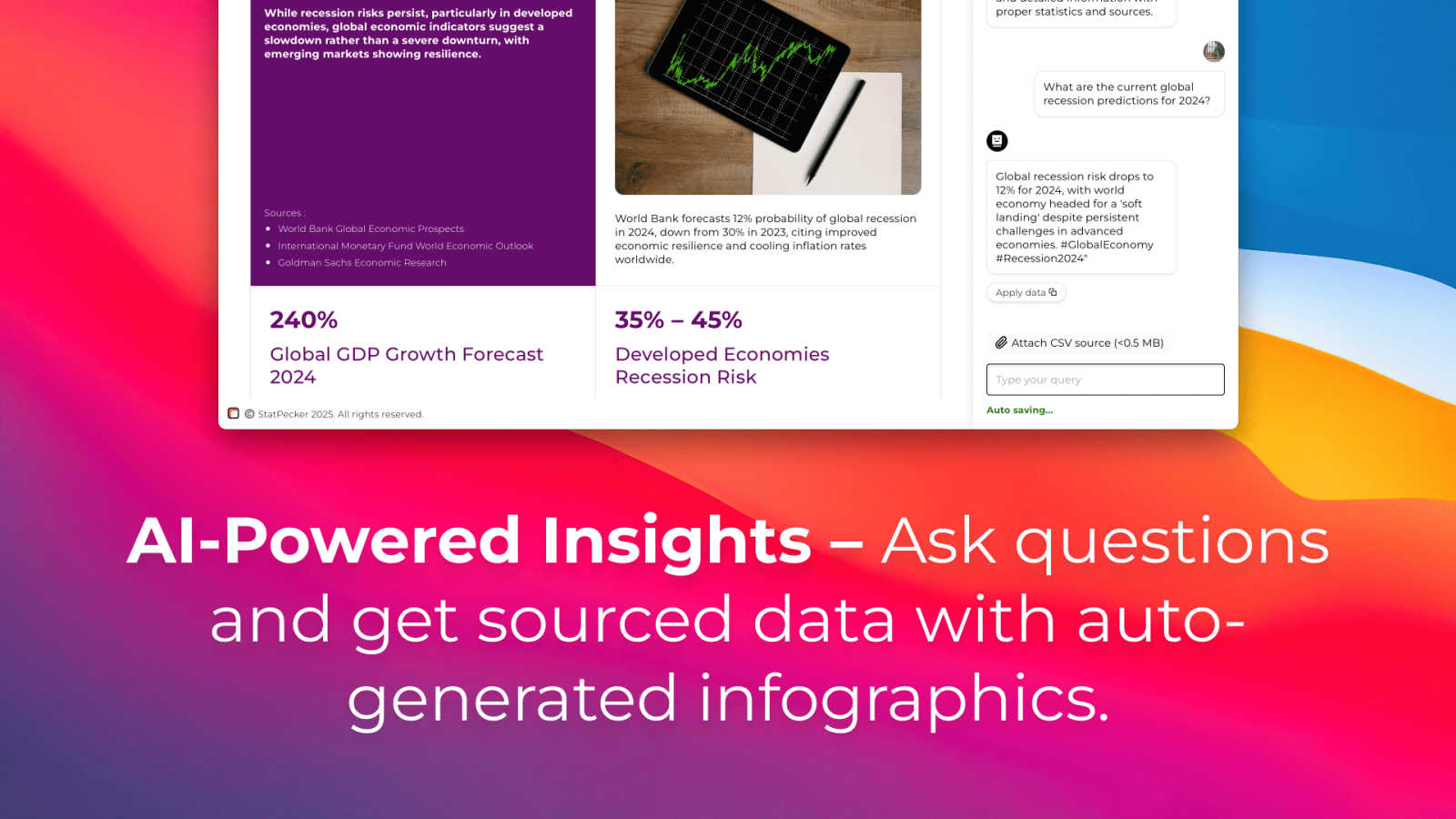
AI-Powered Query & Insights
Simply ask a question in plain English, and StatPecker's AI scours validated sources to deliver instant, credible answers. This feature removes the barrier of complex analytical tools, allowing anyone to extract key trends, global comparisons, and data-driven insights without technical know-how. The results are not just text, but the foundation for the accompanying visualizations.
Local SQL Agent for Private CSV Analysis
A standout feature for data-sensitive workflows, the Local SQL Agent allows users to upload CSV files (up to 50MB) for completely private analysis. The entire process—from data preparation and query generation to analysis—runs securely on the user's own device. This ensures sensitive business or personal data never leaves your computer while still enabling powerful, exploratory questioning and insight generation.
Instant, Publish-Ready Visualizations
Every insight generated, whether from a public query or a private CSV, is automatically converted into clean, professional charts and infographics. These visuals are designed to be embedded directly into blogs, websites, reports, or shared on social media. The platform handles the entire design process, delivering assets that are both aesthetically stunning and effectively communicative.
Flexible Export and Embedding
StatPecker provides maximum utility for the created content. Users can download infographics as standard image files for use in presentations, reports, or print materials. Alternatively, visuals can be embedded as interactive elements into any digital property, enhancing reader engagement and providing a seamless, integrated data storytelling experience across platforms.
Use Cases
Magic Hour
Social Media Content Creation
Social media managers and influencers can utilize Magic Hour to produce eye-catching content quickly. By leveraging tools like Text-to-Video and AI Image Editor, they can create engaging posts, stories, and ads that capture their audience's attention and drive engagement.
Marketing Campaigns
Marketers can streamline their workflows with Magic Hour by generating promotional videos and visuals tailored to their campaigns. The platform's ability to create variations quickly allows for A/B testing of content, optimizing marketing efforts for better results.
Educational Materials
Educators and trainers can harness Magic Hour to develop instructional videos and interactive content for enhanced learning experiences. With tools like AI Video Generation and Lip Sync, they can create captivating lessons that keep students engaged and informed.
Personal Projects
Individuals looking to explore their creativity can use Magic Hour for personal projects, such as creating family videos, artistic expressions, or hobby-related content. The platform's accessibility and ease of use make it perfect for anyone wanting to produce polished visuals without technical barriers.
StatPecker
Content Creation & Blogging
Bloggers, journalists, and digital marketers use StatPecker to rapidly find and visualize supporting data for their articles. Instead of using generic or outdated charts, they can generate unique, up-to-date infographics that bolster their arguments, increase reader trust, and significantly improve the visual appeal and shareability of their content.
Business Reporting & Internal Communications
Analysts and team leaders leverage the CSV upload and Local SQL Agent to analyze sales, performance, or operational data privately. They can quickly identify which regions drove the most revenue, track KPIs, and create clear visual reports for stakeholder presentations or team meetings, streamlining the weekly or monthly reporting cycle.
Educational Material Development
Educators and trainers utilize the tool to convert complex statistical information or historical data into digestible visual aids. This makes lessons more engaging for students, helping to illustrate trends, comparisons, and concepts through visuals that are easier to understand and remember than rows of raw numbers.
Startup & Entrepreneurial Analysis
Founders and entrepreneurs use StatPecker to conduct quick market research, visualize competitive landscapes, or analyze early-stage metrics from their own operations. The free tier and easy query system allow for agile, data-informed decision-making without the overhead of dedicated business intelligence software or design resources.
Overview
About Magic Hour
Magic Hour is an innovative, all-in-one, browser-based AI studio that democratizes video and image production for users of all skill levels. With its user-friendly interface and powerful AI capabilities, Magic Hour enables solo creators, marketers, and teams to produce high-quality visuals swiftly and effortlessly. The platform consolidates over 100 advanced AI tools into a single, intuitive workspace, eliminating the need for costly equipment, intricate software, or tedious reshoots. By starting with simple inputs like text prompts, images, or video clips, users can easily transform their ideas into engaging content. Whether you need to generate videos from scripts, apply artistic styles to existing footage, or enhance images with AI-driven features, Magic Hour streamlines the creative workflow. It is designed for rapid iteration, allowing users to create multiple variations, maintain brand consistency, and produce ready-to-share outputs for social media, advertisements, training materials, and more—all accessible from any web browser.
About StatPecker
StatPecker is an AI-powered data visualization and storytelling platform engineered to bridge the gap between complex data and compelling communication. It fundamentally reimagines the reporting process by automating the transformation of raw data, whether from online sources or private CSV files, into publication-ready infographics and charts in seconds. The tool serves a diverse audience, from content creators and marketers seeking to enrich their articles with credible visuals, to business analysts and educators who need to distill trends and present insights clearly without design expertise. Its core value proposition is twofold: unparalleled speed and accessibility in data visualization, and a staunch commitment to user privacy through its unique Local SQL Agent. By eliminating the need for manual design work or expensive services, StatPecker empowers users to maximize the impact of their data narratives, saving significant time and cost while enhancing the clarity and engagement of their message.
Frequently Asked Questions
Magic Hour FAQ
What types of media can I create with Magic Hour?
Magic Hour allows users to create a variety of media including videos and images. You can generate content from text prompts, convert images to videos, and utilize advanced editing tools for both formats.
Is Magic Hour suitable for beginners?
Absolutely! Magic Hour is designed with user-friendliness in mind, making it accessible for creators of all skill levels. The intuitive interface and comprehensive tools allow beginners to produce professional-looking content effortlessly.
Do I need any special software or equipment to use Magic Hour?
No, Magic Hour is a browser-based platform, meaning you can create stunning visuals without the need for expensive equipment or complex software installations. All you need is internet access to get started.
Is there a cost associated with using Magic Hour?
Magic Hour offers a range of free tools for users to explore. While there may be premium features available, the platform provides robust capabilities without requiring a credit card to start creating.
StatPecker FAQ
How does the Local SQL Agent ensure my data is private?
The Local SQL Agent is engineered for privacy-by-default. When you upload a CSV file, the data is processed entirely on your device. The AI that generates SQL queries and the engine that runs them operate locally, meaning your raw data never transmits to StatPecker's servers. Only you see the input and the resulting visual outputs.
What are the limits of the Free Tier?
The Free Tier is designed for casual or introductory use. It includes unlimited projects and embeds, but limits users to 25 AI queries (questions to the public insight engine) and 10 CSV uploads for local analysis. This allows users to thoroughly test the platform's core capabilities before considering an upgrade.
What does "Lifetime Access" in the paid plan include?
The one-time payment "Lifetime Access" plan grants permanent access to all current and future features of StatPecker. This includes unlimited AI queries, unlimited CSV uploads, unlimited projects and embeds, and priority consideration for feature requests. It's a cost-effective option for power users, professionals, and organizations planning for long-term use.
Can I edit the infographics after they are generated?
Yes, while the AI generates complete, ready-to-use visuals, StatPecker provides options for manual edits on the embeds. This allows you to adjust colors, and text, or tweak design elements to better align with your brand guidelines or specific presentation needs before publishing or sharing the final graphic.
Alternatives
Magic Hour Alternatives
Magic Hour is an innovative, browser-based AI studio that simplifies the process of creating professional videos and images. As a versatile tool in the content creation category, it caters to a wide range of users, from solo creators to marketing teams, who need to produce high-quality media quickly and efficiently. Despite its impressive capabilities, users often seek alternatives due to various factors such as pricing, the specific features offered, or compatibility with their preferred platforms. When exploring alternatives to Magic Hour, it is essential to consider what features matter most to your workflow, such as ease of use, the range of creative tools, and the ability to generate content rapidly. Additionally, evaluate the pricing structures to ensure they align with your budget while still meeting your content creation needs. The goal is to find a solution that streamlines your creative process and enhances your output quality without unnecessary complexity or cost.
StatPecker Alternatives
StatPecker is an AI-powered data visualization tool that transforms complex datasets into clear, engaging infographics. It belongs to the category of automated data storytelling and insight generation platforms, designed to make data analysis accessible and visually compelling for a wide audience. Users often explore alternatives to StatPecker for various reasons. Common drivers include budget constraints, the need for more advanced or specific analytical features, integration requirements with other business software, or a preference for a different user interface and workflow. Every team has unique priorities, from deep statistical modeling to real-time collaborative dashboards. When evaluating an alternative, consider your core needs. Key factors often include the tool's data source compatibility, the depth of analysis versus ease of use, customization options for branding, sharing and embedding capabilities, and of course, the overall cost structure. The right choice balances powerful functionality with an intuitive process that fits your team's skill level and goals.