
Imgezy vs Shrinkpad
Side-by-side comparison to help you choose the right AI tool.

Imgezy
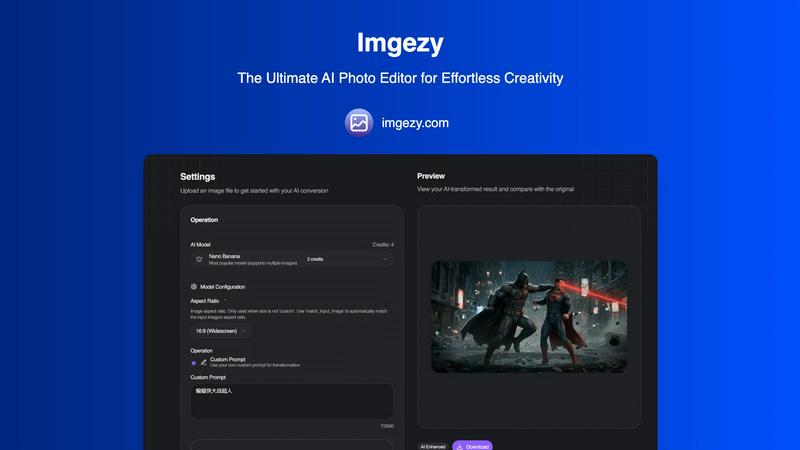
Imgezy is an AI photo editor that effortlessly removes objects and changes backgrounds for anyone.
Last updated: February 28, 2026

Shrinkpad
Shrinkpad compresses images and videos on your Mac in seconds, saving space and streamlining your creative workflow.
Last updated: February 28, 2026
Visual Comparison
Imgezy
Shrinkpad
Feature Comparison
Imgezy
Intelligent Object Removal
This feature leverages advanced AI to identify and seamlessly erase unwanted elements from any photograph. Whether it's a photobomber, a distracting street sign, power lines, or blemishes, the tool doesn't just delete; it intelligently reconstructs the background with pixel-perfect accuracy. The AI analyzes the surrounding textures, colors, and patterns to fill the void naturally, leaving absolutely no trace that an object was ever present, thus salvaging otherwise perfect shots.
Instant Background Replacement
Transform the context and mood of any image in an instant. Users can replace dull or unsuitable backgrounds with anything from a solid color to a breathtaking landscape or a professional studio setting. The AI precisely isolates the main subject, even handling complex edges like hair or fur, and seamlessly composites it onto the new background. This is invaluable for creating consistent branding visuals, enhancing product photos, or simply unleashing creative fantasies without a green screen.
AI-Powered Photo Enhancement
Beyond structural edits, Imgezy includes smart enhancement capabilities that automatically improve an image's fundamental qualities. The AI can analyze and optimize lighting conditions, boost color vibrancy, enhance sharpness, and restore clarity to blurry or damaged areas. This feature acts as an automatic professional touch-up, ensuring every photo looks its absolute best by making intelligent adjustments that would typically require manual fine-tuning with various sliders and filters.
Batch Processing & High-Quality Output
Designed for efficiency, Imgezy allows users to upload and edit multiple photos simultaneously, saving immense time on large projects like e-commerce catalogs or event galleries. Despite the speed and AI-driven process, the tool guarantees no loss in quality. All edited images are available for download in full, high resolution, making them suitable for both digital use and professional print. This combination of scalability and quality assurance is critical for professional workflows.
Shrinkpad
One-Drop Import
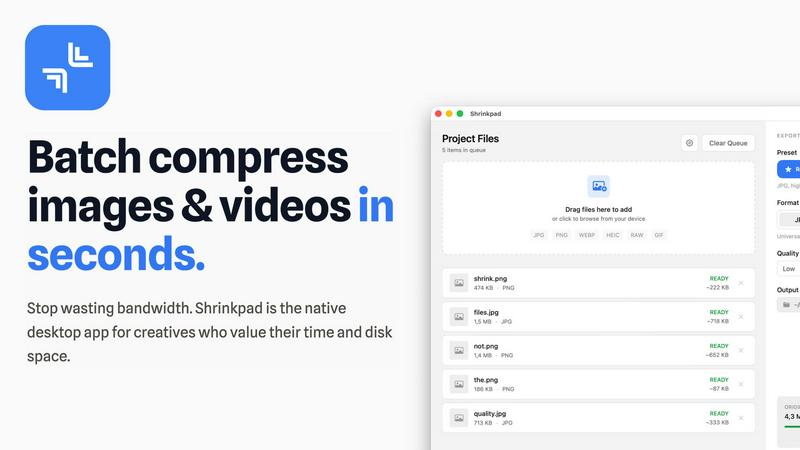
With Shrinkpad's intuitive one-drop import feature, users can simply drag and drop entire folders onto the application. This functionality automatically detects and adds all supported images and videos to the batch processing list, eliminating the need to manually select individual files.
Smart Detection
Shrinkpad's smart detection technology identifies over 30 different image formats, including popular RAW formats, alongside major video formats. This ensures that all media files are processed optimally while non-media files are ignored for a streamlined experience, allowing users to focus on their creative outputs.
Unlimited Batching
Designed for efficiency, Shrinkpad allows users to process thousands of assets simultaneously without crashing. Unlike web-based tools that may falter under heavy loads, Shrinkpad handles massive queues effortlessly, ensuring that users can maximize their productivity without interruptions.
Privacy First
Shrinkpad is built with privacy at its core. All processing occurs locally on the user's machine, meaning that no files are ever uploaded to the cloud. This not only protects sensitive data but also ensures that users are not dependent on internet speeds, providing a secure and fast compression experience.
Use Cases
Imgezy
Social Media Content Creation
For influencers, marketers, and casual users, crafting a visually cohesive and appealing social media feed is paramount. Imgezy allows for the rapid editing of photos to remove distractions, replace cluttered backgrounds with cleaner alternatives, and enhance overall aesthetic appeal. This enables the creation of professional-looking content that engages followers and strengthens personal or brand identity without requiring a background in graphic design or expensive software.
E-commerce Product Photography
Online sellers can drastically improve their conversion rates by presenting products in the best light. Imgezy is used to remove unwanted backgrounds, isolate products on pure white or branded backdrops, and erase minor imperfections or supporting props like mannequin stands. This results in a clean, consistent, and professional product gallery that builds customer trust and meets the visual standards of major marketplaces like Amazon or Etsy.
Travel and Lifestyle Blogging
Travel bloggers and photographers often capture amazing scenes that are marred by crowds of tourists or unfavorable weather. With Imgezy, they can magically remove those crowds to highlight architectural beauty, replace a gloomy sky with a sunny one, or erase obstructive signs. This allows them to present the idealized, yet convincingly real, version of their travels that resonates with their audience and captures the essence of a location.
Personal Photo Restoration and Improvement
Individuals can use Imgezy to breathe new life into personal memories. The tool can remove strangers from family vacation photos, erase scratches or tears from scanned old photographs through its smart repair function, and enhance faded colors. It empowers anyone to curate and perfect their personal photo archive, turning good snapshots into cherished, flawless keepsakes with minimal effort.
Shrinkpad
Photographers Optimizing Portfolio
Professional photographers can use Shrinkpad to quickly compress high-resolution images for their portfolios, ensuring that they retain visual quality while reducing file sizes for faster loading times on websites and easier sharing with clients.
Designers Streamlining Assets
Graphic designers often work with multiple image formats in projects. Shrinkpad allows them to batch compress assets directly from design tools like Figma or Photoshop, saving hours of manual work and enabling smooth collaboration with clients and team members.
Developers Enhancing Website Performance
Web developers can leverage Shrinkpad to optimize images and videos before deployment. By significantly reducing file sizes, they improve website load times and user experience, which can lead to better performance metrics and higher search engine rankings.
Content Creators Managing Media Libraries
Content creators with extensive media libraries can benefit from Shrinkpad's ability to handle mixed media batches. Whether they are compressing photos for social media or videos for YouTube, the tool ensures that all assets are optimized in a single workflow, enhancing productivity.
Overview
About Imgezy
Imgezy represents a paradigm shift in digital image manipulation, positioning itself not merely as another editing tool but as an intelligent creative partner. At its core, Imgezy is an AI-powered photo editor designed to democratize professional-grade image editing by removing the traditional barriers of technical skill and time investment. It serves a diverse audience, from social media enthusiasts and travel bloggers seeking to perfect their visual narratives to e-commerce sellers requiring pristine product photos and professional creators who value efficiency. The platform's primary value proposition lies in its powerful simplicity: users can articulate their desired edits through natural language prompts, and the underlying artificial intelligence executes complex tasks like object removal, background replacement, and quality enhancement in seconds. This fusion of robust, algorithmic precision with an intuitive, conversational interface empowers users to achieve results that once required hours in sophisticated software like Photoshop. With a growing community of over 200,000 users who have collectively removed more than a million objects, Imgezy validates the market's demand for accessible, powerful, and instantaneous creative technology.
About Shrinkpad
Shrinkpad is a cutting-edge, privacy-first desktop application specifically designed for macOS, aiming to revolutionize batch media compression. It addresses a significant challenge faced by modern creatives: the struggle with oversized image and video files that not only occupy precious disk space but also hinder workflow efficiency. Unlike traditional cloud-based solutions, Shrinkpad operates solely on your local machine, utilizing native macOS frameworks. This guarantees the utmost privacy, ensures that your sensitive data remains secure, and eliminates reliance on internet bandwidth. The application is engineered to process hundreds or even thousands of files in mere seconds, optimizing performance especially for Apple Silicon. Shrinkpad allows photographers, designers, developers, and content creators to compress files by up to 90% while intelligently maintaining visual quality. Supporting over 50 formats, from JPGs and RAW files to 4K MP4 videos, Shrinkpad transforms a typically cumbersome task into a simple one-click batch operation. This makes it an essential productivity tool for anyone looking to optimize their digital assets and reclaim valuable storage space.
Frequently Asked Questions
Imgezy FAQ
How does Imgezy's AI editing work?
Imgezy utilizes sophisticated machine learning models trained on vast datasets of images. When you upload a photo and provide a text prompt (e.g., "remove the car"), the AI analyzes the image to understand its content, context, and geometry. It then identifies the target object or area, removes it, and generates new pixels that plausibly match the surrounding background. For background changes, it performs precise subject segmentation before compositing. The entire process is automated and happens on secure servers in seconds.
What image formats does Imgezy support?
The platform supports all major image file formats, including JPG, PNG, and WebP. You can confidently upload photos from your smartphone, digital camera, or scans. After editing, you can typically download your enhanced image in a high-quality format suitable for your needs, whether for web use or print.
Is there a limit to how many images I can edit?
Yes, editing is managed through a credit system. Each AI operation consumes a certain number of credits. For example, the Basic plan provides 200 credits per month, which is approximately equivalent to editing 100 images, depending on the complexity of the tasks. The Pro plan offers significantly more credits (800) for high-volume users. This system allows for flexible usage based on your editing needs.
Do I own the images I create with Imgezy?
Absolutely. You retain full ownership of both your original uploaded images and the AI-edited results. The Pro plan explicitly includes a commercial license, meaning you can use the edited images for commercial purposes, such as in advertising, on products, or for client work. The Basic plan is intended for personal use but still grants you ownership of your creations.
Shrinkpad FAQ
Can I use Shrinkpad for free?
Yes, Shrinkpad offers a Free Starter plan that includes essential tools for casual users, allowing compression of up to 10 files per batch.
What file formats does Shrinkpad support?
Shrinkpad supports a wide range of formats, including popular ones like JPG, PNG, WEBP, AVIF, MP4, MOV, and many RAW formats, making it versatile for various media types.
Does Shrinkpad support video compression?
Absolutely! Shrinkpad is capable of compressing various video formats, including 4K MP4 and MOV, ensuring that both images and videos can be optimized efficiently.
How many files can I process at once?
With Shrinkpad, users can process thousands of files simultaneously, thanks to its unlimited batching feature, which is designed to handle massive queues without any crashes.
Alternatives
Imgezy Alternatives
Imgezy is a popular AI-powered photo editor that specializes in effortless object removal and background changes. It belongs to the growing category of intelligent image editing tools that use artificial intelligence to simplify complex tasks, making professional-grade edits accessible to users of all skill levels. Users often explore alternatives for a variety of reasons. Some may seek different pricing models or subscription tiers that better fit their budget. Others might require specific features not offered, such as batch processing or integration with other creative software. Platform compatibility is another key factor, as users may need a tool that works on desktop, mobile, or within a particular operating system. When evaluating other options, it's crucial to consider your primary use case. Look for a tool that excels at your most frequent tasks, whether that's cleaning up product photos, creating social media graphics, or enhancing personal travel shots. Also, assess the overall user experience, the quality and speed of the AI output, and the transparency of the company's data usage and privacy policies.
Shrinkpad Alternatives
Shrinkpad is a powerful desktop application designed for macOS that specializes in compressing images and videos to optimize storage and improve workflow efficiency. As a privacy-first tool, it allows users to process files locally without uploading data to the cloud. This makes it particularly appealing to creative professionals who often handle large media files and prioritize data security. Users frequently seek alternatives to Shrinkpad for various reasons, including budget constraints, feature sets that may better align with specific needs, or compatibility with different operating systems. When selecting an alternative, it’s crucial to consider factors such as processing speed, the range of supported file formats, ease of use, and the degree of privacy offered by the software.