
Dokta vs Fieldtics
Side-by-side comparison to help you choose the right AI tool.

Dokta automates invoicing and cash flow for freelancers by instantly analyzing documents and managing payments.
Last updated: April 4, 2026

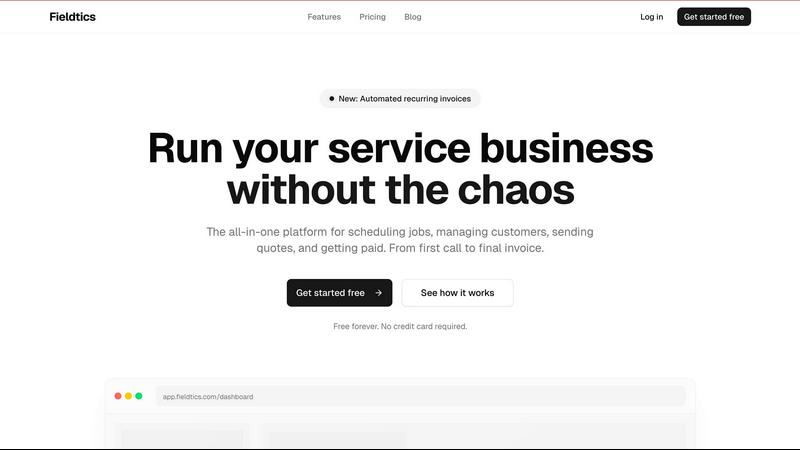
Fieldtics streamlines your service business by managing scheduling, customers, and payments in one simple platform.
Last updated: February 28, 2026
Visual Comparison
Dokta

Fieldtics
Feature Comparison
Dokta
Instant AI-Powered Document Analysis
Dokta's foundational feature is its lightning-fast AI analysis engine. Within 60 seconds of uploading a photo, scan, or PDF, the platform automatically reads the document using OCR, classifies its type (invoice, quote, contract), and extracts all key data fields such as amounts, due dates, client names, and VAT information. This process eliminates manual data entry entirely, ensuring accuracy and saving hours of administrative work per week.
Automated Invoicing & Quote-to-Invoice Workflow
This feature streamlines the entire billing cycle. Users can create professional invoices and quotes in just a few clicks. For freelancers on day-rate contracts, it supports automatic monthly invoice generation. Furthermore, quotes can be sent with an online acceptance link, allowing clients to approve digitally. Once accepted, conversion from an approved quote to a formal invoice is accomplished with a single click, creating a seamless and professional client experience.
Real-Time Cash Flow & Financial Dashboard
Dokta provides immediate financial clarity with a comprehensive, visual dashboard. It tracks key metrics in real-time: invoiced revenue, collected revenue, unpaid invoices, and VAT liabilities. The dashboard includes a 12-month graphical view, offering instant insight into your business's financial health. This allows solo entrepreneurs and SMBs to make informed decisions without manually compiling spreadsheets.
Intelligent Client Management & Anomaly Detection
The platform automatically builds and enriches your client and supplier database using SIRET number lookup. It assigns payment behavior scoring to help you assess risk. Crucially, its anomaly detection system acts as a safeguard, alerting you to potential issues like changed IBAN details, duplicate invoices, inconsistent VAT, or missing document numbering, protecting you from errors and fraud.
Fieldtics
Unified Job Scheduling & Project Management
This feature provides a single, dynamic dashboard to orchestrate all field operations. Managers can visually schedule jobs, assign tasks to specific team members, set clear deadlines, and monitor real-time progress updates from the field. The entire team, whether in the office or on-site, stays aligned with a centralized view of every project's status, ensuring nothing falls through the cracks and every job moves forward efficiently.
Integrated CRM & Customer Hub
Fieldtics consolidates all customer interactions and data into one accessible system. From the initial lead captured via a website form or phone call, through every service visit and communication, the platform builds a complete customer history. This enables personalized service, timely follow-ups, and improved customer retention by giving your team instant access to notes, past jobs, and preferences, transforming random contacts into managed relationships.
Automated Invoicing & Payment Processing
The platform streamlines the financial workflow from quote to cash. Users can generate and send professional quotes that convert into invoices with a single click. A standout capability is the automation of recurring invoices for subscription or maintenance services, ensuring consistent cash flow. Integrated payment processing allows customers to pay online directly from the invoice, dramatically reducing payment cycles and administrative chasing.
Customizable Branding & Seamless Integrations
Fieldtics is designed to feel like a native extension of your business, not a generic tool. You can fully customize the platform's interface with your company logo, color schemes, and tailored menu structures. Crucially, it offers robust integrations with popular accounting, communication, and productivity apps you already use, syncing data and automating cross-platform workflows for a truly connected and efficient tech stack.
Use Cases
Dokta
The Freelance Developer or IT Consultant
For freelancers working on Time & Materials (TJM) contracts, Dokta automates the entire invoicing process. It can generate recurring monthly invoices based on the contract terms automatically. The freelancer simply reviews and approves with one click. This allows them to focus entirely on coding and client work while ensuring timely, accurate billing and payment tracking without any manual overhead.
The Creative Project Freelancer (Designer, Photographer)
This professional benefits immensely from the integrated quote-to-invoice workflow. They create a project quote in Dokta and send it via a professional online acceptance link. Upon client approval, the system instantly generates the corresponding invoice. It also manages project-based documents, tracks payments for each milestone, and automates follow-ups on late payments, streamlining the entire creative project lifecycle.
The Auto-Entrepreneur or Micro-Entrepreneur
For solo entrepreneurs under simplified tax regimes, Dokta ensures compliance and simplicity. It generates legally compliant invoices, tracks all receipts and payments against URSSAF contribution ceilings, and sends alerts for upcoming declaration deadlines. This eliminates the stress of manual tracking and potential errors, providing a clear, centralized view of their business health in a user-friendly package.
The Growing Small Business (SMB)
Small businesses with a higher volume of documents use Dokta to bring order to financial operations. The platform handles inbound supplier invoices, outbound client invoices, and contracts. The real-time cash flow dashboard gives the business owner immediate insight into their financial position, while automated payment reminders help maintain healthy cash flow. CSV export simplifies accountant collaboration.
Fieldtics
Managing a Growing Residential Cleaning Service
For a cleaning company like CleanPro, Fieldtics manages recurring appointment schedules for dozens of homes, sends automated reminders to clients, and tracks which cleaner is assigned to each job. The mobile app lets cleaners clock in/out on-site and note any special requests. Invoices are sent automatically after service, with online payments feeding directly into the income tracker, simplifying bookkeeping and scaling operations.
Streamlining Operations for an Electrical Contractor
An electrical business such as SparkElectric uses Fieldtics to handle emergency call-outs and scheduled projects. Dispatchers can view technician locations and availability to schedule urgent jobs smartly. The CRM tracks all customer history, while the quoting tool allows for quick, professional estimates. Technicians access job details and schematics on their mobile devices, update job statuses, and log expenses for materials, all in real time.
Optimizing Project Flow for a Landscaping Business
A landscaping firm like GreenScape utilizes the project management features to plan complex, multi-phase jobs. They can schedule equipment deliveries, assign crews to different tasks (e.g., excavation, planting, hardscaping), and track time against project estimates. The platform helps manage seasonal maintenance contracts with automated recurring invoicing and provides a portal for customers to approve quotes and view project timelines.
Centralizing Administration for a Multi-Service Repair Company
A general repair service such as FixItNow, handling everything from plumbing to appliance repair, uses Fieldtics as its operational backbone. It unifies a diverse job board, categorizes jobs by service type and priority, and maintains a centralized parts inventory log. The integrated system ensures the office manager, dispatcher, and technicians all work from the same live data, reducing errors and improving customer communication.
Pricing Comparison
Dokta
Dokta offers simple, transparent subscription pricing with no hidden modules. All paid plans include a 14-day free trial.
- Discovery: €0/month. Includes 15 documents/month, 5 pages/doc, free invoice generator, unlimited client base. No credit card required.
- Starter (€9/month): Designed for auto-entrepreneurs. Includes 50 documents/month, 20 pages/doc, automated payment reminders, expense tracking, CSV accounting export, and email support.
- Freelance (€12/month): The popular plan for freelancers with recurring contracts. Includes 100 documents/month and all Starter features, tailored for Time & Materials billing workflows.
- Pro (€15/month): For project-based freelancers and creatives. Includes a higher document allowance and advanced features like the online quote acceptance workflow. Annual billing offers a 17% discount on all plans.
Fieldtics
Fieldtics offers simple, tiered pricing plans to suit businesses at different stages of growth. The Starter plan is completely Free forever and includes unlimited clients, job scheduling, CRM, and mobile app access. The Professional plan is priced at $29 per month and adds comprehensive financial tools like invoices & payments, expense tracking, income tracking, and advanced scheduling features on top of the Starter offerings. For larger enterprises with specific needs, the Business plan requires contacting sales and includes all Professional features plus custom functionality, priority support, and a dedicated account manager.
Overview
About Dokta
Dokta is a transformative AI-powered document management platform engineered specifically for the modern independent professional and small business. It directly addresses the chronic administrative burden that plagues freelancers, solo entrepreneurs, auto-entrepreneurs, and SMBs, turning document chaos into automated clarity. At its core, Dokta functions as an intelligent document hub: you simply drop any document—be it an invoice, quote, contract, or receipt—and its advanced AI engine, powered by Claude from Anthropic, reads, classifies, and extracts critical data in under 60 seconds. This is not just OCR; it's contextual understanding that identifies document type, amounts, due dates, and client details. But Dokta goes far beyond simple analysis. It manages the entire document lifecycle, enabling users to create professional invoices and quotes, track payments, automate polite reminders for unpaid invoices, manage contract deadlines, and even generate actionable tasks directly from documents. It builds a living client database automatically, provides real-time cash flow dashboards, and offers CSV exports for accountants. By eliminating lost files, missed deadlines, and manual data entry, Dokta reclaims valuable time, safeguards revenue, and provides unparalleled financial visibility. With a strong commitment to data privacy—being 100% GDPR compliant and hosted on AWS in Europe—Dokta securely places your documents at the heart of your business operations, managed intelligently by AI.
About Fieldtics
Fieldtics is the definitive all-in-one operational platform engineered specifically for service-based businesses seeking to transcend daily chaos. It serves as a centralized command hub, meticulously designed to unify every critical function from the first customer inquiry to the final invoice and beyond. The core value proposition is profound simplicity paired with powerful capability, offering a comprehensive suite that includes intelligent job scheduling, seamless customer relationship management (CRM), effortless invoicing, and integrated payment processing. Built for dynamic teams, its synchronized web and mobile applications ensure real-time connectivity between office staff and field technicians, eliminating information silos. Fieldtics distinguishes itself through remarkable flexibility, allowing deep customization of dashboards, branding, and menus to reflect a company's unique identity. Furthermore, its philosophy of integration over replacement means it connects smoothly with existing tools, automating workflows and centralizing data to provide unparalleled clarity and control. Ultimately, Fieldtics empowers businesses like cleaning services, repair companies, landscapers, and electricians to streamline operations, enhance customer satisfaction, and fuel scalable, efficient growth.
Frequently Asked Questions
Dokta FAQ
How does Dokta's AI analysis work and how accurate is it?
Dokta uses a combination of advanced Optical Character Recognition (OCR) and Anthropic's Claude AI model to understand documents contextually. It doesn't just read text; it comprehends document structure to identify types and extract relevant fields like totals, dates, and parties involved. The accuracy is very high for standard document formats, and the system learns from user validations. You always review and confirm the extracted data, ensuring a perfect final record.
Is my data secure and private with Dokta?
Absolutely. Data security and privacy are paramount for Dokta. The platform is fully compliant with the EU's General Data Protection Regulation (GDPR). All data is encrypted using AES-256 standards and is hosted exclusively on Amazon Web Services (AWS) servers located in Paris, France. This ensures that your sensitive business and client information remains within the European Union under strict privacy laws.
What happens if I exceed my monthly document limit?
If you exceed the document limit on your chosen plan, Dokta will notify you. You will typically have options to upgrade your plan to a higher tier with a larger document allowance for the remainder of your billing cycle. It's designed to be flexible, allowing you to scale your usage up as your business grows without interruption to your service.
Can I try Dokta for free before committing to a paid plan?
Yes, Dokta offers a generous free Discovery tier to get started. This plan allows you to process up to 15 documents per month (with a 5-page maximum per document) at no cost. It includes access to the free invoice generator and unlimited client database. You can explore all core features without providing credit card details, allowing for a truly risk-free evaluation of the platform.
Fieldtics FAQ
Is there really a free plan, and what does it include?
Yes, Fieldtics offers a genuinely free-forever "Starter" plan with no credit card required to sign up. This plan is designed to provide core functionality, including support for unlimited clients, essential job scheduling tools, basic customer relationship management (CRM) features, and access to the mobile application. It allows small businesses or startups to manage fundamental operations without any initial investment.
How does Fieldtics help my team in the field stay connected?
Fieldtics provides fully synchronized native mobile applications for iOS and Android devices. Technicians in the field receive real-time job assignments, access customer history and notes, update job statuses, log time and expenses, and collect customer signatures electronically. Any update made in the field instantly reflects on the office dashboard, ensuring complete transparency and eliminating phone calls for status updates.
Can I customize Fieldtics to match my company's branding?
Absolutely. A key philosophy of Fieldtics is adaptability. You can customize your company's portal and customer-facing documents extensively. This includes adding your logo, using your brand's color palette throughout the dashboard and generated documents (quotes, invoices), and even tailoring menu items and layout to fit your specific workflow, making the platform feel like a bespoke solution.
What kind of integrations does Fieldtics support?
Fieldtics is built with an open architecture to connect with the tools you already use. It offers seamless integrations with popular accounting software (like QuickBooks), payment gateways (like Stripe or PayPal), calendar apps, and communication tools. These integrations automate data sync, eliminate double entry, and create a centralized hub for all your business operations, enhancing overall efficiency.
Alternatives
Dokta Alternatives
Dokta is an AI-powered document management platform designed to automate the administrative workflow for freelancers, solo entrepreneurs, and small to medium-sized businesses. It belongs to the category of business automation and financial management tools, focusing on turning documents like invoices, quotes, and contracts into actionable data and automated processes. Users often explore alternatives to find a solution that aligns perfectly with their specific needs. Common reasons include budget constraints, the need for different feature sets such as deeper accounting integration or project management, or a preference for platforms hosted in different regions. The search for the right tool is a natural part of business growth and operational refinement. When evaluating alternatives, key considerations should include the core automation capabilities, the ease of use, security and data residency standards, scalability of pricing plans, and how well the tool integrates into your existing business ecosystem. The goal is to find a system that not only manages documents but actively streamlines your unique operational workflow.
Fieldtics Alternatives
Fieldtics is a comprehensive business management platform designed specifically for service-based companies. It falls into the category of field service management software, aiming to consolidate scheduling, customer management, invoicing, and payment processing into a single, streamlined system. Businesses explore alternatives to Fieldtics for various reasons. Some may find its pricing structure doesn't align with their budget, while others might seek more specialized features for their niche or require different platform integrations. The need for a specific user experience, scalability for growth, or a different approach to mobile functionality can also prompt the search for other solutions. When evaluating alternatives, focus on how well a platform addresses your core operational pain points. Consider the total cost of ownership, the depth of features in areas critical to your workflow, and the quality of customer support. The ideal choice should not only match your current needs but also offer a clear path to support your business as it evolves.