
Decode This Text vs Reddit Post Summarizer
Side-by-side comparison to help you choose the right AI tool.

Decode This Text
Decode This Text gives you a wise, anonymous reality check on any confusing conversation in just 30 seconds.
Last updated: February 28, 2026

Reddit Post Summarizer
Instantly summarize any Reddit thread into clear insights with one click.
Last updated: February 28, 2026
Visual Comparison
Decode This Text

Reddit Post Summarizer
Feature Comparison
Decode This Text
Screenshot Analysis
Gone are the days of manually transcribing lengthy chat histories. With this featured functionality, users can simply upload a photo of their text conversation. The tool seamlessly reads and analyzes the entire visual context, extracting every word, timestamp, and emoji. This streamlines the process immensely, allowing for a quick and effortless entry point to understanding complex or emotionally charged exchanges without the barrier of retyping.
Tone & Intent Deciphering
This feature acts as an emotional barometer for digital communication. It goes beyond dictionary definitions to measure the true emotional temperature of a message—assessing whether the sender is being cold, sarcastic, genuinely friendly, or passively aggressive. By quantifying elements like tone, effort, and intent, it provides an objective lens, helping users avoid the common pitfall of projecting their own anxieties or hopes onto ambiguous words.
Behavioral Pattern Detection
Human communication is rife with subtle, recurring cues that are easy to miss in the moment. This intelligent feature scans conversations for these critical behavioral patterns. It can highlight if someone only messages late at night, consistently avoids direct questions, or is gradually shortening their replies over time. Identifying these trends offers a strategic, big-picture view of the dynamics at play, revealing intentions that single messages might conceal.
AI-Generated Response Crafting
Paralysis over what to say next is a common experience. Decode This Text directly addresses this by generating contextually appropriate response options. After its analysis, it provides users with multiple tailored replies—often categorized as calm, direct, or firm. This empowers individuals to choose a response that aligns with their desired outcome, turning uncertainty into confident action and closing the communication loop effectively.
Reddit Post Summarizer
One-Click, Comprehensive Analysis
With a single click of the "Analyze" button, the extension springs into action, processing entire Reddit threads regardless of size. It fetches every comment, meticulously cleans the data by stripping away noise and duplicates, and sends the refined context to an AI model to generate a coherent summary. This seamless process feels native to the Reddit experience, delivering structured insights from what was once an overwhelming wall of text in a matter of moments, with no manual copying or pasting required.
Full DOM Access & No-Limit Processing
This is the extension's technical superpower. It operates with the same level of access as a human user's browser, reading the full Document Object Model (DOM) of the Reddit page. This method completely bypasses the strict API rate limits, pagination ceilings, and anti-bot measures (like CAPTCHAs) that cripple other tools. Consequently, it can analyze threads with millions of tokens of content—far exceeding the context windows of even the most advanced standalone AI chatbots—ensuring no thread is too large to summarize.
Multi-Page Support & Flexible Use
The tool is versatile beyond individual posts. It is engineered to work on reddit.com's new interface across three key page types: full comment threads, entire subreddit homepages to gauge community vibe, and search result pages to synthesize answers from multiple threads simultaneously. This flexibility allows users to get a macro understanding of a community's culture or a topic's discussion landscape across Reddit, not just the micro-view of a single debate.
Privacy-First, Local Storage & Export
Privacy and user control are central to its design. Analysis is strictly on-demand; the extension only reads content when you explicitly click the button. All generated summaries and chat histories are stored locally within your browser, not on remote servers. Users can revisit their analyses anytime or export the structured insights into convenient formats like Markdown or JSON for use in reports, notes, or further research, putting you in full control of your data.
Use Cases
Decode This Text
Decoding Dating & Romantic Signals
Navigating the early stages of dating is fraught with mixed signals. Is "I'll let you know" a polite brush-off or a genuine statement from a busy person? When someone ghosts after a great date, what does it mean? This tool analyzes text exchanges to clarify interest levels, interpret silence, and explain confusing behaviors like breadcrumbing. It helps users understand the real subtext, saving them from overthinking and guiding them toward responses that protect their emotional well-being.
Interpreting Professional & Workplace Communication
Workplace communication often carries high stakes and hidden meanings. A terse one-word email from a boss, a vague "we'll keep your resume on file," or the challenge of saying "no" to a colleague without causing offense—all are ripe for misinterpretation. Decode This Text analyzes the tone and structure of professional messages, providing clarity on the sender's likely state of mind and suggesting diplomatically worded responses to navigate office politics with grace.
Understanding Friends & Family Dynamics
Group chats that go silent after your message, a friend's suddenly distant tone, or confusing family interactions can create social anxiety. This use case involves using the tool to parse conversations within personal circles. It helps determine if a comment was taken the wrong way, if someone is subtly upset, or if the silence is benign. The analysis fosters healthier relationships by providing an outside perspective on familiar dynamics, often more reliably than asking the same friends for advice repeatedly.
Analyzing Client & Business Correspondence
For freelancers, entrepreneurs, and sales professionals, clear client communication is crucial. Vague feedback, delayed responses, or ambiguous contract language can stall projects. Decode This Text can be used to analyze client emails or messages to discern their true level of satisfaction, urgency, or hesitation. Understanding the client's underlying tone and intent allows for more precise and effective follow-ups, ensuring projects stay on track and relationships remain positive.
Reddit Post Summarizer
For Researchers & Market Analysts
Professionals conducting qualitative research or market analysis can use the tool to rapidly digest large volumes of public opinion. Instead of manually sifting through thousands of comments to identify trends, pain points, or consensus on a product, service, or topic, they can get an AI-summarized report highlighting key viewpoints, repeated phrases, and sentiment shifts, accelerating data gathering and insight generation significantly.
For Casual Browsers & Knowledge Seekers
The average Reddit user visiting a popular "AskReddit" thread or a complex technical explanation can avoid the "scroll of death." They can instantly get a summary that captures the best jokes, the most helpful advice, or the core of a debate, allowing them to participate in or understand the conversation without investing 30 minutes of reading. It turns browsing from a chore into an efficient information-gathering session.
For Community Managers & Moderators
Individuals responsible for subreddit health can use the summarizer on their own community's threads or search results to quickly gauge member sentiment, identify frequently discussed issues, or spot emerging controversies. Summarizing a subreddit's front page provides a "vibe check," highlighting what the community currently loves, hates, and is talking about most, informing moderation decisions and community engagement strategies.
For Content Creators & Journalists
Writers and creators looking for story angles, public reaction to news events, or diverse perspectives on an issue can use the tool to analyze relevant Reddit threads and search results. It helps them efficiently extract quotable insights, understand the spectrum of public debate, and gather authentic community reactions from across multiple sources, all condensed into a manageable format for background research or direct citation.
Overview
About Decode This Text
In the intricate dance of modern communication, where subtext often outweighs the words on the screen, Decode This Text emerges as a vital digital confidant. This innovative tool is designed to demystify the ambiguous messages that populate our inboxes and chat threads, transforming confusion into clarity. At its core, it is an AI-powered analysis engine that interprets the true meaning behind cryptic emails, vague texts, and confusing professional correspondence. By simply pasting a conversation, uploading a screenshot, or describing a scenario, users receive a comprehensive, human-feeling breakdown in about 30 seconds. This analysis delves into the underlying intentions, emotional tone, and even the unspoken patterns within the dialogue, providing actionable advice on how to respond. It serves a diverse audience—from anyone navigating the uncertainties of modern dating and friendships to professionals aiming to decode workplace nuance. Its primary value proposition is profound: to eliminate the anxiety of misinterpretation, enhance communication skills, and empower users to interact with confidence, all within a framework that is 100% anonymous and private.
About Reddit Post Summarizer
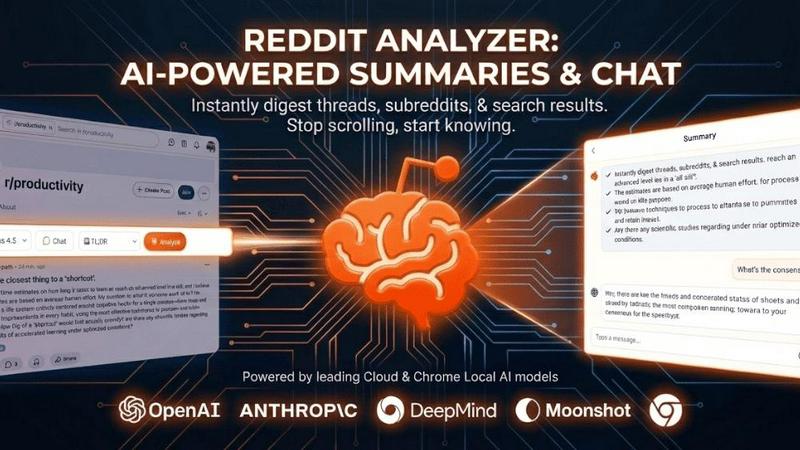
Reddit Post Summarizer, also known as the Reddit Analyzer Chrome extension, is an innovative AI-powered tool designed to solve a modern digital dilemma: information overload on Reddit. For users who find themselves lost in sprawling threads with hundreds or thousands of comments, this extension offers a powerful solution. It transforms chaotic, lengthy discussions into clear, structured summaries with a single click. The tool caters to a diverse audience, from casual browsers seeking quick insights without the scroll to professionals like researchers, marketers, and journalists who need to efficiently analyze discussions, consensus, and dissenting opinions across entire subreddits or search results. Its core value proposition lies in its unique technical approach. Unlike standard AI chatbots that hit token limits and API restrictions, this extension operates directly within your browser, granting it full access to the page content just as you see it. This allows it to bypass Reddit's scraping defenses and analyze threads of any length instantly, delivering key takeaways, sentiment trends, and the essence of debates in seconds, thereby saving immense time and enabling smarter, more informed engagement with the platform's vast knowledge base.
Frequently Asked Questions
Decode This Text FAQ
How does Decode This Text protect my privacy?
Privacy is a foundational principle. The service is designed to be 100% anonymous. No human ever reads the texts, conversations, or screenshots you submit. All analysis is performed by secure AI algorithms. Furthermore, the company states that your data is not used to train their models, ensuring your personal conversations remain confidential and are not stored or reviewed by any person.
What kind of input does the tool accept?
The tool offers flexible input methods to suit your needs. You can directly paste the text of a conversation, write a descriptive summary of what happened, or use the featured Screenshot Analysis function to upload a photo of your chat. This allows you to analyze any digital interaction, whether it's a fresh text thread or a saved conversation from your camera roll.
Is the analysis really accurate if it's done by AI?
While not a substitute for human emotional intelligence, the AI is trained on vast datasets of communication patterns, linguistic cues, and social dynamics to provide highly insightful analysis. It excels at identifying consistent patterns, measuring tonal shifts, and offering probabilistic interpretations of intent based on common scenarios. Users report it feels like getting advice from a wise, objective third party, providing clarity that often cuts through personal bias.
Can it help me write a response?
Absolutely. One of the core features is the AI-generated response crafting. After analyzing the message, the tool provides you with several potential reply options tailored to the situation. These are typically framed with different strategic approaches (e.g., calm, direct, playful), giving you a starting point to communicate back with greater confidence and alignment with your goals.
Reddit Post Summarizer FAQ
How is this different from asking ChatGPT to summarize a Reddit thread?
AI chatbots like ChatGPT face fundamental limitations: they have token caps (e.g., 128k-400k) that large threads exceed, they cannot access Reddit's API due to strict rate limits, and they are blocked by Reddit's anti-scraping measures. This extension runs in your browser as you, with full access to the entire page content in real-time, bypassing all these restrictions to analyze threads of any length instantly.
What pages on Reddit does the summarizer work on?
The extension is built for the new Reddit UI and supports three primary page types: individual comment threads (any post), subreddit homepages (to summarize the current trending posts and vibe), and Reddit search result pages (to synthesize answers from the top threads matching your query). It works seamlessly on any reddit.com URL that falls into these categories.
Is my privacy and data safe with this extension?
Yes. The extension is designed with a privacy-first approach. It only acts when you explicitly click "Analyze." It does not run in the background or scrape data silently. All summaries and chat histories are stored locally in your browser's storage. You can delete this data at any time, and it is never collected on a remote server without your consent.
Can I choose which AI model generates the summaries?
Yes. The extension allows you to select from various cloud-based AI models for the summarization step. This lets you choose a model that best fits your specific needs regarding output quality, cost, and processing speed, giving you flexibility and control over the analysis engine powering your insights.
Alternatives
Decode This Text Alternatives
Decode This Text is a productivity tool designed to cut through communication ambiguity. It falls into the category of digital clarity and interpersonal management tools, helping users analyze confusing messages to understand tone, intent, and optimal responses quickly. People often seek alternatives for various practical reasons. Some may need a solution that fits a specific budget, while others require different feature sets, such as integration with particular platforms or more advanced analytical capabilities. The search can also stem from a desire for a different user experience or output style. When evaluating other options, consider your core needs. Key factors include the accuracy and depth of the analysis, the tool's speed, data privacy policies, and ease of use. The best choice will align with how you typically encounter confusing communications, whether in professional emails, personal texts, or social media interactions.
Reddit Post Summarizer Alternatives
Reddit Post Summarizer is a Chrome extension in the productivity category that uses AI to distill lengthy comment threads into clear, actionable summaries. It addresses the common pain point of information overload, allowing users to grasp key points without endless scrolling. Users often seek alternatives for various reasons. Some may require a different pricing model, such as a free tier or one-time purchase. Others might need specific features not offered, like support for mobile browsers, integration with other platforms, or different AI models. Platform compatibility is also a key driver, as not all tools are available as browser extensions. When evaluating an alternative, consider your core needs. Prioritize the summary quality and the AI's ability to identify consensus and key arguments. Assess the tool's privacy policy, especially regarding data processing. Finally, check for flexibility in output formats and whether the tool's interface aligns with your workflow for saving or exporting insights.