
Customer Connect CRM vs TrafficClaw
Side-by-side comparison to help you choose the right AI tool.

Customer Connect CRM
Customer Connect CRM uses AI to centralize leads and automate follow-ups for faster sales.
Last updated: February 28, 2026

TrafficClaw
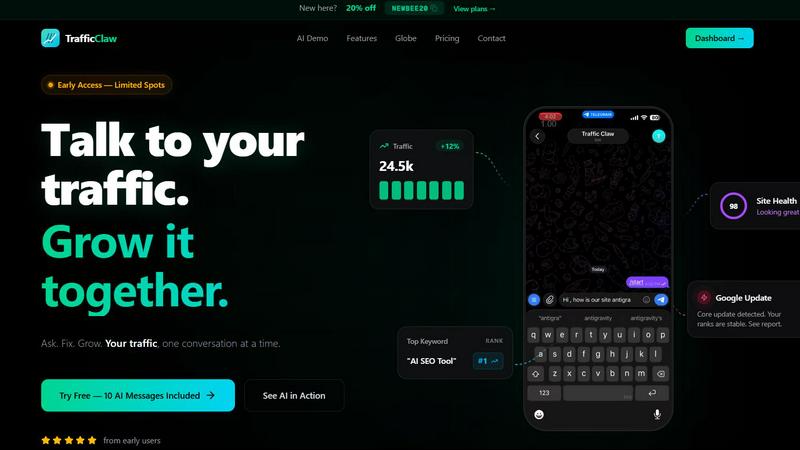
Talk to your SEO & Analytics data - it finally talks back
Visual Comparison
Customer Connect CRM

TrafficClaw
Overview
About Customer Connect CRM
Customer Connect CRM is a modern, AI-powered customer relationship management platform engineered specifically for small to medium-sized businesses that value simplicity and efficiency over bloated complexity. It directly addresses the core pain points that stifle growth: slow follow-up, scattered inquiries across emails and spreadsheets, and intimidating, expensive CRM systems that teams actively avoid. The product's fundamental promise is "Less hassle. More deals." It achieves this by centralizing all lead sources—from website forms and email inboxes to manually added contacts—into a single, intuitive visual dashboard. Designed for entrepreneurs, freelancers, consultants, and growing sales teams, Customer Connect CRM eliminates administrative friction. It provides a clear, customizable sales pipeline that guides users from first contact to closed deal, ensuring no opportunity is lost and every interaction is timely and effective, ultimately transforming lead management from a chore into a competitive advantage. From the perspective of a business owner, it's a tool that finally aligns with their need for agility. For a salesperson, it's a clear roadmap to closing more deals without the overhead. For the entire team, it's a unified source of truth that replaces chaos with clarity and drives sustainable growth.
About TrafficClaw
Your traffic dropped. Google Analytics says nothing useful. Search Console shows graphs. Cool. Now what? TrafficClaw lets you just ask - "Why did my traffic drop?" and actually get an answer. Backed by your real data, not some generic blog post advice. Connect GA4 + Search Console. Ask questions. Get fixes. That's it.