
CoPilly vs Reddit Post Summarizer
Side-by-side comparison to help you choose the right AI tool.

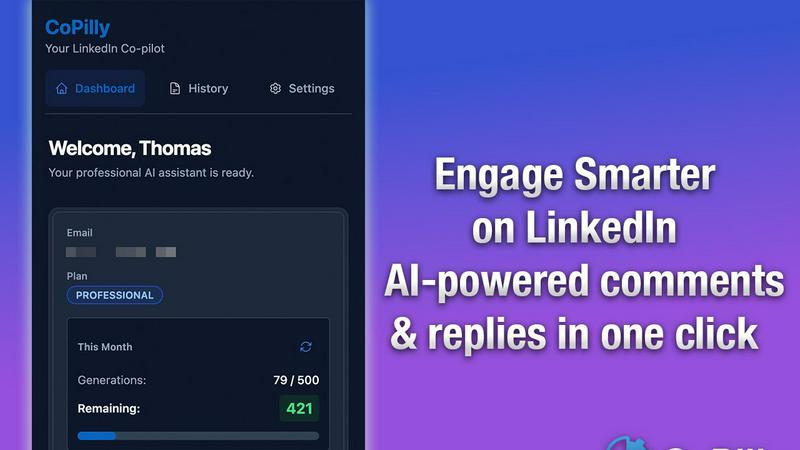
CoPilly is your safe AI Chrome extension for instant, human-like LinkedIn engagement.
Last updated: February 28, 2026

Reddit Post Summarizer
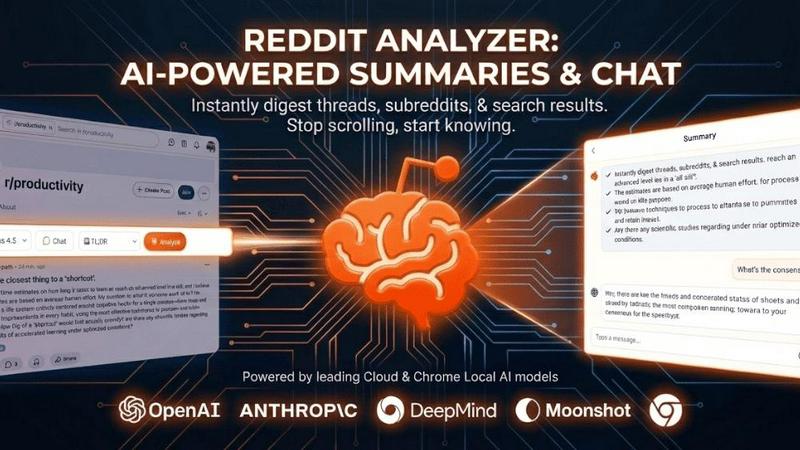
Instantly summarize any Reddit thread into clear insights with one click.
Last updated: February 28, 2026
Visual Comparison
CoPilly
Reddit Post Summarizer
Feature Comparison
CoPilly
Context-Aware AI Generation
CoPilly's AI doesn't operate in a vacuum. It intelligently reads the content of the LinkedIn post or profile you are engaging with, ensuring every generated comment, reply, or invitation is relevant and adds value to the conversation. This deep contextual understanding prevents generic, robotic responses and allows the AI to craft suggestions that are insightful, on-topic, and likely to foster genuine dialogue, making your engagement stand out in a crowded feed.
100% Manual Trigger Workflow
This is the cornerstone of CoPilly's safety promise. Unlike automation tools that run scripts in the background, CoPilly requires explicit user action via a right-click context menu to activate. This human-in-the-loop design ensures every piece of content is user-initiated and reviewed before posting, creating a workflow that is impossible for LinkedIn to flag as bot activity. It provides the speed of AI assistance with the security and control of manual engagement.
Customizable Tone & Voice Settings
Authenticity is key to professional rapport. CoPilly allows you to tailor the AI's output to match your unique professional voice. Whether you need a formal tone for engaging with executives, a casual style for peer interactions, or a friendly approach for community building, you can adjust the settings. This ensures the generated content feels genuinely like you, preserving your personal brand integrity while saving you the drafting time.
All-in-One Engagement Suite
CoPilly consolidates multiple LinkedIn tasks into one streamlined interface. From a single right-click, users can generate thoughtful post comments, craft personalized direct message replies to incoming messages, and create customized connection invitations. This eliminates the need to switch between different tools or tabs, providing a unified and efficient platform for managing all aspects of LinkedIn networking and relationship development.
Reddit Post Summarizer
One-Click, Comprehensive Analysis
With a single click of the "Analyze" button, the extension springs into action, processing entire Reddit threads regardless of size. It fetches every comment, meticulously cleans the data by stripping away noise and duplicates, and sends the refined context to an AI model to generate a coherent summary. This seamless process feels native to the Reddit experience, delivering structured insights from what was once an overwhelming wall of text in a matter of moments, with no manual copying or pasting required.
Full DOM Access & No-Limit Processing
This is the extension's technical superpower. It operates with the same level of access as a human user's browser, reading the full Document Object Model (DOM) of the Reddit page. This method completely bypasses the strict API rate limits, pagination ceilings, and anti-bot measures (like CAPTCHAs) that cripple other tools. Consequently, it can analyze threads with millions of tokens of content—far exceeding the context windows of even the most advanced standalone AI chatbots—ensuring no thread is too large to summarize.
Multi-Page Support & Flexible Use
The tool is versatile beyond individual posts. It is engineered to work on reddit.com's new interface across three key page types: full comment threads, entire subreddit homepages to gauge community vibe, and search result pages to synthesize answers from multiple threads simultaneously. This flexibility allows users to get a macro understanding of a community's culture or a topic's discussion landscape across Reddit, not just the micro-view of a single debate.
Privacy-First, Local Storage & Export
Privacy and user control are central to its design. Analysis is strictly on-demand; the extension only reads content when you explicitly click the button. All generated summaries and chat histories are stored locally within your browser, not on remote servers. Users can revisit their analyses anytime or export the structured insights into convenient formats like Markdown or JSON for use in reports, notes, or further research, putting you in full control of your data.
Use Cases
CoPilly
For Sales Professionals & SDRs
Sales teams can scale their prospecting efforts safely and effectively. CoPilly enables them to quickly generate personalized comments on prospects' posts to initiate warm contact, craft tailored connection invites that reference mutual interests, and respond promptly to inbound DMs with context-aware replies. This consistent, value-driven engagement helps build pipeline and trust without the risk of account bans associated with traditional automation tools.
For Founders & Startup Leaders
Founders wearing multiple hats need to build their company's and their own thought leadership efficiently. CoPilly allows them to maintain an active, engaging presence on LinkedIn by quickly contributing insightful comments on industry discussions, engaging with potential investors or partners, and expanding their network with personalized invites. This saves crucial hours each week while ensuring their engagement is strategic and authentic.
For Recruiters & Talent Acquisition
Recruiters can enhance their sourcing and candidate engagement tenfold. They can use CoPilly to leave meaningful comments on potential candidates' content to get on their radar, send personalized connection invites that stand out, and manage high volumes of candidate DMs with fast, humanized replies. This improves response rates and helps build a robust talent pipeline while safeguarding their primary recruiting tool—their LinkedIn account.
For Content Creators & Marketers
Professionals focused on personal branding and content marketing can use CoPilly to amplify their engagement strategy. It helps them consistently interact with their audience and peers by generating high-quality comments on relevant posts in their niche, fostering community and driving traffic back to their own content. This sustained, authentic interaction boosts algorithm visibility and solidifies their reputation as an engaged industry voice.
Reddit Post Summarizer
For Researchers & Market Analysts
Professionals conducting qualitative research or market analysis can use the tool to rapidly digest large volumes of public opinion. Instead of manually sifting through thousands of comments to identify trends, pain points, or consensus on a product, service, or topic, they can get an AI-summarized report highlighting key viewpoints, repeated phrases, and sentiment shifts, accelerating data gathering and insight generation significantly.
For Casual Browsers & Knowledge Seekers
The average Reddit user visiting a popular "AskReddit" thread or a complex technical explanation can avoid the "scroll of death." They can instantly get a summary that captures the best jokes, the most helpful advice, or the core of a debate, allowing them to participate in or understand the conversation without investing 30 minutes of reading. It turns browsing from a chore into an efficient information-gathering session.
For Community Managers & Moderators
Individuals responsible for subreddit health can use the summarizer on their own community's threads or search results to quickly gauge member sentiment, identify frequently discussed issues, or spot emerging controversies. Summarizing a subreddit's front page provides a "vibe check," highlighting what the community currently loves, hates, and is talking about most, informing moderation decisions and community engagement strategies.
For Content Creators & Journalists
Writers and creators looking for story angles, public reaction to news events, or diverse perspectives on an issue can use the tool to analyze relevant Reddit threads and search results. It helps them efficiently extract quotable insights, understand the spectrum of public debate, and gather authentic community reactions from across multiple sources, all condensed into a manageable format for background research or direct citation.
Overview
About CoPilly
In the high-stakes arena of professional networking, LinkedIn stands as the undisputed coliseum. Yet, for ambitious professionals, a fundamental dilemma persists: how to scale meaningful engagement without crossing the line into risky automation that jeopardizes account security. CoPilly emerges as the definitive solution to this modern professional quandary. It is not just another LinkedIn tool; it is an intelligent Chrome extension designed as a safety-first AI co-pilot. CoPilly operates on a core philosophy of augmentation over automation. It employs a 100% manual trigger workflow, meaning every action—from generating a comment to sending a connection invite—is initiated by the user via a simple right-click. This architecture makes it virtually undetectable and fully compliant with LinkedIn's Terms of Service, eliminating the perennial fear of account restrictions or bans. By leveraging context-aware artificial intelligence, CoPilly empowers sales teams, founders, recruiters, and marketers to generate human-like comments, personalized direct message replies, and tailored connection invitations up to ten times faster. It transforms hours of daily manual crafting into a process of seconds, allowing professionals to dominate their feed with consistent, high-quality, and authentic interactions that build genuine relationships and amplify their personal brand, all while their account safety remains assured.
About Reddit Post Summarizer
Reddit Post Summarizer, also known as the Reddit Analyzer Chrome extension, is an innovative AI-powered tool designed to solve a modern digital dilemma: information overload on Reddit. For users who find themselves lost in sprawling threads with hundreds or thousands of comments, this extension offers a powerful solution. It transforms chaotic, lengthy discussions into clear, structured summaries with a single click. The tool caters to a diverse audience, from casual browsers seeking quick insights without the scroll to professionals like researchers, marketers, and journalists who need to efficiently analyze discussions, consensus, and dissenting opinions across entire subreddits or search results. Its core value proposition lies in its unique technical approach. Unlike standard AI chatbots that hit token limits and API restrictions, this extension operates directly within your browser, granting it full access to the page content just as you see it. This allows it to bypass Reddit's scraping defenses and analyze threads of any length instantly, delivering key takeaways, sentiment trends, and the essence of debates in seconds, thereby saving immense time and enabling smarter, more informed engagement with the platform's vast knowledge base.
Frequently Asked Questions
CoPilly FAQ
How does CoPilly ensure my LinkedIn account won't get banned?
CoPilly is architected from the ground up for safety. It uses a 100% manual trigger workflow, meaning the AI only generates suggestions when you explicitly right-click and select an option. There is no automatic posting, liking, or connecting. You review, edit, and manually paste or send every piece of content. This human-controlled process is indistinguishable from normal user activity, making it fully compliant with LinkedIn's Terms of Service and eliminating automation risks.
What makes CoPilly's AI different from standard ChatGPT on LinkedIn?
While generic AI can write text, CoPilly's AI is specifically fine-tuned for LinkedIn's professional context and etiquette. More importantly, it is context-aware—it reads the specific post or profile you're engaging with to generate relevant suggestions. Combined with customizable tone settings, this ensures the output is not just grammatically correct but is appropriately professional, on-topic, and tailored to sound like you, avoiding the generic and robotic feel of standard AI.
Can I try CoPilly for free?
Yes, CoPilly offers a free version that you can add directly to your Chrome browser from the Chrome Web Store. This allows you to experience the core functionality, including generating comments and replies, to understand its value and workflow. For access to advanced features like connection invite generation and more extensive use, you can explore their premium subscription plans.
Is my data secure with CoPilly?
Absolutely. CoPilly is GDPR compliant, prioritizing user privacy and data security. The extension only accesses data necessary to provide its context-aware suggestions (like the text of the post you are commenting on) and does not store your personal LinkedIn data or credentials. All payments are processed through secure, verified global payment systems ensuring your financial information is protected.
Reddit Post Summarizer FAQ
How is this different from asking ChatGPT to summarize a Reddit thread?
AI chatbots like ChatGPT face fundamental limitations: they have token caps (e.g., 128k-400k) that large threads exceed, they cannot access Reddit's API due to strict rate limits, and they are blocked by Reddit's anti-scraping measures. This extension runs in your browser as you, with full access to the entire page content in real-time, bypassing all these restrictions to analyze threads of any length instantly.
What pages on Reddit does the summarizer work on?
The extension is built for the new Reddit UI and supports three primary page types: individual comment threads (any post), subreddit homepages (to summarize the current trending posts and vibe), and Reddit search result pages (to synthesize answers from the top threads matching your query). It works seamlessly on any reddit.com URL that falls into these categories.
Is my privacy and data safe with this extension?
Yes. The extension is designed with a privacy-first approach. It only acts when you explicitly click "Analyze." It does not run in the background or scrape data silently. All summaries and chat histories are stored locally in your browser's storage. You can delete this data at any time, and it is never collected on a remote server without your consent.
Can I choose which AI model generates the summaries?
Yes. The extension allows you to select from various cloud-based AI models for the summarization step. This lets you choose a model that best fits your specific needs regarding output quality, cost, and processing speed, giving you flexibility and control over the analysis engine powering your insights.
Alternatives
CoPilly Alternatives
CoPilly is an AI-powered Chrome extension designed for LinkedIn professionals, operating within the marketing and sales enablement category. It focuses on generating context-aware comments, DM replies, and personalized connection invites through a manual, user-triggered workflow to ensure account safety. Users often explore alternatives for various reasons. These can include budget constraints, a need for different features beyond LinkedIn, or a preference for tools that integrate with other platforms like CRM systems. Some may also seek solutions with different pricing models or more advanced automation capabilities. When evaluating other options, key considerations should be the tool's compliance with LinkedIn's Terms of Service to protect your account, the quality and customization of its AI-generated content, and whether it fits your specific workflow needs, such as team collaboration features or integration possibilities.
Reddit Post Summarizer Alternatives
Reddit Post Summarizer is a Chrome extension in the productivity category that uses AI to distill lengthy comment threads into clear, actionable summaries. It addresses the common pain point of information overload, allowing users to grasp key points without endless scrolling. Users often seek alternatives for various reasons. Some may require a different pricing model, such as a free tier or one-time purchase. Others might need specific features not offered, like support for mobile browsers, integration with other platforms, or different AI models. Platform compatibility is also a key driver, as not all tools are available as browser extensions. When evaluating an alternative, consider your core needs. Prioritize the summary quality and the AI's ability to identify consensus and key arguments. Assess the tool's privacy policy, especially regarding data processing. Finally, check for flexibility in output formats and whether the tool's interface aligns with your workflow for saving or exporting insights.