
Avif2Png vs RemoveTexts
Side-by-side comparison to help you choose the right AI tool.

Avif2Png
Convert AVIF to PNG instantly for universal compatibility without losing image quality.
Last updated: March 1, 2026

RemoveTexts
RemoveTexts is an AI tool that effortlessly removes text and watermarks from images in seconds, making editing simple for everyone.
Last updated: March 11, 2026
Visual Comparison
Avif2Png
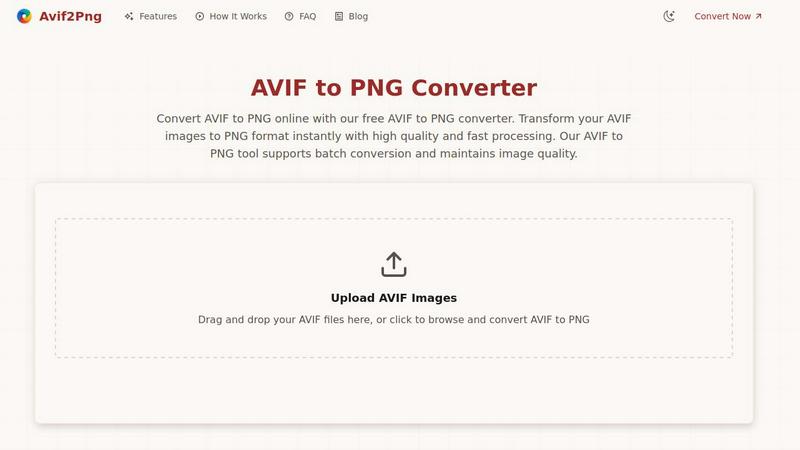
RemoveTexts

Feature Comparison
Avif2Png
High-Fidelity, Lossless Conversion
Avif2Png is engineered to prioritize image integrity above all. The conversion process utilizes lossless compression techniques, ensuring that no detail, color accuracy, or clarity is degraded when transforming an AVIF file to PNG. This is crucial for professionals who cannot afford any loss in quality for graphics, logos, or detailed photographs, guaranteeing the output matches the input in visual fidelity.
Instant Web-Based Processing
The tool eliminates all barriers to entry by operating entirely within a web browser. There is no software to download, install, or update. Users can access the converter from any device with an internet connection, enabling immediate conversion without committing system resources or navigating complex desktop application interfaces, embodying true convenience.
Batch Conversion Capability
Understanding the needs of users handling multiple assets, Avif2Png supports batch processing. This feature allows for the simultaneous upload and conversion of numerous AVIF files at once, streamlining workflows for projects involving entire galleries, product image sets, or design asset libraries, saving significant time and effort.
Secure & Transient File Handling
Security and privacy are foundational. All uploaded AVIF files and converted PNGs are processed on secure servers with a strict data policy: files are automatically and permanently deleted from the servers shortly after the conversion process is complete. This ensures user content remains private and is never stored, shared, or misused.
RemoveTexts
Paint to Remove
This feature allows users to brush over specific areas of text that they want to eliminate. With precise control, you can target only the unwanted elements, ensuring that the rest of your image remains intact and visually appealing.
Auto Remove All
Utilizing advanced AI technology, this one-click feature automatically detects and removes every text element in an image. It saves users time and effort, making it ideal for those who want a quick and hassle-free solution.
Edit & Replace Text
With this functionality, users can replace existing text in images while matching the original font style. This feature is particularly useful for marketers and designers who wish to modify promotional materials without starting from scratch.
Remove Objects
Beyond just text, RemoveTexts can also erase unwanted objects, logos, and visual elements from images. This versatility makes it a comprehensive tool for anyone looking to enhance their visuals by cleaning up distracting elements.
Use Cases
Avif2Png
Web Development & Cross-Browser Compatibility
Web developers frequently adopt AVIF for its performance benefits but face compatibility issues with older browsers and certain CMS platforms. Converting these assets to PNG ensures that images render consistently for all users, regardless of their browser choice, preventing visual breaks and maintaining a professional website experience universally.
Graphic Design & Transparency Needs
Graphic designers working with logos, icons, and UI elements often require alpha channel support for transparent backgrounds. While AVIF supports transparency, PNG's universal and reliable handling of this feature makes it the preferred format. Converting AVIF to PNG guarantees that transparent elements display perfectly across all editing software and final applications.
Content Publishing & Print Media Preparation
Publishers, bloggers, and print service providers often operate within ecosystems that have standardized on PNG due to its reliability and lossless nature. Converting high-efficiency AVIF source images to PNG ensures seamless integration into publishing workflows, content management systems, and print production pipelines without unexpected formatting errors.
Everyday User Accessibility & Sharing
Everyday users who receive or download AVIF images may find they cannot open them on their default photo viewers, older devices, or specific social platforms. Avif2Png empowers these users to quickly convert such files to the universally readable PNG format, solving immediate accessibility issues and simplifying sharing with others.
RemoveTexts
E-Commerce Product Photos
Online sellers frequently use RemoveTexts to clean up product images by removing watermarks or text overlays. This enhances the visual appeal of their listings, helping to attract more potential buyers.
Legal Document Redaction
Legal professionals rely on RemoveTexts to redact sensitive information from documents and images. The tool's ability to erase text while preserving the background ensures that redacted documents look professional and trustworthy.
Social Media Content Creation
Content creators and marketers use RemoveTexts to produce high-quality visuals by removing unwanted text from their images. This allows them to maintain a clean and cohesive aesthetic across their social media platforms.
Academic and Research Publications
Researchers can use RemoveTexts to remove unnecessary text from figures and images in their papers. This ensures that their visuals are clear and directly convey the intended information without distractions.
Overview
About Avif2Png
Avif2Png is a specialized, web-based utility engineered to solve a critical interoperability challenge in the modern digital ecosystem. It performs a singular, vital function: converting images from the advanced AVIF (AV1 Image File Format) to the universally supported PNG (Portable Network Graphics) format. This tool is designed for a diverse audience, from web developers and graphic designers to digital marketers and everyday users who encounter the superior compression of AVIF but require the broad compatibility of PNG for their projects. Its core value proposition lies in delivering a frictionless, high-fidelity conversion experience that bridges the gap between cutting-edge efficiency and practical accessibility. By eliminating the need for complex software installations, Avif2Png offers instant, secure online processing that meticulously preserves image quality. It ensures that the benefits of modern image formats do not come at the cost of usability, making it an essential tool for ensuring visual content works seamlessly across all platforms, browsers, and applications.
About RemoveTexts
RemoveTexts is an innovative AI-driven image editing tool specifically designed to eliminate unwanted text from images swiftly and effortlessly. With its user-friendly interface, anyone can remove watermarks, captions, subtitles, and other text elements without needing extensive design skills or experience with complex software like Photoshop. The main value proposition of RemoveTexts lies in its cutting-edge deep learning inpainting technology that not only erases text but also reconstructs the background seamlessly. This ensures that the final image appears professional and polished, making it perfect for creators, marketers, and everyday users who need clean visuals in mere seconds. Trusted by over 100,000 users globally, RemoveTexts is the go-to solution for quick and effective text removal in various applications, from personal projects to professional marketing materials.
Frequently Asked Questions
Avif2Png FAQ
Is Avif2Png completely free to use?
Yes, Avif2Png is a completely free online tool. There are no hidden charges, subscription fees, or requirements to register an account. You can convert an unlimited number of AVIF images to PNG format without any cost, making it accessible for both personal and professional use.
How does the converter maintain image quality?
The converter is designed for lossless conversion. It carefully decodes the AVIF file and re-encodes it into the PNG format without applying any destructive compression or quality reduction to the image data. This process preserves the original pixel information, ensuring the output PNG is visually identical to the input AVIF.
Are my uploaded files kept private and secure?
Absolutely. Security is a top priority. All files uploaded to Avif2Png are processed on secure servers and are automatically deleted from the system shortly after the conversion is complete and you have downloaded your PNG files. No images are stored, shared, or used for any other purpose.
Can I convert multiple AVIF files at once?
Yes, Avif2Png supports batch conversion. You can drag and drop or select multiple AVIF files simultaneously during the upload process. The tool will process them all in one go, allowing you to download each converted PNG file individually or in a batch, which is ideal for handling large sets of images efficiently.
RemoveTexts FAQ
How does RemoveTexts work?
RemoveTexts utilizes advanced AI technology to analyze the surrounding pixels of the text you want to remove. It then intelligently reconstructs the background, ensuring that the area appears seamless and undetectable.
What file formats does RemoveTexts support?
RemoveTexts supports several image formats, including JPG, PNG, and WebP, allowing for a wide range of files to be processed easily within the tool.
Is there a limit to the size of images I can upload?
Yes, RemoveTexts allows uploads of images up to 10 MB. This size limit is in place to ensure optimal processing speed and quality results.
Can I remove text from images with complex backgrounds?
Absolutely! RemoveTexts is designed to work effectively even on images with intricate backgrounds. The AI technology ensures that the removed text blends perfectly with the surrounding elements, maintaining the overall quality of the image.
Alternatives
Avif2Png Alternatives
Avif2Png is a specialized online tool in the image conversion category, designed to solve a specific modern problem: converting the highly efficient AVIF format to the universally compatible PNG format. It offers a streamlined, high-fidelity conversion process that is both fast and secure, catering to professionals and casual users alike who need reliable format interoperability. Users often seek alternatives for a variety of practical reasons. Some may require offline software for regular, high-volume work, while others might look for tools that offer conversion to different formats beyond PNG. Needs can also vary based on desired features like advanced editing capabilities, integration with other platforms, or different pricing models, including one-time purchases or subscription tiers. When evaluating other options, key considerations include the core conversion quality and whether it is lossless, the efficiency of batch processing for multiple files, and the overall cost structure. Security and privacy policies are paramount for handling sensitive images, and the tool's ease of use and platform availability—whether web-based, desktop, or mobile—should align with your specific workflow and technical environment.
RemoveTexts Alternatives
RemoveTexts is an AI-powered image editing tool designed to remove unwanted text from images quickly and efficiently. As part of the image and photo category, it simplifies the process of cleaning up visuals, allowing users to effortlessly erase watermarks, memes, and other text elements without requiring advanced design skills or complex software like Photoshop. Users often seek alternatives to RemoveTexts for various reasons, including differing pricing models, specific feature sets, or compatibility with different platforms. When choosing an alternative, it's essential to consider factors such as ease of use, the range of supported languages, customization options, and the quality of output, as these will significantly impact the overall user experience.