
Alternatives to Top AI Tools
Explore the best alternatives and competitors to Top AI Tools.
Explore 20 alternatives to Top AI Tools. Compare features, pricing, and find the best fit for your needs.

FreeCreate
Create AI videos from text or images, transfer motion, and explore preset effects in a studio with guest credits and daily free credits.

FoxyLab
FoxyLab makes brand-aware product videos and banner sets from chat prompts, with edits and exports in multiple formats.

goshortsai
Create short AI videos from images, prompts, or footage using motion transfer, presets, and a studio with daily free credits.
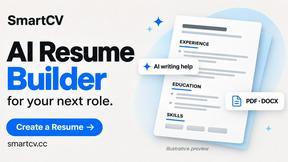
SmartCV
SmartCV combines an editable resume builder, AI drafting suggestions, resume text checks, and application tracking for job seekers.
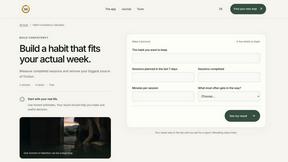
BE THE ONE
BE THE ONE is a daily routine app combining reflection, movement, breathwork, meditation, affirmations and creativity to help you live with intention.

SumKitTool
SumKitTool brings free calculators, converters and generators together, with browser-based tools for everyday finance, math, health and text tasks.
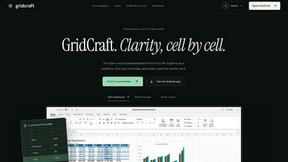
GridCraft
GridCraft is an open-source spreadsheet for editing XLSX files in a browser or desktop app, with more than 500 functions and local calculations.

MyToolsBench Image Converter
A browser-based image converter for mixed batches, with per-file format choices and optional quality and width adjustments.
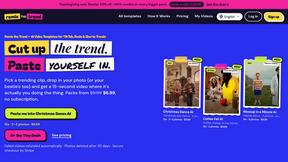
Remix the Trend
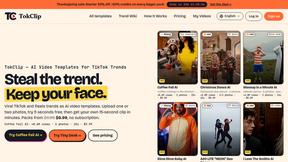
Turn photos into short AI videos with ready-made templates inspired by trends on TikTok, Reels, and Shorts.
TokClip
Generate short AI videos from photos using ready-made templates for TikTok and Reels trends, with no prompt writing or editing required.

SciDrawer AI
Generate scientific figures from text, sketches, or reference images, then refine them for manuscripts, presentations, and conference posters.

AI Photo Editor
Edit or generate images with plain-language prompts, focused photo tools and multiple AI models in a browser-based workflow.
Rhinobird
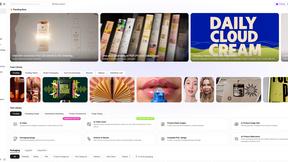
Rhinobird creates product listing images, ad creatives and videos from product photos, with additional tools for packaging concepts and renders.
Bolts
Bolts no longer runs after its retirement; former users have until 28 December 2026 to download their data.

Leadmatically
Leadmatically tracks buyer-intent posts across five social platforms and gives businesses a reviewable path from lead discovery to conversation.

GigUp
GigUp helps Upwork freelancers monitor saved searches, assess job fit against a public profile, and receive alerts before choosing whether to apply.

Tip Toeing in My Jordans AI
Create a 12-second Rumpelstiltskin tiptoe meme video from one or two photos, with vertical or widescreen formats and AI-generated sound.

Safe Outreach
Check whether a Chrome extension appears on LinkedIn's published detection list and understand what that finding means for account risk.

Rumpelstiltskin AI
Rumpelstiltskin AI creates short, personalized fairytale dance clips from two photos, with templates for directing the scene.
About Top AI Tools Alternatives
A broad directory suits early exploration across multiple categories. If you have a particular task in mind, compare products focused on that category and validate their current capabilities and terms with vendors. Consider how specific the information needs to be: a directory overview helps shortlist, while direct product research supports a final decision.
FAQs about Top AI Tools Alternatives
When is category browsing most useful?
Use it when exploring possible tools for a task or comparing options across a field.
How should I proceed after finding candidates?
Review vendor information to confirm current features, availability, and pricing.