
Alternatives to Muse AI
Explore the best alternatives and competitors to Muse AI.
Explore 20 alternatives to Muse AI. Compare features, pricing, and find the best fit for your needs.
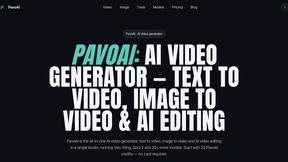
PavoAI
All-in-one AI video creation with text-to-video, image-to-video, editing, avatars, music, subtitles, and upscaling.

Enhance My Photo
Online AI photo enhancer that sharpens portraits, products, scenery, pets and text images and exports them as JPEG, PNG or WebP without watermarks.

RemoveObjectFromPhoto
Remove unwanted objects, people, and text from photos with AI for clean, natural-looking results in seconds.
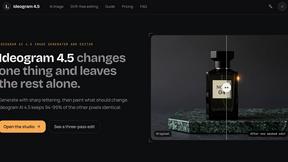
Ideogram 4.5
Image generator and editor with precise, drift-free local edits. Native 2K output with accurate text; Pixel Lock keeps 94-99% of pixels intact.
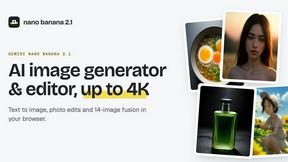
nanobanana 2.1
Fast AI image generation and editing model for realistic visuals, consistent characters, readable text, and 4K output.

Qwen Image 2.1
Qwen Image 2.1 is an AI image-generation and editing studio for turning ideas into visuals. Create new images, refine references, explore transparent
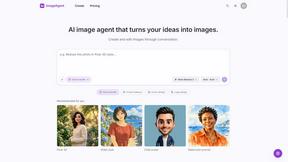
ImageAgent
Create and edit AI images through conversation, using text or reference images and refining results in chat.
GenX
All-in-one AI workspace to generate images, videos, and audio with multiple leading AI models.
AppIconGenerator
Generate iOS and Android app icons from any image and export all platform sizes for free.
Nano AI
Create and edit AI images, generate videos, and compare models in one creative workbench.
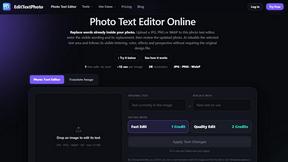
EditTextPhoto
AI-powered image text editor to edit, replace, fix, or translate text in images while preserving the original font, color, size, and style.
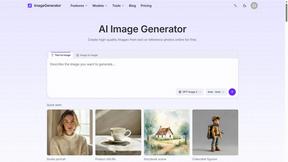
ImageGenerator
Create and edit AI images online with multiple models, text-to-image, image-to-image, background removal, and upscaling.
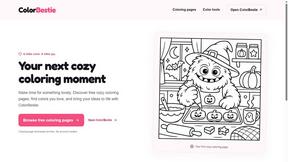
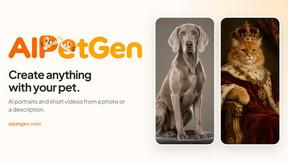
AIPetGen
AIPetGen turns a photo of your dog, cat, or other pet, or a written description, into a new picture or a short animation.

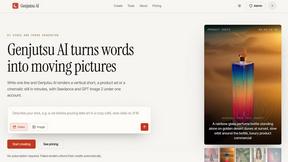
Genjutsu AI
Genjutsu AI turns your ideas into cinematic videos, product ads, social shorts, and high-quality images in minutes. Built for TikTok & Reels.
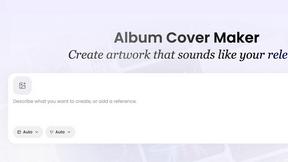
AI Album Cover Maker
Create release-ready album covers from a prompt or photo. Generate, refine, and export art for singles, EPs, mixtapes, and playlists.
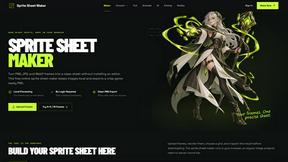
Sprite Sheet Maker
A free browser-based toolkit for creating, cutting, converting, and previewing sprite sheet animations.
About Muse AI Alternatives
Muse AI is a free, browser-based tool that falls under the image and video generation category, allowing users to create share-ready clips from either text prompts or existing photos in a matter of seconds. It is designed for speed and accessibility, removing the typical barriers of cost and complex software interfaces that often accompany AI content creation. While its core promise of a completely free, quick solution is appealing, users often seek alternatives when they require more advanced editing capabilities, higher resolution outputs, longer video durations, or specific stylistic controls that a streamlined, free tool may not offer. Additionally, users may need integration with professional workflows, batch processing for large projects, or a broader range of output formats that go beyond simple share-ready clips. When evaluating alternatives to a tool like Muse AI, it is crucial to first identify your primary use case, whether it is rapid social media content, professional marketing assets, or experimental art. Look for platforms that offer a clear pricing structure that matches your budget, as free tools often have limitations on resolution, length, or watermarking, while paid tiers provide more robust features. You should also assess the quality of the generation engine, particularly the coherence of video from text and the fidelity of image-to-video translations. Finally, consider the user interface and workflow—some tools prioritize simplicity like Muse AI, while others offer deep customization through layers, masks, and keyframes, which is essential for a more hands-on creative process.
FAQs about Muse AI Alternatives
What is Muse AI?
Muse AI is a free online tool designed for rapid image and video generation. It allows users to create share-ready clips from either text descriptions or uploaded photos in a matter of seconds. The platform falls under the Image Generation category and is built for simplicity and speed, removing the need for complex software or paid subscriptions.
Who is Muse AI for?
Muse AI is ideal for content creators, social media managers, and casual users who need to produce quick, engaging visual content without any financial investment. It is particularly suited for those who prioritize speed and ease of use over advanced editing features or high-resolution outputs. Marketers and small business owners looking to generate simple promotional clips or animations from product photos will also find it highly accessible.
Is Muse AI free?
Yes, Muse AI is completely free to use. The product description explicitly states that it allows users to generate share-ready clips from text or photos in seconds without any cost. There are no hidden fees or required subscriptions, making it an attractive option for budget-conscious creators.
What are the main features of Muse AI?
The primary feature of Muse AI is its ability to generate short video clips from text prompts or uploaded images instantly. It focuses on producing content that is immediately ready for sharing on social media platforms. The tool simplifies the creative process by removing complicated settings, offering a straightforward interface for rapid content creation.