
Alternatives to BlueHumanizer
Explore the best alternatives and competitors to BlueHumanizer.
Explore 20 alternatives to BlueHumanizer. Compare features, pricing, and find the best fit for your needs.

Memorable Contact
Memorable Contact helps you remember people, save conversation details, find contacts using AI-powered search, and share digital business cards easily
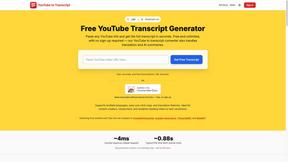
GetYouTubeTranscript
Free YouTube transcripts on the web, a Chrome extension, and an API + MCP server so AI assistants can read YouTube.
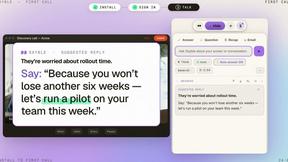
Sayble
AI copilot that tells you what to say next on live sales calls, then writes the recap and follow-up.

layahost
Moderation, routing, intent and scoring for any text over one Jev-compatible API, hosted in the EU.





benchmark.directory
AI tools written up by the people who paid for them. Pricing, integrations, data policy and the limit we hit in a week of use.

saasgrow.ai
The shortcut to the right SaaS. Screened growth tools, organised by category, with nothing sponsored and nothing bought.

Tools Network
Tools Network is a curated directory that brings the internet's best AI tools together in one organized place.


Built2WinWeb AI SEO
AI‑ready websites, WebAgentScan SaaS, and Indexing Pack. MCP, A2A, llms.txt — hand‑coded PHP, complete ownership, flat‑fee, free quote.

SnapPChart
SnapPChart grades a trading chart screenshot A+ to F, with an entry, stop, targets, and risk/reward. Works on stocks, forex, crypto, futures.

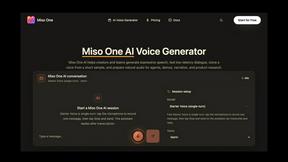
Miso One
Craft lifelike, expressive voiceovers with Miso One AI's powerful text-to-speech workspace.



Seedance 2.5
Animate your photos with Seedance 2.5 AI, a ByteDance-style video model that brings images to life.

About BlueHumanizer Alternatives
BlueHumanizer is an AI-powered humanization tool designed to refine machine-generated text into clear, natural-sounding prose. It belongs to the category of AI writing assistants, specifically focusing on the post-generation editing phase where raw outputs from models like ChatGPT or Claude are polished for readability and authenticity. Users commonly seek alternatives due to specific needs such as more granular control over tone, support for niche languages, integration with particular platforms, or a desire for advanced features like plagiarism checking or citation management. Additionally, while BlueHumanizer offers a free tier, some users may require unlimited usage or enterprise-level security, prompting them to explore other options that align more closely with their budget, workflow, or content compliance requirements. When evaluating an alternative to BlueHumanizer, the key criteria should include the quality of sentence restructuring versus simple synonym swapping, as well as the tool's ability to preserve original meaning, tone, and factual accuracy. Look for solutions that offer adjustable humanization levels, support for a wide range of languages, and robust protection for quotes and citations. It is also critical to assess the pricing model—whether it offers a free tier, pay-as-you-go, or subscription—and to verify that the tool integrates seamlessly with your existing writing platforms. Finally, consider data security and privacy policies, especially if handling sensitive academic or corporate content, and test the output for natural rhythm and flow before committing.
FAQs about BlueHumanizer Alternatives
What is BlueHumanizer?
BlueHumanizer is an AI humanizer that transforms AI-generated text into clear, natural writing in one click. It is designed to take outputs from ChatGPT, Claude, Gemini, or any AI writer and rewrite them into polished, human-sounding prose with better flow and sharper phrasing. Unlike basic synonym-swapping tools, it reshapes sentence structure and restores natural rhythm while keeping the original meaning, tone, and key points intact.
Who is BlueHumanizer for?
BlueHumanizer is built for students, researchers, marketers, and anyone who writes with AI. It is ideal for refining essays, polishing research papers, shipping on-brand marketing copy, or warming up everyday emails and reports. The tool is designed to help users produce clean, natural, and publication-ready text regardless of their writing context.
Is BlueHumanizer free?
Yes, BlueHumanizer is free to start using and does not require a credit card to begin. The free tier allows users to access its core humanization features, though the specific limits of the free usage are not detailed in the provided content. It offers a no-cost entry point for users to test and benefit from its rewriting capabilities.
What are the main features of BlueHumanizer?
Key features include one-click humanization, support for over 50 languages, adjustable humanization levels, and tone controls. The tool preserves quotes and citations without alteration, reshapes sentence structure for natural rhythm, and avoids basic synonym swapping. It handles output from major AI writers like ChatGPT, Claude, and Gemini, making it versatile for various content types.