
Alternatives to archmaster
Explore the best alternatives and competitors to archmaster.
Explore 1 alternatives to archmaster. Compare features, pricing, and find the best fit for your needs.
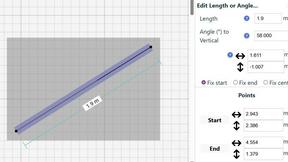
SimpleDraw
Create precise floor plans and scale drawings effortlessly online with SimpleDraw, no downloads or experience needed.
About archmaster Alternatives
Archmaster occupies a distinct niche within the interior design technology landscape, functioning as an AI-powered platform that transforms ordinary photographs into photorealistic design renderings. It belongs to the broader category of generative design software, specifically tailored for architectural visualization and home renovation planning, allowing users to bypass traditional 3D modeling workflows entirely. Users commonly seek alternatives to Archmaster for several practical reasons, including dissatisfaction with subscription pricing models, a need for more granular control over specific design elements, or compatibility issues with existing project management tools. Additionally, some users may require specialized features like advanced lighting simulation or integration with CAD software that a generalist AI tool may not fully address. When evaluating alternatives to Archmaster, it is essential to assess the platform’s rendering accuracy, the breadth of its style library, and the level of customization available for both interior and exterior spaces. Look for tools that offer a balance between automated AI generation and manual editing capabilities, as this flexibility ensures you can refine designs to match client expectations. Consider the learning curve, integration options with other software, and the quality of customer support, as these factors directly impact workflow efficiency. Ultimately, the right alternative should align with your specific use case, whether that involves rapid concept visualization for clients or detailed renovation planning for personal projects.
FAQs about archmaster Alternatives
What is archmaster?
Archmaster is an AI-powered interior design and architectural rendering platform that transforms photos of rooms, exteriors, or outdoor spaces into photorealistic designs within seconds. Users simply upload a photo and select a style to generate high-quality visualizations without needing any 3D modeling or design software skills. It serves as a rapid prototyping tool for homeowners, designers, and architects looking to visualize changes before committing to construction or renovation.
Who is archmaster for?
Archmaster is built for homeowners planning renovations who want to see realistic previews of new layouts or finishes, interior designers presenting concept boards to clients, and architects creating fast client visualizations of exterior facades or interior spaces. It is also suitable for real estate professionals who need quick staging renders and anyone involved in construction or remodeling who wants to test design ideas without manual drafting. The platform eliminates the need for specialized 3D modeling expertise, making it accessible to both professionals and DIY enthusiasts.
Is archmaster free?
The provided information does not specify whether archmaster offers a free tier or trial, but typical AI design platforms in this category often provide limited free credits or a freemium model for basic renders. Users should check the official archmaster website for current pricing plans, which may include subscription tiers based on render volume, resolution, or access to advanced features like video walkthroughs. It is common for such tools to require payment for high-resolution exports or commercial usage rights.
What are the main features of archmaster?
Archmaster includes interior AI design for living rooms, bedrooms, bathrooms, and kitchens, as well as exterior and facade design for home exteriors and outdoor spaces. It also offers kitchen-specific AI design for visualizing countertops and cabinets, a sketch-to-render feature that converts architectural sketches into photorealistic images, and an AI render enhancer to upscale and sharpen visualizations. Additional features include an edit and modify tool for inpainting specific areas of a generated design, and an architecture AI video function that animates renders into short walkthrough videos.