
Alternatives to Anime Maker
Explore the best alternatives and competitors to Anime Maker.
Explore 20 alternatives to Anime Maker. Compare features, pricing, and find the best fit for your needs.

My Tools Suite Pro
Discover the best free online tools with ToolSuite Pro. Explore AI, productivity, marketing, SEO, writing, business, and software tools in one place.
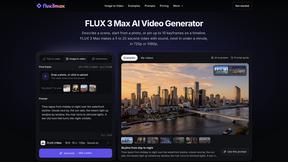
Flux3Max.io
Make 5–20 s videos with sound from text, a photo or a first and last frame with FLUX 3 Max. 720p or 1080p, pay per second, no subscription.
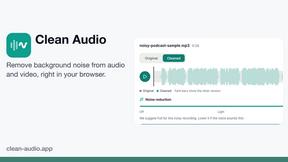
Clean Audio
Free AI background noise remover for audio and video. Clean podcasts, voice recordings and videos in your browser: no sign-up, no upload.
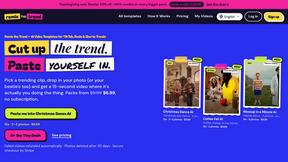
Remix the Trend
Pick a trending TikTok or Reels clip, drop in your photo (or your bestie’s) and get a 15-second video of you in the trend. No prompts.
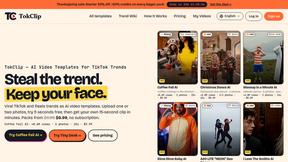
TokClip
Turn emerging TikTok and Reels AI video trends into ready-made templates. Upload a photo or two, get a vertical 15-second clip in minutes.

SciDrawer AI
AI-powered scientific diagram maker that turns research ideas, sketches, and reference figures into publication-ready visuals.
postersize ai
AI-powered poster creation and sizing platform for polished posters and practical print, social, and presentation formats.
AI Photo Editor
An online AI photo editor where you describe the change in plain words to remove objects, swap backgrounds, restore old photos & restyle.
White Screen Checker
Check your screen display for dead pixels using White screen or black screen checkers.
Rhinobird
AI video ads, UGC-style videos, and product visuals for cross-border sellers and e-commerce brands.

MyType FYI
Explore your visual type with ten free rounds of fictional faces, a base result and optional original portraits, posters or five-second videos.
VirtualTryOn
Try on clothes, glasses, rings, hairstyles, and hair colors on your own photos with AI.

Bicep Heart
Turn one photo into a 7-second bicep heart video with outdoor, standing or seated scenes and a silent vertical MP4.
AI Tiny Desk
Make a 19-second desk-concert video with lead and sax, full band, Halloween or pet-band modes; audio and silent MP4.

Outstanding Tiny Desk AI
Upload photos of you and your friends and get a 15-second Outstanding Tiny Desk AI video with AI-generated sound, in 9:16 for TikTok and Reels.

Tip Toeing in My Jordans
Upload a photo and get a 12-second Tip Toeing in My Jordans video: you play the AI Rumpelstiltskin, a friend can play the woman in the hay.
Adobe Alternatives
Independent directory of creative software. Compare ArtCraft projects by workflow, platform and development stage, with official links.
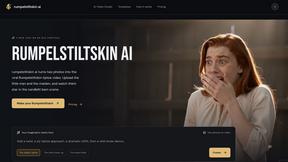
Rumpelstiltskin AI
Create playful fairytale videos from two fictional portraits with customizable scenes, motion, duration, and framing.
About Anime Maker Alternatives
Anime Maker is an AI-driven creative platform that falls squarely within the content creation and design tools category, offering specialized functionality for generating anime-style visuals. It allows users to transform text prompts and photos into stylized images, original characters, avatars, logos, filters, and even image-to-video concepts, making it a focused tool for rapid visual ideation. Users commonly seek alternatives for several reasons, including budget constraints where the platform’s pricing model may not fit their usage frequency, a need for different aesthetic styles or broader genre support beyond anime, or platform-specific requirements such as offline functionality, mobile app availability, or integration with other software like game engines or video editors. Additionally, some users may require more advanced customization controls, higher resolution outputs, or different generation speeds that align better with their workflow. When evaluating an alternative to Anime Maker, it is crucial to assess the core generation capabilities first, ensuring the tool can handle text-to-image, image-to-image, and image-to-video tasks with comparable or superior quality. Look for platforms that offer flexible pricing tiers, such as pay-per-use, subscription, or free tiers with reasonable limits, to avoid overpaying for unused features. Consider the diversity of output styles—while Anime Maker specializes in anime, alternatives might offer broader artistic ranges or more specific sub-genres like chibi, mecha, or watercolor. Other key factors include export formats and resolution options, batch processing abilities, and the availability of community or support resources. Finally, evaluate the user interface and workflow efficiency, as a seamless browser experience or dedicated desktop app can significantly impact creative productivity.
FAQs about Anime Maker Alternatives
What is Anime Maker?
Anime Maker is an AI creative platform designed to generate anime-style images, characters, logos, filters, and image-to-video concepts from text prompts or photos. It provides a focused browser workflow for artists, creators, game teams, marketers, and anime fans to explore visual ideas quickly. The platform includes multiple generation modes and produces export-ready results for various creative projects.
Who is Anime Maker for?
Anime Maker is built for a diverse audience including digital artists, content creators, game development teams, marketing professionals, and anime enthusiasts. It serves anyone who needs to rapidly prototype anime-style visuals for projects such as character design, social media content, branding materials, or video concepts. The tool is particularly useful for those who prefer a streamlined browser-based workflow without needing advanced technical skills in illustration or animation.
Is Anime Maker free?
Anime Maker typically operates on a freemium or subscription-based model, though specific pricing details may vary. Many users look for alternatives when the free tier has limited generation credits or when premium features like high-resolution outputs or commercial licensing require a paid plan. It is advisable to check the official website for the most current pricing structure and any available trial periods.
What are the main features of Anime Maker?
Anime Maker offers several key features including text-to-image generation for creating anime scenes and characters, image-to-image transformation for converting photos into anime style, and logo creation with anime aesthetics. It also provides filters for stylizing existing images and an image-to-video concept mode for generating short animated sequences. The platform supports multiple generation modes to explore different artistic interpretations and delivers export-ready files suitable for digital use.