

TaleHug AI Story Generator for Kids
TaleHug transforms a child's voice, drawing, or idea into a safe, customizable AI illustrated storybook for joyful co-reading.
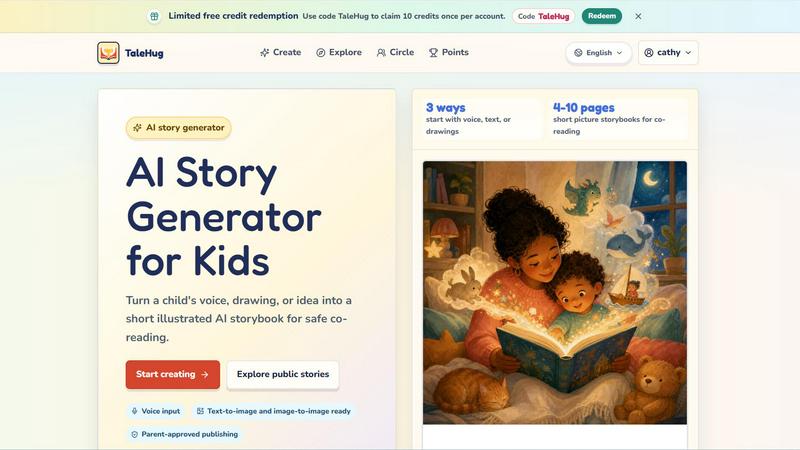
About TaleHug AI Story Generator for Kids
TaleHug is an innovative AI-powered storytelling platform specifically designed for children, transforming how young minds create and experience stories. This tool bridges the gap between a child's boundless imagination and the technical process of story creation by allowing kids to start with their voice, a drawing, or a simple idea, which the AI then turns into a short, illustrated picture storybook. The platform is built for preschool and kindergarten-aged children (ages 3-6) and focuses on safe, parent-guided co-reading experiences. Each storybook generated is between 4 to 10 pages long, featuring a strong image per page with one short sentence, making it perfect for early readers. TaleHug prioritizes safety with private drafts by default, parent approval before any public publishing, and no public comments in the MVP version. It uses safe display names instead of full child names and avoids collecting school names, addresses, or contact details. The platform offers three visibility modes: private, circle (for trusted family and friends), and public, ensuring parents maintain control over their child's creative output. With its kid-friendly interface, AI-assisted storytelling capabilities, customizable characters and themes, and the ability to save and share stories, TaleHug empowers children to become authors and illustrators of their own magical worlds while giving parents peace of mind through robust safety features.
Features of TaleHug AI Story Generator for Kids
Three Ways to Start: Voice, Text, or Drawings
TaleHug offers unparalleled flexibility by allowing children to begin their story creation journey using three distinct input methods. A child can simply speak their story idea aloud, and the AI will capture and transform it into a narrative. Alternatively, they can type out their thoughts or describe a scene. Most uniquely, children can upload their own drawings, and the AI will use image-to-image technology to generate illustrated pages based on their artwork. This multi-modal approach accommodates different learning styles and developmental stages, ensuring that even pre-literate children can participate fully in the creative process by using their voice or drawings as their primary storytelling tools.
AI-Assisted Story Generation with Illustrated Pages
The core engine of TaleHug intelligently converts a child's input into a complete, illustrated storybook. Each generated page contains a strong, colorful image paired with a single short sentence, making it ideal for co-reading with parents. The AI stores prompts for each page, allowing for easy regeneration if the child or parent wants to tweak the story or artwork. This feature teaches children the iterative nature of creative work while providing immediate, visually rewarding results. The text-to-image and image-to-image capabilities ensure that the illustrations are directly connected to the child's original idea, whether that idea was spoken, typed, or drawn, creating a deeply personal and engaging storybook experience.
Parent-Approved Publishing with Safety Defaults
TaleHug is designed with a safety-first architecture that puts parents in control of their child's digital footprint. All story drafts are private by default, meaning only the child and their parent can see them initially. Before any story can be shared to the "circle" (trusted family and friends) or to the public gallery, it requires explicit adult review and approval. The platform uses safe display names instead of real child names, and no school names, addresses, or child contact details are ever collected or displayed. Furthermore, there are no public comments in the MVP version, eliminating the risk of unwanted interactions. This layered safety approach allows children to explore their creativity freely while parents maintain appropriate oversight.
Public Gallery and Community Inspiration
TaleHug features a curated public gallery where young creators can showcase their AI-generated storybooks for others to read and enjoy. This gallery serves as both a source of inspiration and a celebration of children's creativity. Stories in the gallery are categorized by themes like "Friendship" and "Bravery," with examples such as "Leo and the Chocolate Monkey" and "The Soldier and the Star Witch" showing the range of narratives possible. The gallery also includes multilingual stories, demonstrating the platform's versatility. Parents can browse these approved examples with their children to spark ideas for their own creations, fostering a community of young storytellers who learn from and inspire each other in a safe, moderated environment.
Use Cases of TaleHug AI Story Generator for Kids
Bedtime Story Creation for Co-Reading
Parents can use TaleHug to create personalized bedtime stories that address their child's specific interests or help wind down after a busy day. With scene ideas like "Moon rabbit bedtime" and "Cloud hopping," families can generate gentle, dreamy narratives perfect for evening reading. The 4-10 page format is ideal for a short, focused bedtime routine. Parents can involve their child in the creation process by asking them to describe what they want the story to be about, turning story generation into a bonding activity. The resulting illustrated storybook becomes a unique keepsake that can be saved and revisited, making bedtime reading a more engaging and personalized experience for both parent and child.
Classroom Social-Emotional Learning Activities
Teachers and educators can leverage TaleHug to create social stories that help children navigate common classroom situations. Scene prompts like "Sharing the red truck" and "First school morning" are specifically designed to address topics like taking turns, managing first-day nerves, and asking for help. The "Garden courage" scene where a tiny dragon helps a child ask for help is a perfect example of how the tool can be used to teach emotional intelligence. Teachers can generate these stories as a class activity, allowing students to contribute ideas and see their collective imagination come to life. The stories can then be used as discussion starters for circle time, helping children process their feelings in a safe, creative context.
Language Development and Early Literacy Practice
TaleHug serves as an excellent tool for supporting language development in preschool and kindergarten children. By generating stories with one short sentence per page, the platform provides manageable text that emerging readers can practice with. Children can experiment with different story ideas, learning about narrative structure, character development, and cause-and-effect relationships. The voice input feature is particularly valuable for children who are not yet writing independently, as it allows them to articulate their thoughts verbally and see them transformed into written text. Parents and educators can use the generated stories for vocabulary building, comprehension questions, and encouraging children to retell the story in their own words.
Creative Expression and Artistic Exploration
Children who love to draw can use TaleHug to bring their artwork to life in an entirely new way. By uploading their own drawings, children can see them transformed into full-color, professionally illustrated storybook pages. This feature validates their artistic efforts and shows them that their creations can be the foundation for something bigger. The platform's image-to-image capability means a child's simple sketch of a character can become the consistent visual theme throughout their storybook. This use case is particularly powerful for building confidence in young artists and showing them the connection between visual art and storytelling, potentially sparking a lifelong interest in creative expression.
Frequently Asked Questions
How does TaleHug ensure my child's safety while using the platform?
TaleHug implements multiple layers of safety designed specifically for children. All story drafts are private by default and only visible to the child and their parent. Before any story can be shared to the circle or public gallery, it requires explicit adult review and approval. The platform uses safe display names instead of real child names and never collects school names, addresses, or contact details. There are no public comments in the MVP version, eliminating unwanted interactions. The public gallery only features approved examples, and the entire publishing model is built around parent-guided sharing.
What age group is TaleHug designed for, and how long are the stories?
TaleHug is primarily designed for preschool and kindergarten-aged children, typically between 3 to 6 years old. The generated storybooks are intentionally short, containing between 4 to 10 pages per picture storybook. Each page features a strong, colorful image paired with a single short sentence, making the content perfect for co-reading with parents or early readers. This format is designed to hold a young child's attention span while providing a complete narrative experience that can be read in a single sitting.
Can my child use their own drawings to create a story?
Yes, absolutely. TaleHug offers three ways to start a story: voice input, text input, or drawings. The platform is equipped with both text-to-image and image-to-image capabilities. This means your child can upload their own hand-drawn artwork, and the AI will use that drawing as inspiration to generate illustrated storybook pages. This feature allows children to see their own creative work transformed into a professional-looking storybook, which can be incredibly empowering and validating for young artists.
How do I redeem the free credits mentioned on the website?
You can redeem free credits by using the code "TaleHug" on the platform. This code allows you to claim 10 credits once per account. To redeem, look for the credit redemption option within your account settings or the main dashboard. Enter the code "TaleHug" and the 10 credits will be applied to your account. These credits can then be used to generate new storybooks. Please note that this offer is limited to one redemption per account, so make sure to use your credits wisely on creating the stories your child is most excited about.
Explore more in this category:
Similar to TaleHug AI Story Generator for Kids

CADCraft
Open-source 2D CAD in Rust with precise drafting and AI-assisted automation.

FreeVideoGenerator
Turn text prompts and photos into AI video clips with Sora 2, Veo 3.1, and Wan. Start with free credits and download without watermarks.


Verla AI
Verla is an AI academic assistant for university and college students, combining AI essay writing, academic research, AI detection, AI humanization

Riff
Riff writes replies, DMs and posts with Gemini Nano inside Chrome. Runs on your computer, no account or API key, and never posts for you.

JevModel
Bilingual Jev decision workbench with original guides for structured, AI-assisted decisions.

Capafy AI
Agent Skills marketplace: discover expert AI agents, run them online, or publish a Skill and earn from every sale.

Memorable Contact
Memorable Contact helps you remember people, save conversation details, find contacts using AI-powered search, and share digital business cards easily