
Sketch To
Sketch To effortlessly transforms images into stunning sketches, offering tools for both casual creators and.
About Sketch To
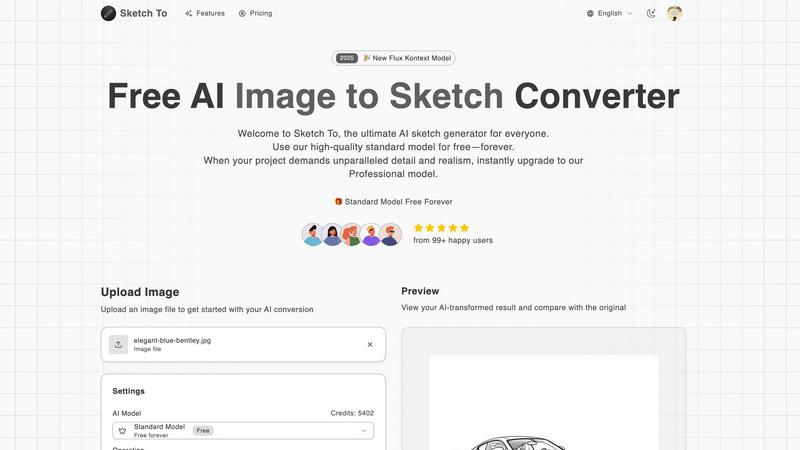
Sketch To is an innovative AI-powered platform that seamlessly connects the realms of digital photography and traditional artistry. Designed for both hobbyists and professional artists, Sketch To offers unique capabilities to transform ordinary photographs into intricate sketches and vice versa. This dual-direction conversion functionality allows users to explore their creativity in novel ways, whether they want to enhance their social media posts or produce high-quality artwork. The core value proposition of Sketch To lies in its accessibility and flexibility. By providing a robust free Standard Model and a premium Professional Model, it democratizes advanced AI image processing. Users can enjoy an always-free trial, making it easy for anyone with an internet connection to create stunning artistic conversions without the need for software installations. The credit-based system for the Pro tier allows for enhanced detail and realism, perfect for commercial projects and professional use.
Features of Sketch To
Image to Sketch Conversion
Transform your photos into beautiful pencil sketches in just a few clicks. The advanced AI technology ensures that the artistic conversions maintain the essence of the original image while adding a unique artistic flair. This feature is perfect for artists and designers looking to create sketches from photographs effortlessly.
Sketch to Image AI
With the ability to convert hand-drawn sketches into photorealistic images, Sketch To offers an incredible tool for illustrators and designers. The Pro model brings sketches to life with remarkable detail and accuracy, enabling users to produce professional-grade images suitable for various applications.
Instant Processing
Sketch To boasts a powerful cloud-based AI processing engine that delivers results in seconds. Users can upload their images or sketches and receive high-quality conversions almost immediately, making it an efficient tool for time-sensitive creative projects.
High Resolution Output
Every creation can be downloaded in high resolution, ensuring that images are suitable for print and professional use. This feature is particularly beneficial for artists and designers who require quality that meets industry standards for print materials, portfolios, and presentations.
Use Cases of Sketch To
Social Media Posts
Artists and content creators can use Sketch To to generate eye-catching sketches from photos for their social media feeds. This unique presentation style can help enhance engagement and attract followers, making it a valuable tool for personal branding.
School Projects
Students can leverage Sketch To to create artistic representations of their assignments, enhancing the visual appeal of presentations and reports. This can lead to better grades and feedback from teachers who appreciate creative approaches.
Professional Artwork
Graphic designers can utilize the Pro model to produce high-quality images from sketches for commercial projects. This feature allows for a level of detail and realism that meets the demands of clients and industry standards.
Creative Hobbies
Hobbyists can explore their artistic talents by converting their favorite photographs into sketches and vice versa. This playful experimentation can lead to new artistic styles and techniques, enriching their creative journey.
Frequently Asked Questions
What types of files can I upload to Sketch To?
You can upload various image file formats, including JPEG, PNG, and more. The platform supports multiple images, making it convenient for users to experiment with different files.
How does the credit system work for the Professional Model?
The credit system allows users to purchase credits that can be used for each conversion in the Professional Model. This provides flexibility, as users only pay for what they use, and can easily manage costs based on their needs.
Is there a limit on the number of images I can convert?
While the Standard Model offers a generous number of trial credits, the Pro model operates on a credit basis. Users can convert multiple images, but they will need sufficient credits to do so, ensuring that they can manage their usage according to their plans.
Can I use Sketch To for commercial purposes?
Yes, the Professional Model is specifically designed for commercial use, providing users with the quality and detail necessary for professional projects. This makes it an ideal choice for designers, illustrators, and anyone needing high-quality artistic output for business purposes.
Similar to Sketch To

Magic Eraser
AI photo editor for removing objects and backgrounds, enhancing images, and creating visuals across web and mobile.

Imagine2
Private browser-based AI image generation and editing with text-to-image, targeted edits, and multi-image references.

Kogashitsuka AI
An online AI image tool that enhances photos and illustrations at their original size or upscales them by 2x or 4x.

IsThisAIImage
Free AI image checker: upload a photo for AI-generated and deepfake scores, a clear verdict, and optional generator hints.

StopScroll
StopScroll is an AI thumbnail maker that generates YouTube thumbnail concepts from a URL, title, or prompt.


Picture Enhancer
Picture Enhancer: free AI photo deblur, upscale, and restore in your browser. Guest tries, then credits—no software install.

Blur & Unblur AI
Free online face blur and unblur tool with local browser processing.