

poseup
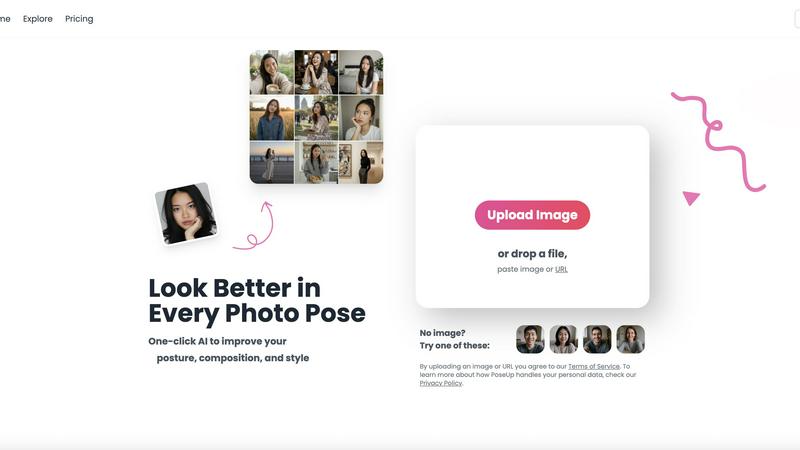
PoseUp uses AI to effortlessly enhance your photos by improving posture, composition, and style with a single click.
About poseup
PoseUp is an innovative AI-powered photo enhancement platform that aims to bridge the gap between ordinary snapshots and professional-quality portraits. Designed for users ranging from casual photographers to social media influencers, PoseUp leverages advanced artificial intelligence to automatically analyze and enhance core photo elements, including pose, posture, and composition, all with a single click. This tool tackles common frustrations related to photography, such as awkward stances, poor framing, and unflattering angles. By eliminating the need for expensive cameras, professional training, or complex editing software, PoseUp empowers users to effortlessly transform their images into stunning visual representations. Whether you are capturing family moments, taking professional headshots, or curating content for social media, PoseUp provides instant enhancements that elevate your imagery. Its intuitive design and seamless functionality make it an indispensable resource for anyone looking to present their best selves, regardless of their photography experience.
Features of poseup
One-Click Enhancement
PoseUp's standout feature is its one-click enhancement capability. This allows users to instantly improve their photos by correcting posture, optimizing composition, and enhancing visual appeal. No prior experience is required, making it accessible for everyone.
Advanced AI Analysis
The platform employs cutting-edge AI technology to analyze key elements of photographs. This includes assessing lighting, framing, and pose, enabling the tool to suggest intelligent adjustments that enhance the overall quality of the image.
Versatile Use Cases
PoseUp is designed for a variety of photography scenarios, from casual lifestyle shots to professional headshots and fitness imagery. Its versatility ensures that users can apply enhancements across different contexts, making it a valuable tool for diverse audiences.
User-Friendly Interface
With an easy-to-navigate interface, PoseUp ensures a seamless user experience. Users can upload images in various formats, including JPG, PNG, WEBP, and HEIC, making it easy to get started on enhancing their photos without any hassle.
Use Cases of poseup
Social Media Content Creation
For social media creators, PoseUp serves as an excellent tool to enhance the quality of their images. By improving poses and compositions, users can create visually striking content that stands out in crowded feeds and attracts more engagement.
Professional Portraits
Photographers can utilize PoseUp to refine portraits for clients, ensuring that every shot meets the highest standards. With automatic posture correction and composition enhancements, photographers can focus more on creativity and less on editing.
Fitness and Wellness Imagery
Fitness enthusiasts can benefit from PoseUp by generating compelling images that showcase their workouts or transformations. The tool helps create dynamic poses and visually appealing compositions that resonate with audiences interested in health and wellness.
Family and Group Photos
PoseUp is perfect for families looking to capture memorable moments without the stress of traditional photography. The tool enhances group poses and ensures everyone looks their best, making family gatherings more enjoyable and memorable.
Frequently Asked Questions
How does PoseUp enhance my photos?
PoseUp uses advanced AI algorithms to analyze and optimize key elements of your photos, including pose, posture, and composition. This results in improved visual appeal with just one click.
Is PoseUp easy to use for beginners?
Absolutely! PoseUp is designed with a user-friendly interface that makes it accessible for beginners. You can simply upload your image and let the AI do the work, requiring no prior photography or editing experience.
What types of images can I upload to PoseUp?
You can upload images in various formats, including JPG, PNG, WEBP, and HEIC, with a maximum file size of 5MB per image. This flexibility makes it easy to enhance a wide range of photos.
Can PoseUp be used for professional photography?
Yes, PoseUp is an excellent tool for both amateur and professional photographers. It enhances images quickly and effectively, allowing professionals to focus on their creative vision while ensuring high-quality results.
Explore more in this category:
Similar to poseup

Magic Eraser
AI photo editor for removing objects and backgrounds, enhancing images, and creating visuals across web and mobile.

Imagine2
Private browser-based AI image generation and editing with text-to-image, targeted edits, and multi-image references.

Kogashitsuka AI
An online AI image tool that enhances photos and illustrations at their original size or upscales them by 2x or 4x.

IsThisAIImage
Free AI image checker: upload a photo for AI-generated and deepfake scores, a clear verdict, and optional generator hints.

StopScroll
StopScroll is an AI thumbnail maker that generates YouTube thumbnail concepts from a URL, title, or prompt.


Picture Enhancer
Picture Enhancer: free AI photo deblur, upscale, and restore in your browser. Guest tries, then credits—no software install.

Blur & Unblur AI
Free online face blur and unblur tool with local browser processing.