
LinkedInPro
Elevate your LinkedIn presence by instantly transforming casual photos into professional headshots with AI.
About LinkedInPro
LinkedInPro is an innovative AI-driven tool designed to elevate your professional image by transforming ordinary photos into high-quality, studio-style headshots in just seconds. Aimed at job seekers, entrepreneurs, professionals, and anyone in need of an impressive online presence, LinkedInPro eliminates the need for expensive photography sessions. Users can effortlessly upload a clear, well-lit, front-facing photo, and the advanced AI technology takes care of the rest. The service preserves the subject's natural features while delivering exceptional results, ensuring that users present themselves authentically and attractively. By offering a variety of styles and backgrounds, LinkedInPro allows individuals to effectively express their personal brand across LinkedIn and various other platforms, ultimately enhancing their visibility and appeal to recruiters and clients. This accessible solution not only saves time and money but also empowers users to create a polished image that resonates in today’s competitive job market.
Features of LinkedInPro
Instant Photo Enhancement
LinkedInPro utilizes cutting-edge AI technology to instantly enhance uploaded images, transforming them into professional headshots. This feature ensures that even a casual photo can be elevated to a studio-quality image, making it ideal for users who want rapid results without compromising on quality.
Customizable Styles and Backgrounds
With LinkedInPro, users have the option to choose from a variety of styles and backgrounds to match their personal brand. This flexibility allows professionals to tailor their headshots to suit different industries, making it easier to create an image that resonates with specific audiences, whether they're in tech, finance, or creative fields.
User-Friendly Upload Process
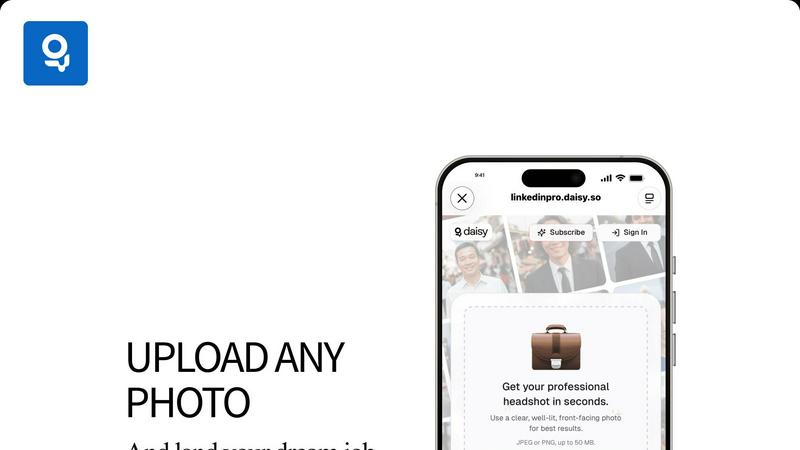
The tool offers a streamlined and intuitive upload process, allowing users to easily submit their images in JPEG or PNG formats up to 50 MB. This simplicity encourages more users to take advantage of the service, as they can quickly get started without navigating complicated steps.
Privacy and Security Assurance
LinkedInPro prioritizes user privacy and data security. The platform operates under strict privacy policies, ensuring that uploaded photos are handled securely. Users can rest assured that their images are protected, making it a trustworthy option for those concerned about their personal data.
Use Cases of LinkedInPro
Job Seekers Revamping Their Profiles
Job seekers can significantly enhance their LinkedIn profiles with professional headshots created using LinkedInPro. A polished image can make a strong first impression on recruiters, increasing the chances of being noticed among numerous applicants in competitive job markets.
Entrepreneurs Promoting Their Brands
Entrepreneurs looking to establish a credible online presence can utilize LinkedInPro to create headshots that reflect their brand identity. A professional image helps in building trust with potential clients and investors, thereby facilitating business growth.
Professionals Seeking Networking Opportunities
Networking is crucial in many industries, and having an appealing headshot can make a difference during interactions, both online and offline. LinkedInPro enables professionals to present themselves in a favorable light, enhancing their networking strategies.
Social Media Influencers Crafting Their Image
Social media influencers can leverage LinkedInPro to create high-quality headshots that align with their personal brand. A compelling image not only attracts followers but also increases engagement, making it essential for influencers to maintain a polished online presence.
Frequently Asked Questions
How does LinkedInPro enhance my photos?
LinkedInPro uses advanced AI algorithms to analyze your uploaded photos and apply professional editing techniques. This includes adjusting lighting, refining details, and selecting suitable backgrounds to create a high-quality headshot.
What type of photos work best for LinkedInPro?
For optimal results, users should upload clear, well-lit, front-facing photos. Ideally, the image should capture the subject's face directly, with minimal distractions in the background, ensuring that the focus remains on their professional appearance.
Can I use LinkedInPro for other social media platforms?
Absolutely! While LinkedInPro is tailored for LinkedIn, the professional headshots created can be used across various platforms, including business websites, social media profiles, and even digital resumes, enhancing your overall online presence.
Is my personal data safe with LinkedInPro?
Yes, LinkedInPro takes user privacy and security very seriously. The platform adheres to strict privacy policies, ensuring that your uploaded images are securely processed and stored, giving you peace of mind while using the service.
Explore more in this category:
Similar to LinkedInPro


PerPageFax
PerPageFax lets you send a fax online from any browser for a flat $0.50 per page — no account, no subscription, no fax machine.

OctoWatch DLP
Track staff & time. Free trial. Cloud/on-prem.

Fill PDF from Sheet
Fill PDF from Sheet automates the process of populating PDF forms from data in Excel, CSV, or Google Sheets.

linkwise.link
AI finds your lost links. Summarizes & tags URLs.

Glanced
Follow news, blogs, newsletters, and podcasts in a free RSS reader, with AI summaries, top stories, full-text search, saved searches, and a catalog.

Magic Eraser
AI photo editor for removing objects and backgrounds, enhancing images, and creating visuals across web and mobile.