

Interhubz
Interhubz seamlessly syncs Intercom chats to HubSpot as organized notes, enhancing ticket management and communication.
About Interhubz
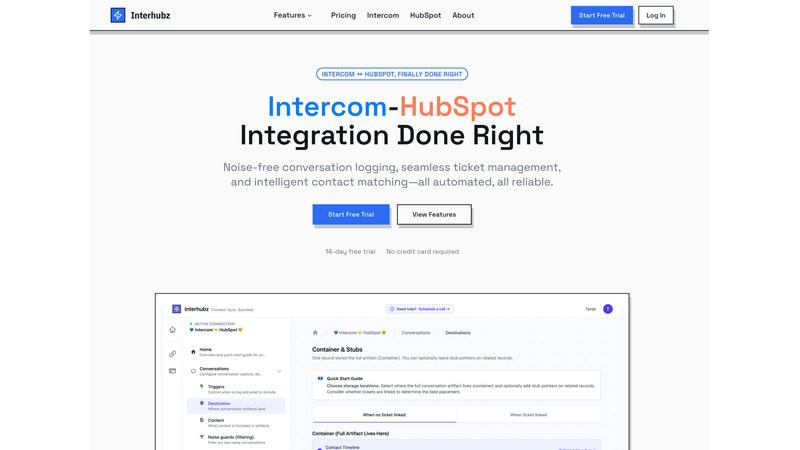
Interhubz is a robust integration tool designed to seamlessly connect Intercom and HubSpot, addressing common challenges faced by teams that rely on both platforms for customer support and sales. The primary goal of Interhubz is to streamline communication by eliminating the clutter often associated with traditional integrations. Instead of inundating HubSpot with fragmented notes from every interaction on Intercom, Interhubz consolidates conversations into a single, clean entry that includes full transcripts and relevant attachments. This integration is particularly beneficial for teams where support operates through Intercom while sales and customer success leverage HubSpot, allowing for a synchronized workflow without the timeline pollution, duplicates, or manual input that typically complicate these processes. With features like intelligent contact matching, one-click ticket creation, and noise guards, Interhubz enhances productivity and ensures that critical information flows smoothly between systems.
Features of Interhubz
One Note Per Conversation
Interhubz transforms the way conversations are logged by ensuring that each Intercom interaction results in just one well-organized note in HubSpot. This feature not only reduces clutter but also enhances readability, making it easier for sales and support teams to access the information they need without sifting through multiple entries.
Intelligent Contact Matching
This feature employs advanced algorithms to match contacts based on email, phone numbers, and custom properties, ensuring there are no duplicates in the system. By accurately linking the correct contacts and companies, Interhubz saves time and prevents confusion, allowing teams to focus on building relationships rather than sorting through data.
One-Click Ticket Creation
Interhubz simplifies the ticket management process with a one-click feature that enables users to create HubSpot tickets directly from within Intercom. This functionality includes bi-directional status syncing, so any updates made in one platform are automatically reflected in the other, reducing the risk of information drift and manual errors.
Noise Guards
With noise guards, Interhubz ensures that only meaningful interactions are synced to HubSpot. This feature automatically filters out bot conversations, spam, and low-value chats, maintaining a clean and organized CRM. Users can customize these filters according to their preferences, ensuring that only relevant data is captured.
Use Cases of Interhubz
Streamlining Support and Sales Coordination
Interhubz serves teams that require efficient coordination between support and sales. By providing a consolidated view of customer interactions, sales teams can easily access critical support context, enabling them to follow up effectively and close deals faster.
Enhancing Data Quality in HubSpot
By preventing duplicate entries and irrelevant data from cluttering the HubSpot timeline, Interhubz enhances the overall quality of customer data. This leads to more accurate reporting, better segmentation, and ultimately, improved marketing and sales strategies.
Automating Ticket Management
For organizations that handle a high volume of customer inquiries, Interhubz automates the ticket creation process. This reduces the administrative burden on support teams, allowing them to focus more on resolving issues and improving customer satisfaction.
Improving Customer Experience
Interhubz helps improve the overall customer experience by ensuring that all teams have access to the same, up-to-date information about customer interactions. This unified view allows for more personalized and informed interactions, leading to higher customer satisfaction and loyalty.
Frequently Asked Questions
How does Interhubz improve integration between Intercom and HubSpot?
Interhubz improves integration by consolidating multiple conversation entries into a single, readable note, enabling better organization and context retention. This reduces confusion and enhances communication between teams.
Is there a trial period available for Interhubz?
Yes, Interhubz offers a 7-day free trial with no credit card required. This allows potential users to explore the integration features and see how it can benefit their workflow.
What types of conversations does Interhubz filter out?
Interhubz has configurable noise guards that automatically filter out bot conversations, spam, and low-value interactions, ensuring that only meaningful customer engagements are logged in HubSpot.
Can I customize how contacts are matched in Interhubz?
Absolutely. Interhubz allows users to configure intelligent contact matching using email, phone numbers, or custom properties. This customization prevents duplicates and ensures accurate data synchronization between platforms.
Explore more in this category:
Similar to Interhubz


benchmark.directory
AI tools written up by the people who paid for them. Pricing, integrations, data policy and the limit we hit in a week of use.

Tools Network
Tools Network is a curated directory that brings the internet's best AI tools together in one organized place.


UseWok
Done-for-You SaaS Visibility for Search & AI | UseWok

Postqued
Schedule and publish social content across 10 platforms with one dashboard, API, and MCP built for teams and AI agents.