

Filator
Filator is a free all-in-one platform for creating, converting, and automating tasks with AI, PDFs, and images.
About Filator
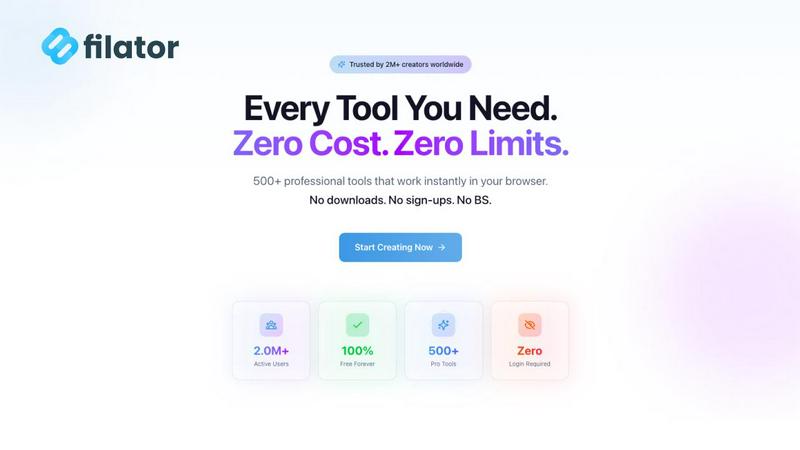
Filator is an innovative digital workspace that consolidates over 500 professional-grade online utilities into a single, seamless platform. Designed for developers, designers, marketers, and professionals across more than 150 countries, Filator enables users to create, convert, and automate various tasks directly within their browser, eliminating the need for multiple tools. The platform operates on the philosophy of radical respect for user privacy and time, ensuring that users can access tools without mandatory signups, premium paywalls, or intrusive data collection. With advanced AI-powered generators, PDF processors, image converters, and developer utilities, every tool is engineered for instant, client-side execution, meaning that sensitive data never leaves the user's device. This commitment to security and user sovereignty empowers over 2 million users to enhance their productivity through an intuitive interface that prioritizes speed, quality, and efficiency.
Features of Filator
Instant Results
Filator provides users with immediate access to professional results without any waiting or queues. Whether you are converting files or generating content, you can expect prompt outcomes that meet your needs in real-time.
Zero Signup Requirement
Forget about tedious registration processes. Filator allows users to start using tools immediately without requiring accounts, email verification, or passwords, making it incredibly user-friendly and accessible.
50+ Free Tools
Filator boasts a growing collection of over 50 professional-grade tools that can be used completely free of charge. Users can access these tools without hidden fees or watermarks, guaranteeing high-quality outputs every time.
Powerful Automation Workflows
Filator enables users to chain tools together to automate repetitive tasks efficiently. With smart workflows, users can save significant time by connecting various utilities and streamlining their processes seamlessly.
Use Cases of Filator
Content Creation for Marketers
Marketers can leverage Filator's AI-powered tools to generate engaging content quickly. Whether crafting social media posts or writing blog articles, Filator provides instant solutions to enhance marketing efforts.
PDF Management for Professionals
Professionals dealing with numerous documents can utilize Filator's PDF tools to merge, split, or convert PDFs effortlessly. This makes managing contracts, reports, and presentations simple and efficient.
Image Editing for Designers
Designers can take advantage of Filator's image tools to edit photos, remove backgrounds, or convert file formats without switching between multiple applications, allowing for a smoother workflow.
Social Media Engagement
Social media managers can utilize Filator's social media tools to create fake posts, generate QR codes, and download video thumbnails, enhancing their engagement strategies and content planning without hassle.
Frequently Asked Questions
What types of tools does Filator offer?
Filator offers a diverse range of tools categorized into AI tools, PDF tools, image tools, social media tools, and QR/barcode generators, ensuring users can find solutions for various tasks.
Is there a cost associated with using Filator?
Filator provides over 50 tools for free, with premium plans available that offer additional features and higher usage limits, making it accessible for both casual and professional users.
How does Filator ensure user privacy and data security?
Filator prioritizes user privacy by ensuring that all processing occurs client-side, meaning that data never leaves the user's device, thus maintaining confidentiality and security at all times.
Can I automate tasks within Filator?
Yes, Filator allows users to create powerful workflows by chaining tools together, enabling automation of repetitive tasks and significantly improving efficiency and productivity.
Explore more in this category:
Similar to Filator


benchmark.directory
AI tools written up by the people who paid for them. Pricing, integrations, data policy and the limit we hit in a week of use.

saasgrow.ai
The shortcut to the right SaaS. Screened growth tools, organised by category, with nothing sponsored and nothing bought.

Tools Network
Tools Network is a curated directory that brings the internet's best AI tools together in one organized place.


Built2WinWeb AI SEO
AI‑ready websites, WebAgentScan SaaS, and Indexing Pack. MCP, A2A, llms.txt — hand‑coded PHP, complete ownership, flat‑fee, free quote.

SnapPChart
SnapPChart grades a trading chart screenshot A+ to F, with an entry, stop, targets, and risk/reward. Works on stocks, forex, crypto, futures.