

DocuExtractor
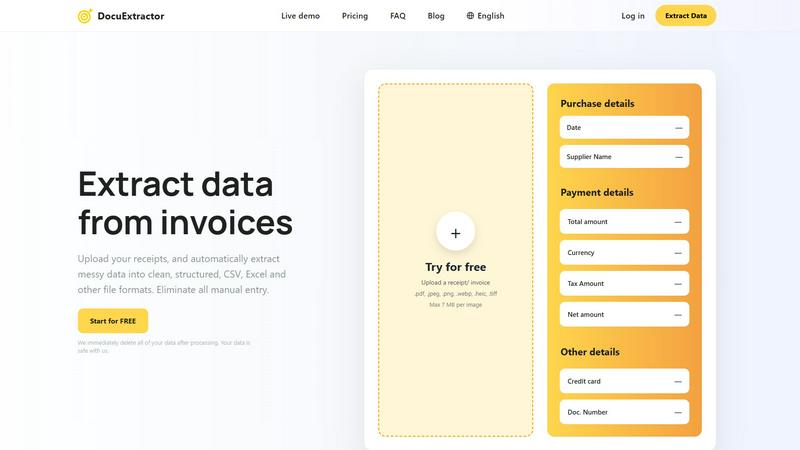
DocuExtractor transforms your messy receipts and invoices into clean, structured data instantly, streamlining your.
About DocuExtractor
DocuExtractor is a cutting-edge, AI-powered document conversion platform designed to streamline the cumbersome process of data entry for professionals in finance and accounting. It specializes in transforming unstructured financial documents—including invoices, receipts, and bank statements—into structured, usable data formats like CSV and Excel. Targeted primarily at accountants, bookkeepers, AP specialists, and business managers, DocuExtractor significantly enhances productivity by automating the extraction of crucial data fields such as dates, supplier names, total amounts, and tax details with remarkable accuracy. By leveraging advanced technologies such as Optical Character Recognition (OCR), Deep Learning (DL), and Large Language Models (LLMs), DocuExtractor not only reads text but also comprehends the context of financial documents. This capability minimizes human error and drastically reduces the time spent on manual data entry, allowing users to focus on strategic and analytical tasks that add greater value to their organizations. With its strong security posture, enterprise-ready scalability, and support for over 45 languages, DocuExtractor is a reliable partner for modern financial operations, ensuring that users can work efficiently, safely, and effectively.
Features of DocuExtractor
Advanced Data Extraction
DocuExtractor employs sophisticated AI algorithms that ensure high accuracy in extracting data from various financial documents. Users can expect precision in capturing essential fields, transforming messy data into well-structured outputs.
Batch Processing
The platform allows users to upload multiple documents simultaneously, streamlining the extraction process. This batch processing feature is particularly beneficial for professionals managing high volumes of paperwork, saving them significant time and effort.
Multi-Format Export
Once the data is extracted, users can easily download it in popular formats such as CSV or Excel. This flexibility ensures compatibility with various accounting software and simplifies data integration into existing workflows.
Robust Security Measures
DocuExtractor prioritizes data security by implementing stringent measures to protect user information. All uploaded data is deleted immediately after processing, ensuring that sensitive financial information remains confidential and secure from unauthorized access.
Use Cases of DocuExtractor
Accounting Firms
Accounting firms can leverage DocuExtractor to automate the processing of client invoices and receipts, significantly reducing the time spent on manual entry and improving overall efficiency in financial reporting.
Expense Management
Businesses can utilize DocuExtractor to manage employee expense reports efficiently. By automating the extraction of data from receipts, companies can streamline reimbursement processes and maintain accurate records.
Audit Preparation
For auditors, DocuExtractor simplifies the preparation of financial documents by quickly converting them into structured formats. This ease of access allows for more thorough and efficient audits, saving time during the review process.
Financial Analysis
Financial analysts can use DocuExtractor to rapidly convert bank statements and transaction records into usable data, enabling quicker analysis and insights. This capability allows analysts to focus on strategic decision-making rather than data entry.
Frequently Asked Questions
How does DocuExtractor ensure data accuracy?
DocuExtractor employs advanced AI techniques, including OCR and Deep Learning, to ensure a high level of accuracy in data extraction. This multi-layered approach allows the platform to understand the context of financial documents and extract key information reliably.
Is my data secure with DocuExtractor?
Yes, DocuExtractor takes data security very seriously. All uploaded documents are deleted immediately after processing, ensuring that your sensitive information remains confidential and safe from unauthorized access.
Can I use DocuExtractor for different document types?
Absolutely! DocuExtractor is designed to handle various types of financial documents, including invoices, receipts, and bank statements, making it a versatile tool for different business needs.
What file formats can I upload to DocuExtractor?
DocuExtractor supports various file formats including PDF, JPEG, PNG, WEBP, HEIC, and TIFF. Users can easily upload documents in these formats for automatic data extraction.
Explore more in this category:
Similar to DocuExtractor


IZIPAY
IZIPAY is a virtual and physical crypto card service that lets users top up with digital assets and pay online like with a regular card.


PerPageFax
PerPageFax lets you send a fax online from any browser for a flat $0.50 per page — no account, no subscription, no fax machine.

SnapPChart
SnapPChart grades a trading chart screenshot A+ to F, with an entry, stop, targets, and risk/reward. Works on stocks, forex, crypto, futures.

Venduris
Venduris is a renewal intelligence platform that gives mid-size companies control over SaaS & AI contract renewals before leverage disappears.