

AssetCenter
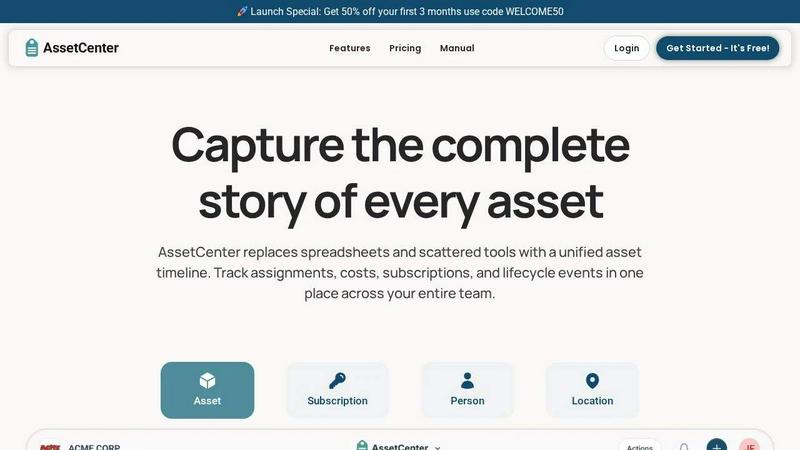
AssetCenter unifies asset lifecycle tracking, subscriptions, and team visibility into one customizable timeline-driven platform.
About AssetCenter
AssetCenter is a modern, unified asset management platform designed to bring complete visibility and control to organizations of all sizes and industries. At its core, AssetCenter solves the perennial problem of scattered asset data. Instead of relying on spreadsheets, disparate systems, or manual logs, it creates a single source of truth by capturing every event in an asset's life on a unified timeline. From the moment of acquisition to its final decommission, every action—including purchases, assignments, maintenance, transfers, notes, and tasks—is recorded chronologically. This approach transforms asset tracking from a reactive, fragmented process into a proactive, transparent, and strategic function.
The platform is built for maximum flexibility, allowing teams to model their real-world workflows without rigid constraints. Users can create unlimited, industry-specific categories and custom fields, making AssetCenter equally effective for managing IT hardware, construction machinery, medical devices, software subscriptions, or office furniture. Assets can be assigned to people, locations, or departments, with every change automatically logged for full accountability and traceability. This is complemented by built-in lifecycle tracking and depreciation insights, enabling smarter decisions about maintenance, replacement, and budget allocation. With an intuitive interface and a focus on ease of use, AssetCenter empowers teams to reduce inefficiencies, stay organized, and gain a strategic advantage. It is tailored for industries including healthcare, construction, education, government, nonprofit, IT, agriculture, manufacturing, and entertainment, offering a flexible foundation that adapts to unique operational needs.
Features of AssetCenter
Unified Timeline for All Events
The cornerstone of AssetCenter is its unified timeline, which provides a single, chronological view of every event related to an asset, subscription, person, or location. Instead of jumping between spreadsheets or different systems, you can see the complete story of a resource at a glance. This includes acquisition details, assignment history, maintenance logs, quick notes, follow-up tasks, and decommission records. This feature eliminates data silos and provides a clear, auditable history that enhances decision-making and operational transparency.
Customizable Timeline Events and Categories
AssetCenter understands that no two organizations operate the same way. It offers pre-built events for the three core lifecycle stages—acquisition, lifecycle, and decommission—so you can start immediately. Crucially, these events are fully customizable, and you can create your own to match your specific workflows. Whether you need to log a firmware update, an oil change, a vandalism report, or a software license renewal, you can tailor the event types. This flexibility ensures the platform adapts to your processes, not the other way around.
Dashboard for Organizational Visibility
The platform’s dashboard provides a high-level, at-a-glance view of your entire organization. It brings together key metrics, allowing you to track costs, monitor upcoming expirations, and identify end-of-life assets without navigating through multiple pages. You can see recent activity across all your resources, helping you stay ahead of potential issues and make informed strategic decisions. This central command center transforms raw data into actionable insights, improving overall operational efficiency.
Bulk Import and Rapid Onboarding
Getting started with AssetCenter is designed to be fast and painless. The platform includes bulk import templates in Excel format, allowing you to quickly load all your existing assets, subscriptions, people, and locations. You simply download the template, fill in your data, and upload it. This feature dramatically reduces the time and effort required for initial setup, enabling teams to move from evaluation to active use in minutes, not weeks. It removes the barrier of manual data entry, making the transition to a new system seamless.
Use Cases of AssetCenter
IT Asset and Software License Management
An IT department can use AssetCenter to track every piece of hardware and software subscription. From the moment a laptop is purchased and assigned to an employee, to its eventual retirement, every event is logged. The timeline captures software installations, warranty claims, repairs, and transfers between team members. The dashboard provides visibility into upcoming software license renewals and end-of-life hardware, preventing costly lapses and ensuring compliance. This centralized view eliminates the chaos of tracking assets across multiple spreadsheets and helps optimize IT budget allocation.
Healthcare Equipment Lifecycle Tracking
A hospital or clinic can manage critical medical devices, from infusion pumps to MRI machines, using AssetCenter. Custom categories can be created for different equipment types, with specific fields for regulatory compliance, calibration schedules, and maintenance logs. The timeline captures every service event, part replacement, and location transfer. This ensures that all equipment is properly maintained, compliant with health regulations, and available when needed. It reduces downtime, improves patient safety, and provides a clear audit trail for accreditation purposes.
Construction and Heavy Machinery Management
Construction firms can track expensive machinery like excavators, bulldozers, and generators across multiple job sites. Assets can be assigned to specific locations or projects, with the timeline recording fuel usage, oil changes, repairs, and safety inspections. The dashboard provides a real-time view of equipment location, utilization, and maintenance status. This prevents costly breakdowns on site, reduces theft risk, and helps in planning for equipment replacement. It provides a single source of truth for managing a mobile and high-value asset fleet.
Nonprofit and Educational Resource Management
Schools, universities, and nonprofit organizations can manage a diverse range of assets, including computers, lab equipment, furniture, and program supplies. AssetCenter allows them to track inventory, assign resources to specific classrooms or departments, and log donations or grants as acquisition events. The ability to create custom categories for different types of resources, like textbooks or sports equipment, is invaluable. This ensures accountability, simplifies annual audits, and helps organizations maximize the use of their limited resources by knowing exactly what they have and where it is.
Frequently Asked Questions
What makes AssetCenter different from using a spreadsheet for asset tracking?
Spreadsheets are static, prone to human error, and lack a collaborative, real-time view. AssetCenter provides a dynamic, cloud-based platform with a unified timeline that automatically logs every event. It offers features like customizable categories, bulk import, a central dashboard, and assignment tracking that spreadsheets cannot replicate. This leads to better accuracy, accountability, and actionable insights, saving time and reducing the risk of lost or mismanaged assets.
Can I try AssetCenter without providing a credit card?
Yes, AssetCenter offers a free trial that requires no credit card. This trial includes access to the entire platform with a limit of 25 assets, and there is no time limit on how long you can use it. This allows you to fully explore the features, customize categories, and import your data to see if the platform fits your organization's needs before making any commitment.
Is AssetCenter suitable for my industry if I don't work in IT?
Absolutely. While many asset management tools are IT-focused, AssetCenter is designed for flexibility across all industries. It supports the creation of unlimited, custom categories and fields, allowing you to track anything from medical equipment and construction machinery to office furniture and program supplies. The platform is used by organizations in healthcare, construction, education, government, nonprofit, agriculture, manufacturing, and entertainment.
How does the unified timeline help with accountability?
Every action on an asset, from an assignment to a maintenance event, is automatically logged on its timeline with a timestamp and, where applicable, the user who performed the action. This creates a complete, auditable history. If a piece of equipment is lost or damaged, you can quickly see the last person it was assigned to and the last logged event. This level of traceability promotes responsible use and simplifies investigations, significantly improving accountability across the organization.
Explore more in this category:
Similar to AssetCenter

JevModel
Bilingual Jev decision workbench with original guides for structured, AI-assisted decisions.

Novastart
Apps and files on an infinite canvas where people and AI agents work together.

Memorable Contact
Memorable Contact helps you remember people, save conversation details, find contacts using AI-powered search, and share digital business cards easily

Sayble
AI copilot that tells you what to say next on live sales calls, then writes the recap and follow-up.

Product Launch Checklist
A free launch checklist for SaaS, apps, AI tools and more. Every step says why it matters and when you can skip it.

Kody Tools
Free collection of online developer utilities, code formatters, and digital converters designed to streamline your daily workflow.

tally counter
Browser-based gamepad diagnostic tool for testing controller buttons, analog sticks, triggers, D-pad controls, and input detection.

Forms Plugin
The #1 Native Form Builder Plugin for Framer - No Code, No Embeds, No External Platforms.