

AskFormulas
AskFormulas generates and validates Excel and Google Sheets formulas automatically for flawless accuracy and efficiency.
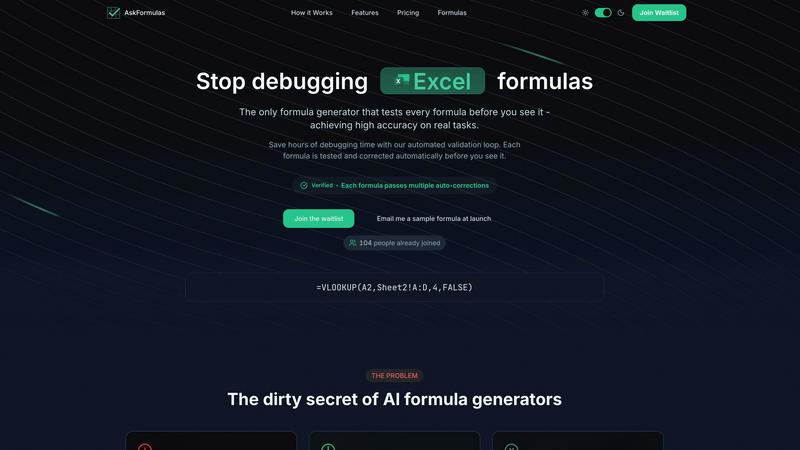
About AskFormulas
AskFormulas is an innovative AI-driven tool that revolutionizes how users interact with spreadsheet formulas, effectively eliminating the common pitfalls associated with broken formulas. Designed for a wide array of professionals—ranging from financial analysts to small business owners—this tool provides a seamless experience in formula generation. The main value proposition of AskFormulas lies in its exceptional accuracy, achieved through a unique automated validation loop that tests each formula in a secure sandbox environment before presenting it to the user. Unlike traditional AI formula generators with error rates between 40-60%, AskFormulas guarantees a remarkable accuracy rate of over 95%. This is made possible through iterative testing and automatic error correction, ensuring that users receive only verified solutions. By accepting natural language descriptions, AskFormulas democratizes the power of spreadsheets, allowing anyone, regardless of technical expertise, to automate complex calculations and streamline workflows efficiently.
Features of AskFormulas
Natural Language Processing
AskFormulas utilizes advanced natural language processing to convert user requests into functional spreadsheet formulas. Users can simply describe their needs in plain English, eliminating the need for technical syntax knowledge and making the tool accessible to everyone.
Automated Validation Loop
The cornerstone of AskFormulas is its automated validation loop, which rigorously tests each formula against synthetic data in a secure environment. This ensures that every formula is not only generated but also validated for accuracy before it reaches the user.
Verified Output Badge
Once a formula has successfully passed through the validation process, it is delivered with a distinctive "Verified" badge. This badge signifies that the formula has been tested multiple times and is guaranteed to work, providing users with confidence and peace of mind.
Cross-Platform Compatibility
AskFormulas seamlessly supports both Excel and Google Sheets. Users can toggle between platforms effortlessly, ensuring that the generated formulas are compatible without any additional adjustments, thus simplifying the workflow.
Use Cases of AskFormulas
Financial Reporting
Financial analysts can leverage AskFormulas to quickly generate complex financial models and reports. By simply describing their requirements, they can obtain accurate formulas that automate calculations, saving valuable time and reducing the potential for errors.
Sales Tracking
Revenue managers can utilize AskFormulas to create formulas that track sales performance. Whether calculating totals, averages, or variances, the tool provides precise formulas that help in making informed business decisions without extensive spreadsheet knowledge.
Small Business Operations
Small business owners can use AskFormulas to automate routine tasks like generating sales summaries or expense tracking. This allows them to focus on strategic decisions rather than getting bogged down by tedious spreadsheet tasks.
Educational Purposes
Educators and students can benefit from AskFormulas by using it as a learning tool. It enables them to experiment with formula generation without fear of making mistakes, fostering a deeper understanding of how spreadsheets function in a supportive environment.
Frequently Asked Questions
How accurate are the generated formulas?
AskFormulas boasts an impressive accuracy rate of over 95%. Each formula undergoes rigorous testing in a sandbox environment to ensure it functions correctly before being delivered to the user.
Does it work with both Excel and Google Sheets?
Yes, AskFormulas is designed to seamlessly work with both Excel and Google Sheets. Users can switch between platforms easily, and the tool automatically adjusts the formula syntax as needed.
How many formulas can I generate per month?
AskFormulas offers different plans with varying limits on the number of formulas generated. For example, the Starter plan allows for 500 formulas per month, while higher tiers offer more extensive options for power users and teams.
What happens if my formula has errors?
AskFormulas includes smart error detection that automatically identifies and corrects issues within the generated formulas. This ensures that users receive a functional formula without the frustration of encountering common spreadsheet errors like #REF! or #VALUE!.
Explore more in this category:
Similar to AskFormulas

Sayble
AI copilot that tells you what to say next on live sales calls, then writes the recap and follow-up.

Product Launch Checklist
A free launch checklist for SaaS, apps, AI tools and more. Every step says why it matters and when you can skip it.

Kody Tools
Free collection of online developer utilities, code formatters, and digital converters designed to streamline your daily workflow.

tally counter
Browser-based gamepad diagnostic tool for testing controller buttons, analog sticks, triggers, D-pad controls, and input detection.

Forms Plugin
The #1 Native Form Builder Plugin for Framer - No Code, No Embeds, No External Platforms.


